

Compliance
Integrating Application-Level Evidence Automation with Drata, Vanta & GRC Platforms
For teams evaluating Drata, Vanta, and other GRC dashboards, Screenata puts Vera in charge of the evidence work. She collects API evidence, captures UI workflows when screenshots prove what APIs cannot see, chases attestations, signs the proof, maps it across frameworks, and exports only when an existing audit workspace needs the pack.
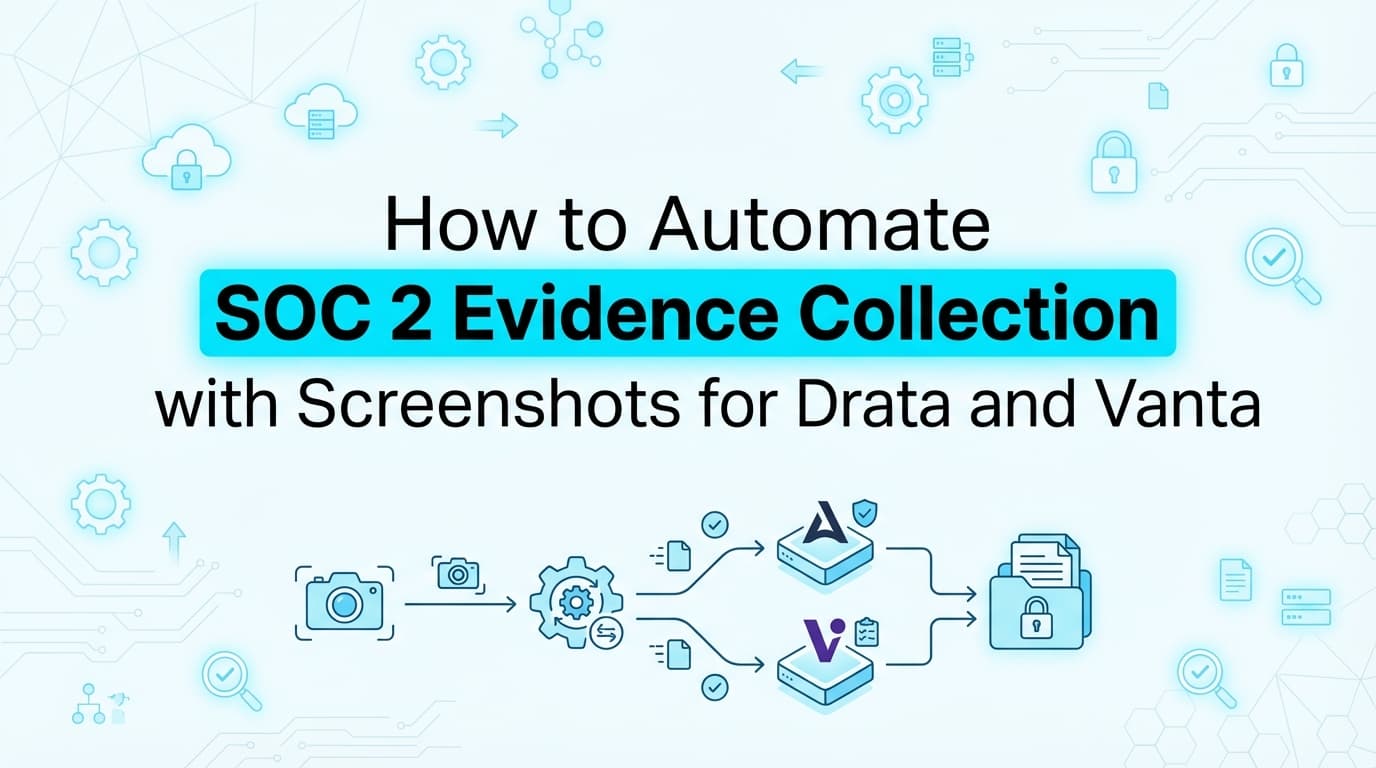
GRC platforms like Drata, Vanta, Secureframe, and Sprinto can collect a lot of compliance evidence from APIs. They are strongest when the control asks for a configuration state from AWS, GitHub, Okta, Google Workspace, an MDM, or a training platform. Screenata puts Vera in charge of the work those dashboards often assign back to people: application workflows, attestations, policy proof, evidence freshness, and audit-ready packaging.
Vera scans connected systems read-only, captures application workflows when the UI is the evidence, asks owners for attestations in Slack or Teams, ingests files from email, signs the artifacts, and maps every claim to the control test it supports. Screenshots are valuable for controls APIs cannot inspect because the UI proof stays inside the same signed claim-to-evidence chain. If your team already uses a GRC platform, Vera can export the reviewed evidence pack into that dashboard. The strategic value is moving daily compliance work into an agent-run workflow.
This guide covers what application-level evidence is, why it still matters in 2026, how it maps to SOC 2 and other frameworks, and how to integrate the output with Drata, Vanta, or another GRC system.
What Is Application-Level Evidence Automation?
Application-level evidence automation collects proof from the workflows inside your own application and internal tools. It answers questions an infrastructure API cannot fully answer:
- Does a viewer user actually get blocked from admin billing settings?
- Does a terminated user lose access to the support console?
- Was a production change approved before deployment?
- Did someone review the alert dashboard during the period?
- Was a customer deletion request completed according to policy?
The evidence may include API data, screenshots, guided workflow captures, Slack attestations, tickets, documents, and signed summaries. Screenshots are important for UI proof, but they are one part of the evidence mix. In Screenata's current model, roughly 70% of evidence is fully API-automated, 9% is automated screenshots, 9% is guided collection, 5% is inbox-ingested, and the operating model avoids manual dashboard uploads.
Why API Evidence Is Still Incomplete
APIs report structured facts
APIs are excellent for configuration and state. They can show whether MFA is enabled, whether encryption is on, whether a branch protection rule exists, or whether a user belongs to a group.
Applications enforce behavior
Your product may enforce access rules, workflow approvals, data deletion steps, or administrative boundaries in code and UI. A dashboard integration may know the identity provider group, but it may not know whether your internal route actually blocks the restricted user.
Auditors test both
For SOC 2, auditors often need both the configuration evidence and the operational evidence. Vera's job is to collect the strongest evidence source for each claim and keep the chain intact.
Why This Matters for Teams Evaluating Drata and Vanta
Dashboards show status
Drata and Vanta help teams organize controls, assign tasks, and surface missing evidence. They are useful during audit review.
Vera owns the work
When a dashboard flags missing manual evidence, someone has to collect it, write the caption, redact it, upload it, and answer follow-up questions. Vera takes over that work.
Export supports migration
If your auditor is already reviewing in Drata or Vanta, Screenata can export Vera's reviewed evidence pack to the mapped control, task, test, or document request. That keeps an in-flight audit moving while Vera becomes the operating layer.
The Core Architecture
Source systems
Source systems include cloud providers, code repositories, identity providers, application UI, support tools, Slack or Teams, email, ticketing systems, and uploaded documents.
Vera's collection layer
Vera scans, captures, asks, ingests, and records. She uses the evidence source that matches the claim instead of forcing every control into a screenshot.
Signed evidence pack
The output is a signed pack with the claim, control mapping, artifacts, timestamps, actor identity, redaction notes, and exception handling.
Legacy GRC export
The reviewed pack can be attached to Drata, Vanta, or another GRC tool while Screenata keeps the original proof chain.
Integration Workflow
Step 1: Identify the missing evidence
Start with a specific GRC task or auditor request. "Need CC6.1 evidence for Q2 access restrictions" is useful. "Need screenshots" is too vague.
Step 2: Write the control claim
Turn the request into a claim Vera can test or coordinate. Example: "Support agents cannot access customer billing settings unless they have the Billing Admin role."
Step 3: Choose the evidence source
Use API evidence for structured configuration, UI capture for application behavior, attestation for human judgment, and file ingestion for documents that arrive through email or Slack.
Step 4: Collect the evidence
Vera runs the scan, guides the capture, or asks the owner. For attestations, she can remind after 24 hours and escalate after 48 hours if the answer is still missing.
Step 5: Package and sign
Screenata creates the pack with hashes, timestamps, narrative, screenshots where needed, and the mapping back to the control.
Step 6: Review
A human owner reviews auditor-facing evidence when the control includes judgment, sensitive screens, or exceptions.
Step 7: Export
The approved pack is exported to the mapped GRC item. Screenata keeps the original record so the proof chain remains verifiable.
Pattern 1: Role-Based Access
What the dashboard captures
Drata or Vanta can usually pull user groups, identity provider settings, and sometimes application SSO configuration.
What Vera captures
Vera can collect UI proof that a restricted role is blocked from a sensitive page and an authorized role can reach it. She can also ask the application owner to confirm the role design.
Why auditors care
The auditor wants to know that access restrictions operate inside the product, not only that a group exists in Okta.
Example controls
This pattern commonly supports SOC 2 CC6.1, ISO 27001 access control requirements, HIPAA access authorization safeguards, and internal RBAC controls.
Pattern 2: Provisioning and Deprovisioning
What the dashboard captures
The GRC platform can show identity provider events, HRIS changes, or account status changes through integrations.
What Vera captures
Vera can capture the application-side result, such as a deprovisioned user blocked from the product or an admin console showing the account removed from a sensitive role.
Why auditors care
Provisioning evidence should prove both the central identity action and the downstream application result when access is managed in more than one place.
Pattern 3: Change Management
What the dashboard captures
GitHub or GitLab evidence can show pull request review, branch protection, commit history, and merge timestamps.
What Vera captures
Vera can capture release dashboard approval, staging QA sign-off, deployment confirmation, and a human attestation when the process includes manual judgment.
Why auditors care
A pull request may prove code review. It may not prove the release workflow your policy describes.
Pattern 4: Monitoring and Alert Review
What the dashboard captures
Security tools and uptime platforms can report alert counts, scan results, and integration status.
What Vera captures
Vera can collect monthly dashboard review evidence, owner attestation, incident review notes, and screenshots that show the review state during the audit period.
Why auditors care
The control often asks whether alerts are reviewed and handled, not only whether the monitoring tool exists.
Pattern 5: Incident Response
What the dashboard captures
PagerDuty, Opsgenie, Jira, Linear, or similar systems can provide incident timing, ticket ownership, and status changes.
What Vera captures
Vera can collect supporting communication, post-incident review evidence, remediation tracking, and owner attestations. She can package the timeline for the auditor.
Why auditors care
Incident evidence must show response quality and follow-through, not only ticket creation.
Pattern 6: Customer Data Deletion
What the dashboard captures
A GRC platform may store the policy, a ticket, or a manual task showing the request was handled.
What Vera captures
Vera can capture the internal tool workflow in a test or sampled context, redact customer data, and tie the result to the request and policy.
Why auditors care
Privacy and retention workflows often depend on application behavior that cloud APIs cannot inspect.
Cross-Framework Mapping
Collect once
The same evidence may support SOC 2, ISO 27001, HIPAA, CMMC, internal audit, or customer security reviews.
Map carefully
One artifact should map to multiple controls only when the claim actually satisfies each requirement. Vera keeps the claim explicit so the mapping does not become hand-wavy.
Avoid duplicate captures
If one RBAC test supports SOC 2 CC6.1 and an internal access control, capture it once and map it twice. Do not ask the team to repeat the same UI workflow for every framework label.
SOC 2 Examples
CC6.1 logical access
Vera can combine identity provider data with UI captures showing access granted and denied.
CC6.2 provisioning
She can collect provisioning records, application access state, and owner attestation.
CC7.2 monitoring
She can capture dashboard review evidence and attestations that alerts are reviewed on schedule.
CC7.3 incident response
She can package incident timeline, communication records, and review outcomes.
CC8.1 change management
She can combine pull request evidence with release approval and deployment workflow proof.
Evidence Pack Requirements
Claim
State exactly what the evidence proves.
Control mapping
List the framework, control ID, internal control, and period.
Artifact list
Show whether the pack includes API scan results, screenshots, attestations, tickets, files, or other records.
Actor identity
Identify whether a human reviewer, system integration, or Vera (AI) performed each step.
Time
Include timestamps that place the evidence inside the audit period.
Integrity
Use hashes, timestamps, and signatures to preserve traceability.
Exceptions
Document failed tests, gaps, late attestations, and remediation work.
Drata Migration Path
Map by control
Attach each evidence pack to the specific Drata control or evidence request it supports.
Keep naming predictable
Use names like CC6.1_Q2_2026_RBAC_UI_Test.pdf rather than generic uploads.
Review before upload
Use review-first upload for sensitive UI evidence or controls with exceptions.
Preserve Screenata source
Keep the signed Screenata record after upload so the chain remains verifiable.
Vanta Migration Path
Map by task or test
Vanta evidence often lands on a task, test, custom control, or document request. Confirm the destination before export.
Use the period in the title
Auditors review Type II evidence by time. Include month, quarter, or sampled date in the pack name.
Keep draft evidence inside Screenata
Let Vera collect continuously, then export approved packs to Vanta only after review.
Verify status after sync
After export, confirm the Vanta item shows the evidence under the intended request.
Other GRC Platforms
Secureframe
Use the same reviewed pack model for custom evidence requests and framework-mapped controls.
Sprinto
Map Vera's evidence pack to the specific control or audit request that needs application proof.
AuditBoard or enterprise GRC
Use batch export when the platform expects workpapers, evidence folders, or control-specific attachments.
Shared rule
The destination changes, but the evidence standard does not: claim, context, control mapping, artifact, timestamp, actor, and integrity.
Review Gates
When review is required
Use review when evidence includes sensitive customer data, security screens, failed controls, exceptions, or human judgment.
When auto-export can work
Auto-export can work for stable, low-risk packs where the workflow is tested and the destination mapping is fixed.
What reviewers check
Reviewers should confirm the claim, period, destination, redaction, exception notes, and control mapping.
How Vera's Compliance Cadence Fits Existing GRC Work
Morning checks
Vera can run evidence freshness checks before the team starts work. If a control has stale evidence, a missing attestation, or a failed scan, she can surface it in the morning briefing instead of waiting for someone to open a dashboard.
Weekly scans
Weekly scans are useful for cloud, identity, and repository evidence. They keep API-backed controls fresh and help identify where an application-level workflow needs a new capture.
Monthly evidence review
Monthly review works well for monitoring, vulnerability review, and recurring operational controls. Vera can prepare the pack, but a human owner should approve auditor-facing evidence when the control depends on judgment.
Quarterly access work
For access reviews, Vera can schedule the review, collect the user lists, ask owners to confirm access, remind late responders, and package the signed result. Human owners still decide whether each access grant is appropriate.
Audit-period exports
Drata, Vanta, or another GRC platform can receive approved packs at the cadence your audit team expects. Screenata remains the place where the proof chain is preserved.
How Auditors Review the Pack
They check scope
The auditor confirms the evidence matches the control and the period under review. A pack titled with the control, period, and claim reduces this first source of back-and-forth.
They check completeness
The pack should show the artifact, context, actor, timestamp, and result. If screenshots are included, they should show enough UI context to prove the state being tested.
They check consistency
Auditors compare the evidence against your policy. If your policy says production changes require approval, the pack should show approval before deployment rather than a later cleanup note.
They check exceptions
Exceptions are not automatic failures. Hidden exceptions are a problem. Vera should document the gap, the owner, the remediation ticket, and the re-verification result.
Cadence
Daily
Use daily checks for freshness, stale evidence, and scheduled briefing.
Weekly
Use weekly collection for controls tied to fast-moving engineering or operations work.
Monthly
Use monthly review for monitoring, vulnerability review, and dashboard evidence.
Quarterly
Use quarterly workflows for access reviews and sampled application controls.
Event-driven
Use event-driven packs for incidents, major changes, and auditor follow-up requests.
Cost Context
Traditional route
Screenata route
Existing platform route
If you already own Drata or Vanta, Screenata can take over evidence work while you keep the current audit workspace. That makes the next renewal decision clearer because you can see where the daily work actually gets done.
Common Mistakes
Treating screenshots as the strategy
Screenshots are useful for UI evidence because they prove what APIs cannot see. They should still sit inside Vera's broader evidence system with API evidence, attestations, and signed system records.
Uploading loose files
Loose PNGs lack the control claim, test steps, and integrity metadata auditors need.
Over-mapping evidence
One artifact can support multiple frameworks, but only when the claim truly matches the requirement.
Ignoring failed runs
Failed tests should create exception notes and remediation tickets. Vera can re-verify after a human applies the fix.
Skipping attestation
Some controls require a human owner to confirm intent, exception handling, or judgment. Vera should ask and record the answer.
FAQ
Is application-level evidence the same as screenshots?
No. Screenshots are one evidence source. Application-level evidence can also include API results, tickets, attestations, file records, workflow captures, and signed summaries.
Can this integrate with Drata and Vanta?
Yes. Screenata can prepare reviewed evidence packs for Drata or Vanta and map them to the relevant control, task, test, or document request.
Does Screenata replace Drata or Vanta?
Yes, for many startup SOC 2 programs. Screenata replaces the dashboard-plus-consultant stack by giving Vera ownership of policies, evidence, attestations, checks, and daily follow-up. Existing Drata or Vanta teams can export packs during a transition.
Will auditors accept application screenshots?
Auditors can accept screenshots when they are complete, timely, mapped to a control, and supported by context. Signed evidence packs are easier to review than loose images.
Does Vera make access decisions?
No. Vera schedules and orchestrates access reviews, chases owners, records attestations, and packages evidence. Human owners decide whether access is appropriate.
Does Vera apply remediation?
No. Vera opens or drafts the ticket and re-verifies after your team applies the fix.
Key Takeaways
- Drata, Vanta, and other GRC tools collect useful API evidence, while Vera turns product UI and workflow proof into review-ready evidence.
- Vera collects application-level evidence through APIs, guided capture, screenshots, attestations, files, and tickets.
- The best evidence pack states the claim, maps the control, includes the artifacts, records time and actor, and preserves integrity.
- Review-first export keeps your auditor workspace clean while Vera runs evidence collection continuously.
- Teams can use export for existing GRC workspaces, but the main reason to choose Screenata is Vera running the compliance program.
Deep Dive: Related Guides
- PCI DSS Evidence Automation: What Screenshots Prove Cardholder Data Protection
- How to Integrate Screenshot Automation with Drata or Vanta for SOC 2
- How to Export Screenata Evidence Packs into Drata or Vanta
- How Drata Automates SOC 2 and Where It Stops
- Does Vanta Take Screenshots for SOC 2?
- The 10 Best SOC 2 Compliance Platforms in 2026
- Can Screenata Integrate with Jira, GitHub, or CI/CD for Continuous Compliance?
- Do Auditors Accept AI-Captured Screenshots for SOC 2?
- State of GRC 2026 Survey: Why Automating SOC 2 Evidence Collection Requires Screenshots
- The GRC Skills Gap: Automating SOC 2 Evidence Collection (Avg Skill 5.4/10)
- The Persona Cliff: How to Automate SOC 2 Evidence Collection When Engineers Build Instead of Buy
- Why CISOs Don't Trust Commercial GRC Tools for SOC 2 Evidence (73.6% Use None)
- Why SOC 2 Auditors Reject GRC Platform Evidence and Require Screenshots
Connect and see
See your SOC 2 with your real systems.
Connect GitHub and cloud read-only. Vera shows your control matrix, policy gaps, and prioritized next actions before you commit to anything.