

Compliance
What Evidence Can Be Automated Across SOC 2, ISO 27001, HIPAA, and CMMC with Screenshots?
Yes. You can now automate evidence collection for access controls, change management, and application workflows across SOC 2, ISO 27001, HIPAA, and CMMC. This article details the specific evidence types that AI tools capture via screenshots and APIs to replace manual audit work.
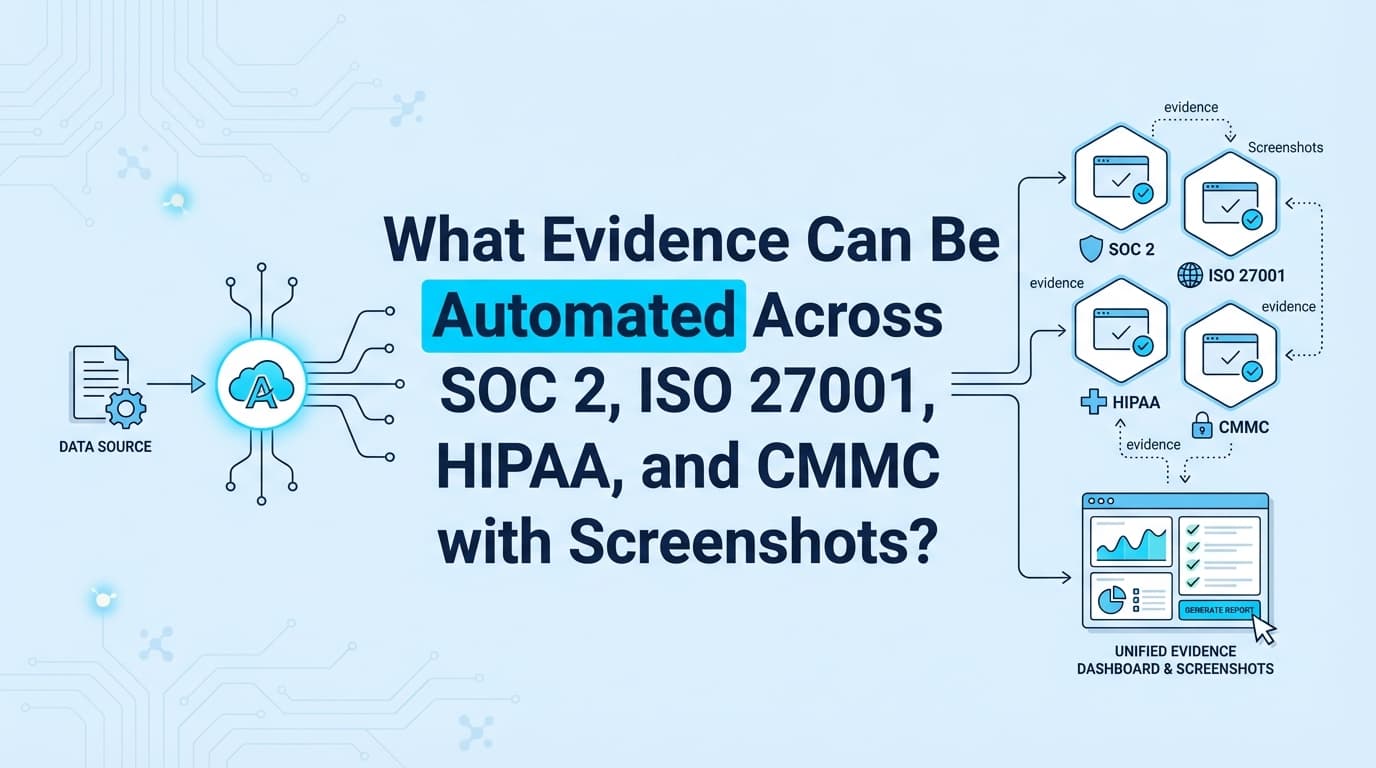
You can automate evidence collection for infrastructure configurations, application-level workflows, user access reviews, and change management processes across SOC 2, ISO 27001, HIPAA, and CMMC. While traditional tools handle API-based infrastructure checks, modern AI tools now automate screenshots and workflow recordings for the application controls that previously required manual documentation. By capturing this evidence once, you can map it to multiple frameworks simultaneously.
What Types of Evidence Are Automated via APIs vs. Screenshots?
To understand what can be automated, it is critical to distinguish between the two layers of modern compliance: Infrastructure Evidence (handled by GRC APIs) and Application Evidence (handled by AI screenshot automation).
Most companies use GRC platforms like Drata or Vanta to automate the infrastructure layer. However, auditors still require visual proof for processes that occur inside your SaaS applications, HR portals, or internal tools.
| Evidence Layer | What It Covers | How It Is Automated |
|---|---|---|
| Infrastructure (70%) | Cloud configs (AWS/Azure), MDM status, Code repo settings | API Integration (Drata, Vanta, Secureframe) |
| Application (30%) | User permissions, Change approval workflows, Backup restoration tests | AI Screenshots (Screenata) |
| Process (Manual) | Org charts, Policy acknowledgments, Meeting minutes | Document Uploads (Mostly manual) |
Which Specific Evidence Types Can Be Automated?
The following categories represent the "manual gap" that AI agents and screenshot automation tools can now handle. These are the specific artifacts auditors request that typically cannot be pulled via API.
1. Logical Access & User Access Reviews (UAR)
Auditors require proof that access to sensitive systems is restricted, reviewed, and revoked upon termination.
- Evidence Type: Screenshots of user lists showing roles (Admin vs. Member).
- Automation Method: An AI agent navigates to the "Users" or "Team" page of your application, captures the list, and uses OCR to validate roles against the authorized employee list.
- Framework Mapping:
- SOC 2: CC6.1, CC6.2
- ISO 27001: A.9.2.1, A.9.2.3
- HIPAA: §164.308(a)(4)
- CMMC: AC.L2-3.1.1
2. Change Management & Deployment Approvals
You must prove that code changes are approved by a peer before merging and that deployments are tracked.
- Evidence Type: Screenshots of Pull Requests (PRs) showing "Changes Requested" or "Approved" status, and evidence of successful CI/CD pipeline runs.
- Automation Method: Screenata records the workflow of a developer opening a PR, a reviewer approving it, and the subsequent merge, generating a timestamped PDF pack.
- Framework Mapping:
- SOC 2: CC7.2, CC8.1
- ISO 27001: A.12.1.2, A.14.2.2
- HIPAA: §164.308(a)(1)(ii)(C)
- CMMC: CM.L2-3.4.1
3. Backup Restoration & Disaster Recovery
It is not enough to have backups enabled; you must prove you can restore them.
- Evidence Type: Screenshots showing a "Restore" operation being initiated and a "Success" confirmation message.
- Automation Method: An AI agent logs into the database provider or backup tool, initiates a test restore to a staging environment, and captures the success notification.
- Framework Mapping:
- SOC 2: CC7.4, A1.2
- ISO 27001: A.17.1.2
- HIPAA: §164.308(a)(7)(ii)(B)
- CMMC: CP.L2-3.8.9
4. Security Configuration & Settings
Evidence that specific security features (like MFA or encryption) are enforced within the application UI, especially for tools that lack public APIs.
- Evidence Type: Screenshots of "Settings" pages showing toggles set to "On" (e.g., "Enforce 2FA", "Encrypt Data at Rest").
- Automation Method: Periodic automated browser sessions that verify these toggles remain enabled and capture timestamped proof.
- Framework Mapping:
- SOC 2: CC6.1, CC6.7
- ISO 27001: A.9.4.1
- HIPAA: §164.312(a)(2)(iv)
- CMMC: AC.L2-3.1.12
Unified Evidence Mapping Table
One of the biggest advantages of automated evidence collection is "Collect Once, Apply to Many." The table below shows how a single automated screenshot workflow satisfies controls across four major frameworks.
| Automated Workflow | SOC 2 Control | ISO 27001 (2022) | HIPAA Rule | CMMC Level 2 |
|---|---|---|---|---|
| New Hire Access Provisioning | CC6.2 | A.5.16 | §164.308(a)(4) | AC.L2-3.1.1 |
| Termination Access Revocation | CC6.2 | A.8.10 | §164.308(a)(3) | PS.L2-3.9.2 |
| MFA Enforcement Verification | CC6.1 | A.9.4.2 | §164.312(d) | IA.L2-3.5.3 |
| Software Change Approval | CC8.1 | A.8.29 | §164.308(a)(1) | CM.L2-3.4.1 |
| Vulnerability Scan Review | CC7.1 | A.8.8 | §164.308(a)(8) | RA.L2-3.11.2 |
Where Traditional Compliance Automation Stops
While GRC platforms are essential, they have distinct limitations regarding evidence collection. Understanding these gaps helps you identify where screenshot automation is necessary.
1. The API Limitation
Tools like Drata and Vanta rely on APIs. If a SaaS tool (e.g., a legacy HR system or a specific firewall console) does not have a public API, the GRC tool cannot monitor it.
- Result: You must manually take screenshots.
- Solution: Screenata uses computer vision to "see" the screen, bypassing the need for an API.
2. The "State vs. Process" Problem
APIs are good at checking state (e.g., "Is MFA on?"). They are bad at checking process (e.g., "Did the developer verify the ticket description before merging?").
- Result: Auditors ask for sample evidence of the process in action.
- Solution: Automated workflow recording captures the actions taken, proving the process was followed.
3. Context Blindness
An API might report that a user has "Admin" access, but it doesn't explain why or if that access is appropriate given their role in the org chart.
- Result: Auditors require a User Access Review (UAR) spreadsheet.
- Solution: AI agents can cross-reference the visual user list against HR data to flag anomalies automatically.
Does Automated Screenshot Evidence Pass Audits?
Yes. Automated screenshots are generally trusted more than manual ones because they include verifiable metadata chains that human-captured images lack.
To be accepted by auditors for SOC 2 or ISO 27001, automated evidence must include:
- Timestamps: Synced with a reliable NTP server.
- Source URL: Visible in the browser address bar or metadata.
- Tester Identity: Who (or what agent) performed the test.
- Chain of Custody: Proof that the image was not altered after capture (hashing).
Screenata generates evidence packs that automatically include all these elements, ensuring your evidence is "sufficient and appropriate" according to AICPA standards.
Example: Automating a "Change Management" Evidence Pack
Here is what an automated evidence collection workflow looks like for a standard software deployment control.
Control: SOC 2 CC8.1 / ISO A.8.29 Requirement: Changes to the system are authorized, tested, and approved prior to implementation.
Automated Steps:
- Trigger: A Pull Request is merged in GitHub.
- Capture: Screenata automatically captures:
- The PR description and ticket link.
- The "Approved" checkmark from the code reviewer.
- The status of the CI/CD build (green checkmarks).
- Generate: The system compiles these images into a PDF named
Evidence_PR_2401_Change_Mgmt.pdf. - Map: The PDF is tagged with
CC8.1and uploaded to the GRC platform.
Time Saved: 15 minutes per change → 0 minutes (fully autonomous).
Frequently Asked Questions
Can I automate evidence for custom internal tools?
Yes. Because screenshot automation tools interact with the browser UI rather than an API, they can record evidence from any web-based internal tool, admin panel, or database GUI, provided the AI agent has access credentials.
How does this work with Drata or Vanta?
For most startups, Screenata is the complete solution, handling evidence collection, policy writing, control mapping, and compliance guidance. If you already use Drata or Vanta, Screenata can work alongside them, pushing screenshot-based evidence (for application controls) directly into the GRC's evidence library, automatically marking manual controls as "Ready." But for teams starting fresh, you may not need a separate GRC platform at all.
Is this compliant with HIPAA privacy rules?
Yes. Modern evidence automation tools include PII Redaction. The AI detects sensitive patient data (PHI) or personal info (PII) on the screen and blurs it before the screenshot is saved, ensuring you don't violate HIPAA while proving security controls.
Do I need separate evidence for SOC 2 and ISO 27001?
No. If you map your controls correctly, a single piece of evidence (e.g., a screenshot of an access review) can satisfy the requirements for SOC 2 CC6.1, ISO 27001 A.9.2, and CMMC AC.L2 simultaneously. This is known as "test once, comply many."
Key Takeaways
- ✅ Automate the Gaps: Use AI screenshot tools to cover the 30% of controls that APIs miss (Application & Process controls).
- ✅ Unified Evidence: A single automated workflow can generate valid evidence for SOC 2, ISO 27001, HIPAA, and CMMC.
- ✅ Verifiable Integrity: Automated evidence packs with metadata are more trusted by auditors than manually cropped images.
- ✅ Zero-Touch Maintenance: Once a workflow is recorded, AI agents can run it continuously to detect compliance drift before the audit begins.
Learn More About Compliance Automation
- Compliance as Code: How to Automate Evidence in CI/CD Pipelines For a complete guide to automating compliance across multiple frameworks, see our guide on automating continuous evidence collection across SOC 2, ISO 27001, HIPAA, and CMMC, including how to implement cross-framework mapping for your next audit.
Not sure if you even need a compliance consultant? Read Do You Actually Need a vCISO for SOC 2? Probably Not Anymore or The Bootstrapped Founder's Guide to SOC 2.
Connect and see
See your SOC 2 with your real systems.
Connect GitHub and cloud read-only. Vera shows your control matrix, policy gaps, and prioritized next actions before you commit to anything.