

Compliance
How Screenata Unifies Evidence Across SOC 2, HIPAA, ISO, and CMMC
Screenata unifies compliance evidence by capturing application-level workflows once and mapping them to multiple frameworks simultaneously. This eliminates redundant documentation for SOC 2, HIPAA, ISO 27001, and CMMC, reducing audit preparation time by up to 90% through AI-powered cross-framework mapping.
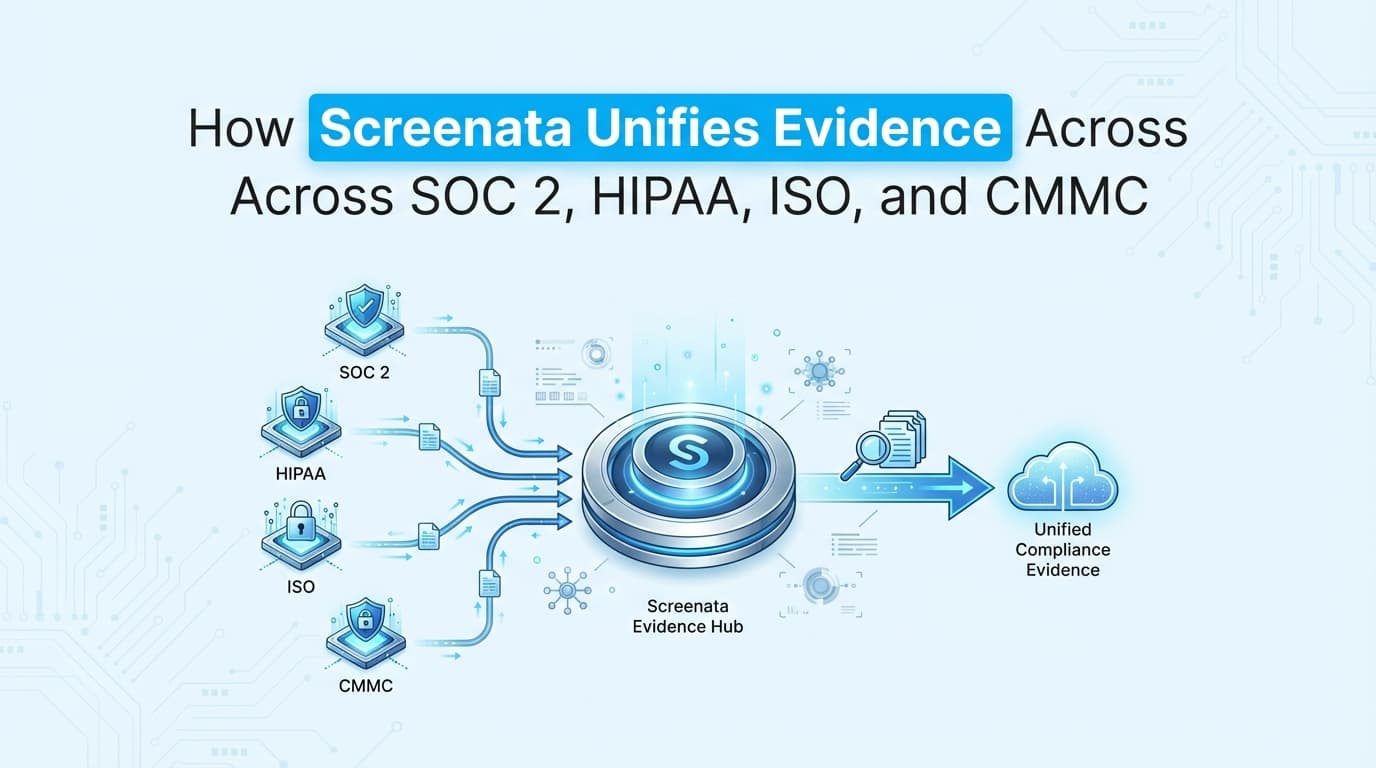
Screenata unifies compliance evidence by using AI-powered workflow recording to capture application-level control tests once and automatically mapping the resulting evidence packs to SOC 2, HIPAA, ISO 27001, and CMMC requirements. This "collect once, comply many" approach eliminates manual screenshot repetition and ensures audit-readiness across diverse regulatory standards through a single, centralized evidence repository.
Why is Unified Evidence Important for Multi-Framework Compliance?
As organizations scale, they often face "audit fatigue", the burden of proving the same security controls to different auditors for different certifications. For example, a SaaS company might need to demonstrate logical access controls for SOC 2, ISO 27001, and HIPAA simultaneously.
The Problem of Redundant Documentation
Without a unified system like Screenata, compliance teams spend 40–80 hours per framework on manual evidence collection. This leads to:
- Duplicate Effort: Taking the same screenshots of a user permission screen four times for four different audits.
- Inconsistent Evidence: Using a screenshot from January for SOC 2 but a screenshot from March for ISO, leading to auditor questions.
- Version Control Chaos: Managing thousands of PNG and PDF files across different folders and GRC tools.
- Context Gaps: Missing the specific metadata (timestamps, tester ID) required by one framework but not another.
How Screenata Maps Evidence to SOC 2, HIPAA, ISO, and CMMC
Screenata is an AI Compliance Officer for startups. It reads your codebase and cloud, writes policies grounded in your real systems, collects evidence, and maps controls across frameworks, replacing both the GRC platform and the compliance consultant. It uses AI agents to understand the intent of a test and map it to the corresponding requirements in each standard.
1. The "Collect Once, Comply Many" Logic
Screenata identifies overlapping controls across frameworks. When you record a workflow, such as deprovisioning a user, the AI identifies that this single action satisfies requirements for multiple standards:
- SOC 2: CC6.3 (Authorized access is removed upon termination).
- ISO 27001: Annex A.9.2.6 (Removal or adjustment of access rights).
- HIPAA: 164.308(a)(4) (Information Access Management).
- CMMC: AC.L2-3.1.4 (Delineate duties of individuals).
2. AI-Driven Cross-Framework Mapping
Screenata’s engine uses Natural Language Processing (NLP) to analyze the captured workflow and match it against the Trust Services Criteria (SOC 2), Annex A (ISO), Security Rule (HIPAA), and NIST SP 800-171 (CMMC).
| Framework | Control Hierarchy Used by Screenata |
|---|---|
| SOC 2 | Trust Services Criteria (CC Series) |
| ISO 27001 | Annex A Controls (A.5 to A.18) |
| HIPAA | Administrative, Physical, and Technical Safeguards |
| CMMC | Level 2 Practices (Access Control, Incident Response, etc.) |
What Types of Cross-Framework Evidence Can Screenata Automate?
Screenata handles the full compliance workflow, policy writing, codebase analysis, control mapping, evidence collection, and readiness scoring. Here are common cross-framework evidence types it automates.
Logical Access and Identity Management
- Activity: Testing Role-Based Access Control (RBAC).
- Unified Evidence: Screenshots of "Access Denied" screens for non-admins.
- Mapping: CC6.1 (SOC 2), A.9.1.1 (ISO), 164.312(a)(1) (HIPAA), AC.L2-3.1.1 (CMMC).
Change Management and DevOps
- Activity: Documenting a Peer Review and Production Deploy.
- Unified Evidence: Recording the GitHub PR approval and the subsequent CI/CD log.
- Mapping: CC7.2 (SOC 2), A.12.1.2 (ISO), 164.308(a)(8) (HIPAA), CM.L2-3.4.1 (CMMC).
Vulnerability and Risk Management
- Activity: Reviewing a vulnerability scan dashboard and remediation.
- Unified Evidence: Capture of the dashboard showing "Zero Critical Vulnerabilities."
- Mapping: CC8.1 (SOC 2), A.12.6.1 (ISO), 164.308(a)(1)(ii)(A) (HIPAA), RA.L2-3.11.2 (CMMC).
How Screenata Works: The Unified Workflow
Step 1: Record the Master Evidence
Instead of thinking about frameworks, the user focuses on the security activity. The user opens the Screenata browser extension and starts a recording of a specific security procedure (e.g., "Quarterly Access Review").
Step 2: AI Metadata Enrichment
As the user navigates the application, Screenata captures:
- High-resolution, timestamped screenshots.
- DOM elements (to prove the button clicked was actually "Delete User").
- Network logs (to prove the backend API responded with a 200 OK).
- Tester identity via SSO integration.
Step 3: Multi-Framework Tagging
The AI analyzes the recording and presents a "Mapping Suggestion" screen.
- "This recording matches SOC 2 CC6.3, ISO A.9.2.2, and HIPAA 164.308."
- The user confirms the mapping with one click.
Step 4: Unified Evidence Pack Generation
Screenata generates a single ZIP or PDF "Evidence Pack" that contains specialized reports for each auditor. While the screenshots are the same, the narrative and control language in the report adjust to match the specific framework's terminology.
Comparison: Manual vs. Screenata Unified Evidence
| Feature | Manual Multi-Framework Process | Screenata Unified Process |
|---|---|---|
| Collection Time | 40 hours per framework | 5 minutes per control test |
| Mapping | Manual Excel spreadsheets | AI-automated mapping |
| Redundancy | High (Repeat tests for each audit) | Zero (Test once, map to all) |
| Auditor Trust | Variable (Depends on manual notes) | High (Immutable logs & timestamps) |
| Policy Writing | Consultant writes generic templates | AI writes policies from your codebase |
| Framework Coverage | Limited by human bandwidth | Comprehensive (SOC 2, ISO, HIPAA, CMMC) |
Example Use Case: Access Control (CC6.1 / ISO A.9 / HIPAA 164.312)
The Scenario: A healthcare SaaS company needs to prove to auditors that only authorized medical staff can view Patient Health Information (PHI).
The Screenata Process:
- Recording: A compliance officer logs in as a "Billing Clerk" and attempts to access the "Clinical Records" tab.
- Capture: Screenata records the "403 Unauthorized" error page and the user profile settings.
- AI Analysis: The AI recognizes this as an Access Control test.
- Unified Mapping:
- SOC 2: Maps to CC6.1 (Logical access to protected information is restricted).
- HIPAA: Maps to 164.312(a)(1) (Access Control for ePHI).
- ISO 27001: Maps to A.9.4.1 (Information access restriction).
- Result: One 2-minute recording provides three distinct evidence artifacts for three different auditors.
How Screenata Replaces Both the Platform and the Consultant
Screenata replaces both the GRC platform and the compliance consultant. It reads your codebase, writes policies grounded in your real systems, collects evidence, maps controls, and gives you a readiness score. For teams starting fresh, Screenata is the complete solution. If you already use Drata or Vanta, Screenata can work alongside them.
What Screenata Handles:
- Policy Writing: AI agents draft policies based on your actual tech stack, not generic templates. Learn more about why generic ChatGPT policies fail audits.
- Codebase Analysis: Agents connect to your GitHub org and analyze your stack, auth, CI/CD pipeline, and security controls.
- Control Mapping: Maps your controls across all frameworks using the same Control IDs, so one test satisfies multiple requirements.
- Evidence Collection: Pulls evidence from your systems and captures application-level workflows automatically.
- Readiness Scoring: A dashboard shows your audit score, what's left to do, and what's blocking certification.
Best Practices for Cross-Framework Evidence Collection
To maximize the value of unified evidence, compliance teams should follow these standards:
- Define a "Master Control List": Identify the 15–20 core activities that overlap across SOC 2, ISO, HIPAA, and CMMC.
- Use Descriptive Session Names: Instead of "Test 1," name recordings "Quarterly_Deprovisioning_Review_Q4_2025."
- Leverage AI Redaction: Ensure the tool automatically masks PII (Patient Health Information) or secrets during the recording to stay HIPAA compliant.
- Perform "Dry Run" Audits: Use Screenata’s reporting feature to view your evidence through the lens of a specific framework before the actual auditor arrives.
- Maintain Continuous Collection: Don't wait for the "audit window." Record evidence as the activities happen (e.g., during every monthly access review).
Frequently Asked Questions
Does Screenata support CMMC Level 2 specifically?
Yes. Screenata is designed to meet the rigorous documentation requirements of CMMC Level 2 (NIST SP 800-171), providing the "Computer Use" level evidence that C3PAO auditors require for practice validation.
Can I use Screenata for HIPAA if my app handles PHI?
Yes. Screenata includes automated redaction features that mask sensitive fields in screenshots. Furthermore, Screenata signs Business Associate Agreements (BAAs) with healthcare clients to ensure full HIPAA compliance.
How does Screenata handle framework updates (e.g., ISO 27001:2022)?
The Screenata AI engine is updated centrally. When a framework changes its control numbering or requirements, Screenata automatically updates its mapping logic so your existing evidence remains relevant.
Does this replace the need for an auditor?
No. Screenata replaces the GRC platform and the compliance consultant, but you still need a qualified CPA (for SOC 2) or a Certifying Body (for ISO) to review the evidence and issue the report. Screenata prepares everything the auditor needs, policies, evidence, control mappings, so the audit itself goes quickly. Learn more about whether you actually need a vCISO for SOC 2.
Can I export evidence if I don't use a GRC tool?
Yes. Screenata provides standalone PDF and ZIP exports that are professionally formatted and ready to be emailed or uploaded to any auditor portal.
Key Takeaways
- ✅ Unification: Screenata allows you to test a control once and apply it to SOC 2, HIPAA, ISO, and CMMC.
- ✅ Efficiency: Reduces manual evidence collection time by up to 90% (from 60 minutes to 5 minutes per control).
- ✅ Accuracy: AI-powered mapping ensures evidence is linked to the correct framework requirements without human error.
- ✅ Audit-Ready: Generates professional evidence packs with timestamps, tester IDs, and step-by-step documentation.
- ✅ Complete Solution: Screenata replaces both the GRC platform and the compliance consultant. If you already use Drata or Vanta, it works alongside them.
Learn More About Continuous Compliance
For a complete guide to automating continuous evidence collection across SOC 2, ISO 27001, HIPAA, and CMMC, including how to unify evidence across all major compliance frameworks, see our continuous compliance guide. For a breakdown of what SOC 2 actually costs, see The Bootstrapped Founder's Guide to SOC 2.
{
  "@context": "https://schema.org",
  "@type": "HowTo",
  "name": "How to Unify Compliance Evidence Across Frameworks",
  "description": "A guide on using Screenata to capture evidence once and map it to SOC 2, HIPAA, ISO, and CMMC.",
  "step": [
    {
      "@type": "HowToStep",
      "name": "Record Security Workflow",
      "text": "Use the Screenata browser extension to record a security procedure in your application."
    },
    {
      "@type": "HowToStep",
      "name": "AI Analysis",
      "text": "The AI identifies screenshots, metadata, and intent of the recording."
    },
    {
      "@type": "HowToStep",
      "name": "Cross-Framework Mapping",
      "text": "Map the single recording to relevant controls in SOC 2, HIPAA, ISO, or CMMC."
    },
    {
      "@type": "HowToStep",
      "name": "Generate Evidence Pack",
      "text": "Export a unified report or sync it directly to your GRC platform like Drata or Vanta."
    }
  ],
  "totalTime": "PT5M"
}
Connect and see
See your SOC 2 with your real systems.
Connect GitHub and cloud read-only. Vera shows your control matrix, policy gaps, and prioritized next actions before you commit to anything.