

Compliance
What Auditors Still Ask for After Drata Automation: Missing SOC 2 Evidence
Drata automates infrastructure over API, then marks the application controls manual and waits. This guide shows what auditors still ask for after Drata (application RBAC proof, change approvals, access reviews) and how Vera, an agent who runs continuous compliance, does that work: capturing UI proof for CC6.1 and CC7.2, chasing the attestations only a person can answer, and filing signed, traceable packs that sync back to Drata.
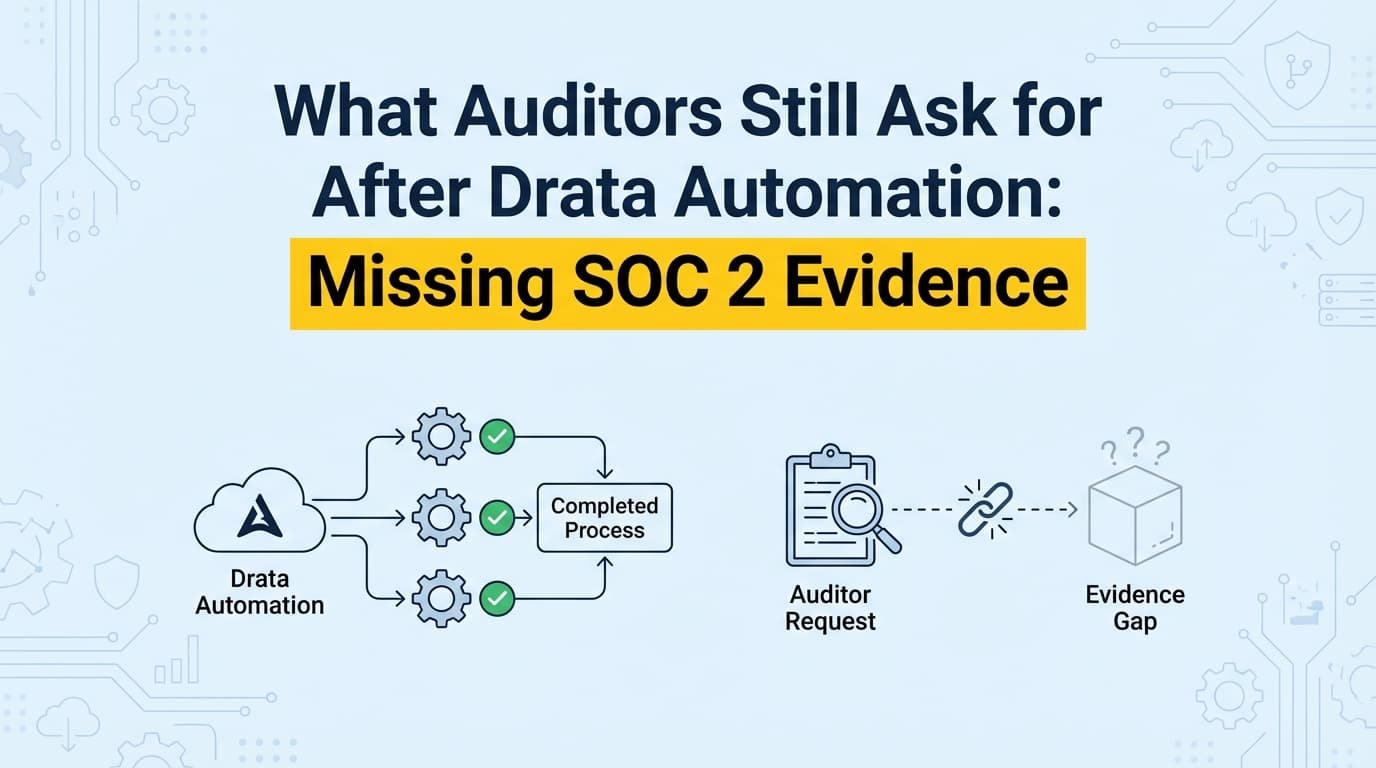
Even after Drata automates your infrastructure, the auditor still asks for evidence a dashboard cannot produce: screenshots of application permissions, proof that a change was reviewed and approved, and confirmation that an access review actually happened. Drata monitors AWS, GitHub, Okta, and Google Workspace over API and marks those application-level and process controls "manual," then waits for you to go collect them. That last stretch is where founders, CTOs, and whoever owns compliance lose 40 to 80 hours per audit taking screenshots and chasing sign-offs. Screenata gives you Vera, an agent who runs continuous compliance and does that work: she captures the UI proof an API can't see, DMs your team for the attestations a dashboard can only flag, and files signed, traceable packs that sync into Drata. A dashboard flags the work; Vera does it.
What Evidence Does Drata Leave for You to Collect?
Drata connects to your cloud stack and reads configuration: it confirms MFA is enabled, databases are encrypted, and branch protection is on. That covers roughly 80% of a SOC 2 program. The remaining evidence lives in two places an API cannot reach, so Drata leaves it to you:
- Application-level access controls. Proof that role-based access works inside your actual product, for example a capture showing a "Viewer" account cannot see or use the "Delete" action.
- Manual and internal tooling. Evidence from custom admin panels, back-office tools, and proprietary dashboards that Drata cannot integrate with.
- Process attestations. Confirmation that a person did the thing: onboarding approvals, exception sign-offs, and access reviews that live in Slack, email, or a ticket rather than in an identity provider.
Auditors call the first two "Information Produced by the Entity" (IPE): evidence that a control is effective in practice, not just configured in a settings page. The third is the attestation layer, and it is a people problem no scan can solve on its own.
Why Do Auditors Still Request Screenshots After Drata?
Auditors ask for UI proof to verify what an API check cannot: that a control works from the user's point of view. Drata can confirm the switch is set to "On." The auditor needs to see that the behavior actually follows.
The gap between configured and functioning
- API evidence from Drata shows the database is flagged as encrypted.
- The evidence the auditor wants shows that a user without the right role sees "Access Denied" instead of the data.
Drata reads the state; it cannot log into your application, click through the workflow, and record what a person would see. That is why the auditor asks for screenshots to bridge configured and functioning. This is not a weakness worth arguing with. It is simply the boundary of what an API can observe, and it is exactly the boundary Vera is built to cross.
Which SOC 2 Controls Still Need Application Evidence?
The table below maps the specific SOC 2 controls where Drata's automation stops and the auditor's manual requests begin.
| SOC 2 Control | Control objective | What Drata reads over API | What the auditor still asks for |
|---|---|---|---|
| CC6.1 | Logical Access | Okta and Google Workspace group membership | UI proof of application roles (Admin vs. Viewer view, denied actions) |
| CC6.2 | Access Provisioning | User added or removed in the IdP | The request and approval that authorized the access |
| CC7.2 | Change Management | GitHub branch protection and PR merges | Design-review or QA sign-off inside a ticket or dashboard |
| CC6.8 | Unauthorized Software | Dependabot alerts | Manual test results or UAT sign-offs |
| CC8.1 | Change Management | Vulnerability scan cadence | Remediation tickets or triaged findings in tools without an API link |
| CC5.2 | Communication | Policy acknowledgement | Slack or email communicating a specific incident or change |
Notice how many rows end in a human action. Roughly a third of the manual gap is not a screenshot at all: it is someone confirming a review happened. That is why closing the gap takes an agent who can both capture UI proof and chase people, not just a better screenshot tool.
Where Infrastructure Automation Stops and Vera Starts
There is a clean boundary between what a dashboard automates over API and the work it hands back to you. Vera is built to own that second half.
The API boundary
Drata can only automate what it can connect to. If your evidence lives in a custom React admin dashboard, a legacy internal tool, or a SaaS product with a thin API, the dashboard flags the control and stops. Vera runs the test against your own application through the Screenata browser extension and captures the result, so the control is picked up rather than parked.
The context boundary
Drata records binary states. It knows "jdoe is an admin." It cannot show why jdoe was granted admin access, who approved it, or when. Vera pulls that context together: she captures the approval, links it to the user and the timestamp, and files it against the control so the "why" travels with the "what."
The visual boundary
Drata reads JSON; auditors read documents. To confirm an MFA prompt appears before access is granted, or that a "Viewer" hits a 403, someone has to exercise the flow and capture it. Vera runs the flow, records the timestamped capture with a DOM snapshot, and writes the narrative, so the auditor reads a labeled artifact instead of a bare image.
How Vera Does the Work a Dashboard Flags
Vera runs the compliance program as an agent. She scans your infrastructure read-only, scopes your control matrix, drafts policies grounded in what she finds, and works the controls on a schedule. For the evidence Drata marks manual, she does the collection, chases the sign-offs, and signs the results.
Her evidence mix is the honest breakdown: about 70% is fully API-automated, roughly 9% is automated screenshots (the browser extension plus a vision model scoring each capture against the control), about 9% is guided capture, and around 5% is ingested from your inbox as forwarded emails or Slack file drops. Zero percent comes from a person uploading files into a dashboard. Screenshots are one of several ways Vera collects evidence, and the one an API can never reach, not the identity of the product.
Turning a "manual request" into a signed artifact
Here is how Vera satisfies a common auditor request, "show that a Support user cannot reach Billing settings," without hand work.
- The request lands. The auditor asks for proof that a Support role is denied Billing access under CC6.1.
- Vera runs the test. She (or you, on a schedule) exercises the flow against a Support account, navigates to the billing route, and hits the "Access Denied" or 403 state.
- The extension captures it. A timestamped screenshot, a DOM snapshot, and session metadata are recorded, and a vision model scores the capture against the control objective. PII is redacted at capture.
- Vera signs and files it. The pack is hashed, timestamped (RFC 3161), and signed, labeled
CC6.1_RBAC_Billing_Access, and traced back through the control test to a policy claim. - Vera syncs it. If you run Drata, she pushes the pack into the matching manual-evidence slot so the control flips to ready.
Hands-on time is a couple of minutes of review instead of an afternoon of screenshotting.
Worked Example: Change Management Approvals (CC7.2)
The scenario. You use GitHub for code, but your deploy process includes a "Go/No-Go" step in Slack or a specific Jira status transition that Drata's standard integration does not capture as a design review.
Doing it by hand.
- The auditor samples 25 changes.
- You search Jira for 25 tickets.
- You screenshot the comments on each to prove a design discussion happened.
- Elapsed time: roughly 4 hours, and easy to miss one.
Doing it with Vera.
- Vera runs the CC7.2 capture across the sampled ticket URLs, recording the design-review section and the approval on each.
- She highlights the approving comment, compiles a single change-management pack, and signs it.
- Elapsed time: a few minutes, and the sample is complete because she does not skip a ticket.
The Attestation Work No Dashboard Solves
Most writing about the "20% gap" fixates on screenshots and skips the harder half: the sign-offs only a person can give. Plenty of controls come down to a human answering a question.
- Did the quarterly access review actually happen, and did the right managers sign off?
- Who approved this production exception, and why?
- Was this vendor reviewed before it was onboarded?
- Did offboarding revoke access in every downstream system?
A dashboard flags these and waits for you to remember, chase colleagues across Slack and email, gather the answers, and upload the proof, every quarter. Vera does the chasing: she DMs the right person, reminds at 24 hours, escalates to you at 48, and files the reply the moment it lands. On access reviews she schedules and orchestrates the review and chases the reviewers; the final judgment stays with your team.
Why Auditors Trust Vera's Evidence
Auditors are skeptical of loose screenshots because they are easy to alter and easy to backdate. Vera's packs carry a verifiable chain instead.
- Every capture is hashed and timestamped at the moment it is taken, which blocks the week-before-the-audit scramble to produce evidence after the fact.
- Every artifact ties back through a control test to a specific policy claim, so an auditor can start from a policy sentence and follow it to the signed evidence, then verify the signature with a free CLI, no Screenata account required.
- Every pack is packaged the same way and OCR'd, so an auditor can search hundreds of pages for a phrase like "Access Denied" instead of parsing five people's one-off formats.
That consistency and provenance is what reduces follow-up questions and shortens the audit window.
What This Costs
Drata on its own still needs a vCISO or consultant (from a $5K readiness project to a $10K monthly retainer) to write policies, decide what to fix, and run the program the dashboard only monitors. With the auditor and your team's time counted, a traditional first year to a SOC 2 Type II lands at $77K-$178K. Vera replaces both the platform and the consultant: Screenata is $5,988 a year ($499/mo) per framework, bringing the same first year to $22K-$33K. You get 20+ native integrations, 650+ checks, and 27+ agent tools across Slack, email, the CLI and a Claude Code MCP, and GitHub pull-request reviews.
Frequently Asked Questions
Does Drata take screenshots?
No. Drata collects JSON metadata from APIs, such as AWS configuration and GitHub settings. Any evidence that requires visual proof of a UI state is left for you to collect manually or for an agent like Vera to capture.
Why doesn't Drata automate application controls?
Drata focuses on infrastructure and policy monitoring over API. Automating application controls means interacting with a custom user interface that differs for every company, which takes a browser extension, a vision model, and an agent that understands the control objective. That is the work Vera does.
Can I use AI-captured screenshots for my audit?
Yes. Auditors accept machine-captured evidence when it is relevant, reliable, and complete. Vera's packs include the timestamp, URL, DOM snapshot, and tester attribution auditors look for, plus a signature and a claim-to-evidence chain they can verify independently. If you run Drata, Vera pushes the pack into its evidence library.
What happens if I don't provide this evidence?
If you rely only on Drata's API checks for controls that require visual or attestation proof, such as application RBAC or a quarterly access review, the auditor may record an exception or deviation. That can lead to a qualified SOC 2 report, which is what your customers read.
Does Vera replace Drata or work alongside it?
Either. For most startups Vera replaces both the dashboard and the consultant: she scans the same infrastructure, captures the application evidence, chases attestations, and writes policies grounded in your real systems. If you already run Drata, she works alongside it and covers everything it leaves manual.
Key Takeaways
- A dashboard flags the work; Vera does it. Drata reads infrastructure over API and leaves application evidence and attestations to you; Vera captures the UI proof, chases the sign-offs in Slack, and files signed packs, alongside Drata or in place of it.
- The auditor's manual requests cluster in a few controls. CC6.1 (logical access) and CC7.2 (change management) are the most common, and roughly a third of the gap is a human attestation, not a screenshot.
- APIs prove configuration; UI proof and attestations prove implementation. Auditors ask for both because a scan cannot show what a person would see or confirm what a person did.
- Signed, re-derivable evidence beats loose screenshots. Verifiable provenance and a claim-to-evidence chain cut auditor follow-ups and shorten the window.
- Vera replaces both the platform and the consultant, bringing year one to a SOC 2 Type II to $22K-$33K versus $77K-$178K for the traditional stack.
Learn More About SOC 2 Compliance Automation
- The Bootstrapped Founder's Guide to SOC 2 covers the full cost breakdown and what to expect.
- Do You Actually Need a vCISO for SOC 2? explains why most startups no longer need a consultant.
- How to Automate SOC 2 Evidence Collection is the comprehensive automation guide.
Connect and see
See your SOC 2 with your real systems.
Connect GitHub and cloud read-only. Vera shows your control matrix, policy gaps, and prioritized next actions before you commit to anything.