

Compliance
How to Read a SOC 2 Report: Structure, Sections, and What to Look For
SOC 2 reports follow a specific structure defined by the AICPA. This guide breaks down each section, explains who writes what, and shows you exactly what to look for when evaluating a vendor's report or preparing your own.
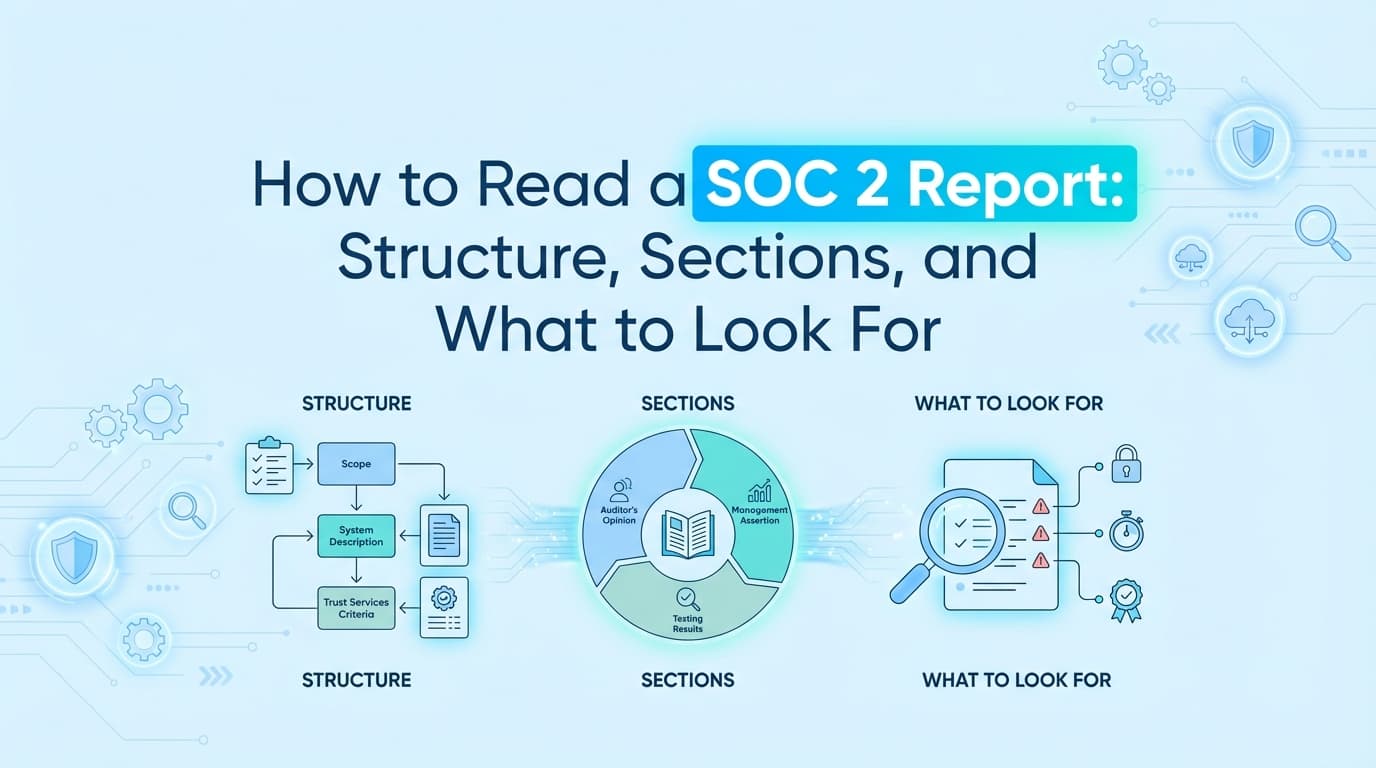
If you have ever received a SOC 2 report from a vendor, you know the experience: a 60-to-120-page PDF lands in your inbox, and you need to determine whether this vendor actually meets your security requirements. If you are preparing your own SOC 2 report, you need to understand what each section is, who is responsible for writing it, and what auditors and readers will scrutinize.
SOC 2 reports follow a structure prescribed by the AICPA (American Institute of Certified Public Accountants). Every legitimate report has the same five sections, written by specific parties, serving specific purposes. This guide walks through each one.
The Five Sections of a SOC 2 Report
Every SOC 2 report contains five sections. Some auditors combine or label them slightly differently, but the content and responsibilities are consistent across all valid reports.
| Section | Name | Written By |
|---|---|---|
| 1 | Independent Auditor's Report | CPA firm |
| 2 | Management's Assertion | The company being audited |
| 3 | System Description | The company being audited |
| 4 | Trust Services Criteria and Related Controls | Company (controls) + CPA firm (tests and results) |
| 5 | Other Information | The company being audited (optional) |
The division of authorship matters. AICPA standards are explicit about which sections can only be written by an independent CPA and which must come from the company. If a GRC platform or third party writes the auditor's opinion or test conclusions, that is a violation of professional standards.
Section 1: The Independent Auditor's Report
This is the most important section for anyone evaluating a vendor. It is the CPA firm's professional opinion on whether the company's controls are suitably designed and operating effectively.
What it contains
The auditor's report states:
- Scope: Which system or service was examined, and which Trust Services Categories (Security, Availability, Processing Integrity, Confidentiality, Privacy) were included.
- Auditor's responsibility: A statement that the audit was conducted in accordance with AT-C Section 205 (for attestation engagements) and AICPA standards.
- Management's responsibility: An acknowledgment that the company is responsible for the accuracy of the system description and the design of its controls.
- Opinion: The auditor's conclusion.
The four opinion types
| Opinion | What it means |
|---|---|
| Unqualified | Controls are suitably designed and operating effectively. No material issues found. This is what you want to see. |
| Qualified | The auditor found exceptions, but they are limited in scope. The report notes the specific areas where controls fell short. |
| Adverse | Material control failures. The system does not meet the applicable Trust Services Criteria. |
| Disclaimer | The auditor could not obtain sufficient evidence to form an opinion. |
What to look for
Read the opinion first. If it is anything other than unqualified, go directly to Section 4 to understand what failed and whether it affects the services you rely on.
Check the scope. A SOC 2 report only covers the systems and categories explicitly listed. If a vendor's report covers Security only but you need Availability guarantees, their report does not address your concern.
Verify the audit firm. The CPA firm should be independent, licensed, and peer-reviewed. The AICPA requires firms performing SOC examinations to undergo peer review. You can verify a firm's peer review status through the AICPA's public database.
Section 2: Management's Assertion
This is the company's formal, signed statement that:
- The system description in Section 3 is accurate and complete.
- The controls listed in Section 4 were suitably designed and operating effectively throughout the audit period (for Type II) or as of a specific date (for Type I).
- The criteria used to evaluate the controls are the AICPA's Trust Services Criteria.
Who writes it
The company's management writes and signs this section. Auditors may provide a template, but the assertion itself must come from the company. It is the company putting its name on the accuracy of everything that follows.
What to look for
This section is typically short (one to two pages) and formulaic. The key detail to check is the audit period. For Type II reports, the assertion will state the time window (e.g., "January 1, 2025 through December 31, 2025"). Confirm this period is recent and covers at least 6 months. A 3-month audit window is technically valid but suggests the company may have rushed to produce a report.
Section 3: The System Description
This is the longest and most substantive section of the report. It is a narrative description of the company's service, infrastructure, people, processes, and security measures. Think of it as the company explaining, in plain language, how its system works and how it is protected.
What it covers
The AICPA requires the system description to address:
- The services provided: What the product does and who it serves.
- Principal service commitments and system requirements: What the company has promised its customers (via contracts, SLAs, or policies) and the internal requirements that support those promises.
- Components of the system:
- Infrastructure: Servers, cloud providers, data centers, network architecture.
- Software: Key applications, operating systems, databases, middleware.
- People: Roles and responsibilities relevant to the system (engineering, security, operations, management).
- Processes: How changes are managed, how incidents are handled, how access is provisioned and revoked.
- Data: Categories of data processed and how they are classified.
- Boundaries of the system: What is in scope and, just as importantly, what is explicitly out of scope.
- Relevant aspects of the control environment: Organizational structure, governance, risk management approach.
- Complementary user entity controls (CUECs): Controls that the company expects its customers to implement. For example, "the user entity is responsible for managing the security of its own authentication credentials."
- Complementary subservice organization controls (CSOCs): If the company relies on subservice organizations (e.g., AWS, Stripe), what controls those organizations are expected to provide.
Why it matters
Everything in Section 4 (the controls and test results) is evaluated against what is described here. If the system description says "all production changes require peer review via pull request," then the auditor will test that claim. If the description omits a critical system component, the controls for that component will not be tested.
What to look for
Completeness. Does the description cover the services you actually use? If you rely on a vendor's API but the system description only covers their web application, your use case may not be in scope.
CUECs. Pay close attention to complementary user entity controls. These are responsibilities the vendor is shifting to you. If the report says "the user entity is responsible for configuring IP allowlists," then the vendor is not testing or guaranteeing that protection for you.
Subservice organizations. Check whether critical infrastructure providers (AWS, GCP, Azure) are included in the scope via the "inclusive method" or excluded via the "carve-out method." With the carve-out method, the vendor is saying "we rely on AWS, but our report does not cover AWS's controls." You would need to review AWS's own SOC 2 report separately.
Section 4: Trust Services Criteria and Related Controls
This is where the audit's actual work product lives. Section 4 maps the company's controls to the AICPA's Trust Services Criteria and presents the auditor's testing procedures and results.
Structure
Some reports present this as a single section; others split it into two parts:
- Part A: A matrix of Trust Services Criteria, the company's stated controls, and a description of each.
- Part B: The auditor's test procedures and results for each control.
Each row typically includes:
| Column | Description | Written by |
|---|---|---|
| Criteria | The AICPA criterion (e.g., CC6.1, CC7.2, A1.2) | Defined by AICPA |
| Control description | What the company does to meet that criterion | The company |
| Test procedure | How the auditor verified the control | The CPA firm |
| Test result | Whether the control operated effectively | The CPA firm |
Common Trust Services Criteria categories
The criteria are organized under the "Common Criteria" (CC series, applicable to all reports) plus category-specific criteria:
- CC1: Control Environment (governance, ethics, accountability)
- CC2: Communication and Information (internal and external communication about security)
- CC3: Risk Assessment (how the company identifies and evaluates risks)
- CC4: Monitoring Activities (how controls are monitored for effectiveness)
- CC5: Control Activities (policies, procedures, technology controls)
- CC6: Logical and Physical Access Controls (authentication, authorization, physical security)
- CC7: System Operations (change detection, incident response, monitoring)
- CC8: Change Management (how changes to the system are authorized, tested, and deployed)
- CC9: Risk Mitigation (how identified risks are addressed)
- A1: Availability criteria (if Availability is in scope)
- PI1: Processing Integrity criteria (if Processing Integrity is in scope)
- C1: Confidentiality criteria (if Confidentiality is in scope)
- P1-P8: Privacy criteria (if Privacy is in scope)
What to look for
Exceptions. Scan the test results column for anything other than "no exceptions noted." An exception means the auditor found that a control did not operate as described. Not every exception is a deal-breaker, but you should understand what failed.
Testing depth. Look at the test procedures. "Inquired of management" alone is weaker evidence than "inspected system configurations and observed access logs for a sample of 25 users." The best auditors use a combination of inquiry, inspection, observation, and re-performance.
Control density. A report with 30 controls mapped to the Security category is likely more thorough than one with 12. While there is no magic number, very lean control sets can indicate that the company implemented the minimum to pass rather than building a mature security program.
Mapping gaps. Check whether every applicable Trust Services Criterion has at least one control mapped to it. A criterion with no corresponding control is a gap.
Section 5: Other Information Provided by the Service Organization
This optional section allows the company to include supplementary information that does not fit into the system description or controls matrix.
Common contents
- Planned changes: Upcoming system modifications, migrations, or control improvements.
- Incident disclosures: Context about security incidents that occurred during the audit period and how they were remediated.
- Control exceptions context: Additional explanation for exceptions noted in Section 4.
- Regulatory context: Information about other compliance frameworks the company adheres to (HIPAA, ISO 27001, PCI DSS).
Important caveat
The auditor does not test or opine on the contents of Section 5. The auditor's report in Section 1 will explicitly state that Section 5 is excluded from the scope of the examination. Treat this section as context, not as audited evidence.
Type I vs. Type II: What the Report Type Tells You
Before diving into any section, check whether you are reading a Type I or Type II report.
| Type I | Type II | |
|---|---|---|
| What it evaluates | Design of controls at a point in time | Design and operating effectiveness over a period |
| Audit window | A single date (e.g., "as of December 31, 2025") | A range (e.g., "January 1 through December 31, 2025") |
| Testing depth | Did the control exist and was it designed appropriately? | Did the control work consistently over 6-12 months? |
| Common use | First-time audits, early-stage companies | Ongoing annual audits, vendor due diligence |
| What it proves | "We set this up." | "We set this up and it actually worked." |
Most enterprise buyers and security-conscious customers require a Type II report. A Type I is better than nothing, but it only tells you the controls were in place on a specific day. It does not tell you whether anyone actually followed them.
A Practical Checklist for Reviewing a Vendor's SOC 2 Report
When a vendor sends you their SOC 2 report, work through these checks:
1. Is the report current? Check the audit period in Section 2. A SOC 2 report does not technically expire, but most organizations treat reports older than 12 months as stale. If the audit period ended more than a year ago, request a bridge letter or an updated report.
2. Does the scope match your use case? Confirm that the specific product or service you use is covered. Also confirm that the Trust Services Categories in scope (Security, Availability, Confidentiality, etc.) align with your requirements.
3. Is the opinion unqualified? Read the last paragraph of Section 1. If the opinion is qualified, read the basis for qualification carefully.
4. Are there exceptions in Section 4? Scan the test results. If there are exceptions, assess whether they affect controls relevant to your data or use case. A single exception in a physical access control may not matter if you only use their cloud API. A pattern of exceptions in logical access controls is a different story.
5. What CUECs apply to you? Read the complementary user entity controls in Section 3. These are your responsibilities. If the vendor's SOC 2 report assumes you have MFA enabled and you do not, that is your gap.
6. Are subservice organizations carved out? If the vendor carves out AWS, GCP, or another critical provider, understand that the vendor's report does not cover those controls. You may need to review the subservice organization's own SOC 2 report.
7. Is the audit firm credible? Look up the CPA firm. Verify they are peer-reviewed and experienced in SOC examinations. A SOC 2 report is only as reliable as the auditor who issued it.
Preparing Your Own Report: What This Structure Means for You
If you are going through your own SOC 2 audit, understanding this structure helps you prepare:
- Section 3 is your biggest workload. The system description requires you to document your infrastructure, people, processes, and data flows comprehensively. Start this early.
- Section 4 controls should trace back to Section 3. Every claim you make in the system description should have a corresponding control. If you describe an incident response process, there should be a control for it.
- Evidence collection is the bottleneck. For each control in Section 4, your auditor will request evidence. For a Type II audit, this means evidence that the control worked consistently over the entire audit period, not just once.
- CUECs and CSOCs need to be defined upfront. Decide early what responsibilities you are delegating to customers and subservice organizations, because your auditor will validate those boundaries.
Key Takeaways
The structure of a SOC 2 report is intentional. Each section serves a specific purpose, is written by a specific party, and is subject to specific rules.
When reading a report, focus on three things: the auditor's opinion (Section 1), the scope boundaries and CUECs (Section 3), and the exceptions in test results (Section 4). Everything else is context.
When preparing a report, invest the most time in your system description (Section 3) and evidence collection for your controls (Section 4). These are the sections that determine whether your audit goes smoothly or stalls.
Understanding this structure does not just help you pass an audit or evaluate a vendor. It helps you recognize the difference between a rigorous, AICPA-compliant report and one that cuts corners.
Learn More About SOC 2 Compliance Automation
For a complete guide to automating the evidence collection process described in Section 4, including the application-level controls that API-based tools miss, see our guide on automating SOC 2 evidence collection. If you are going through your first audit, SOC 2 for First-Timers breaks down the full process from scoping to completion.
Frequently asked questions
- What are the five sections of a SOC 2 report?
- A SOC 2 report contains five sections: (1) the Independent Auditor's Report, which states the CPA's opinion; (2) Management's Assertion, the company's signed statement that everything in the report is accurate; (3) the System Description, a detailed narrative of the company's services, infrastructure, and security practices; (4) the Trust Services Criteria and Related Controls, which maps controls to AICPA criteria with auditor test results; and (5) Other Information, optional supplementary context provided by the company.
- Who writes each section of a SOC 2 report?
- Different parties are responsible for different sections. The independent CPA firm writes Section 1 (the auditor's opinion) and the test procedures and conclusions in Section 4. The company being audited writes Section 2 (management's assertion), Section 3 (system description), and the control descriptions in Section 4. Section 5 is optional and written by the company.
- What is the difference between a qualified and unqualified SOC 2 opinion?
- An unqualified opinion means the auditor found no material issues, the controls are suitably designed and operating effectively. A qualified opinion means the auditor found one or more exceptions significant enough to note but not severe enough to issue an adverse opinion. An adverse opinion means the controls failed materially. A disclaimer means the auditor couldn't gather enough evidence to form any opinion.
- What should I look for when reviewing a vendor's SOC 2 report?
- Focus on four things: (1) the auditor's opinion type, anything other than unqualified deserves scrutiny; (2) the scope, check whether the report covers the systems and Trust Services Categories relevant to your use case; (3) exceptions in Section 4, read the auditor's test results for each control and note any deviations; (4) the report period, confirm it covers a recent 12-month window and hasn't expired.
- What is the difference between SOC 2 Type I and Type II?
- SOC 2 Type I evaluates whether controls are suitably designed at a single point in time. SOC 2 Type II evaluates whether those controls operated effectively over a period of time, typically 6 to 12 months. Type II is considered more rigorous because it tests actual performance, not just design intent.
Connect and see
See your SOC 2 with your real systems.
Connect GitHub and cloud read-only. Vera shows your control matrix, policy gaps, and prioritized next actions before you commit to anything.