

Compliance
How to Automate Multi-Tenant SOC 2 Evidence Collection Across Distinct Environments
Managing multiple SOC 2 audits requires strict separation of evidence across distinct client environments. This guide explains how MSPs and vCISOs can automate SOC 2 evidence collection, capture standardized screenshots across different tech stacks, and avoid the headache of manually logging into dozens of separate systems.
If you manage compliance for multiple clients or distinct subsidiaries, SOC 2 audits multiply your workload exponentially. Gathering evidence for one organization is hard enough. Doing it across ten different AWS organizations, identity providers, and ticketing systems usually means spending hundreds of hours capturing manual screenshots and organizing local folders.
While single-tenant companies can scrape by with basic API connections, multi-tenant SOC 2 management requires true automation. You need a way to isolate environments, standardize control testing, and collect audit-ready documentation without logging in and out of different client portals all day.
Here is exactly how practitioners handle evidence collection across distinct environments without mixing up data or burning out their teams.
What Makes Multi-Tenant SOC 2 Audits So Difficult?
Multi-tenant SOC 2 audits fail at the execution layer, not the policy layer. Writing a standardized access control policy for five different clients is relatively easy. Proving that all five clients actually followed it is where the process breaks down.
When you manage multiple distinct environments, you face three specific evidence problems:
- The Context Switching Tax: To capture a simple CC6.1 (Logical Access) screenshot, you have to log out of your primary Okta account, find the credentials for Client A, log in, navigate to the user directory, take the screenshot, save it with a specific naming convention, log out, and repeat for Client B.
- Evidence Contamination: Auditors have zero tolerance for mixed evidence. If a screenshot for Client A's GitHub repository accidentally ends up in Client B's evidence folder, the auditor will immediately question the integrity of your entire evidence collection process.
- Tech Stack Variance: Client A uses Jira and AWS. Client B uses Linear and Google Cloud. You have to map the same SOC 2 criteria (like CC8.1 for Change Management) to entirely different systems and UI layouts.
How Do You Automate Evidence Collection Across Multiple Environments?
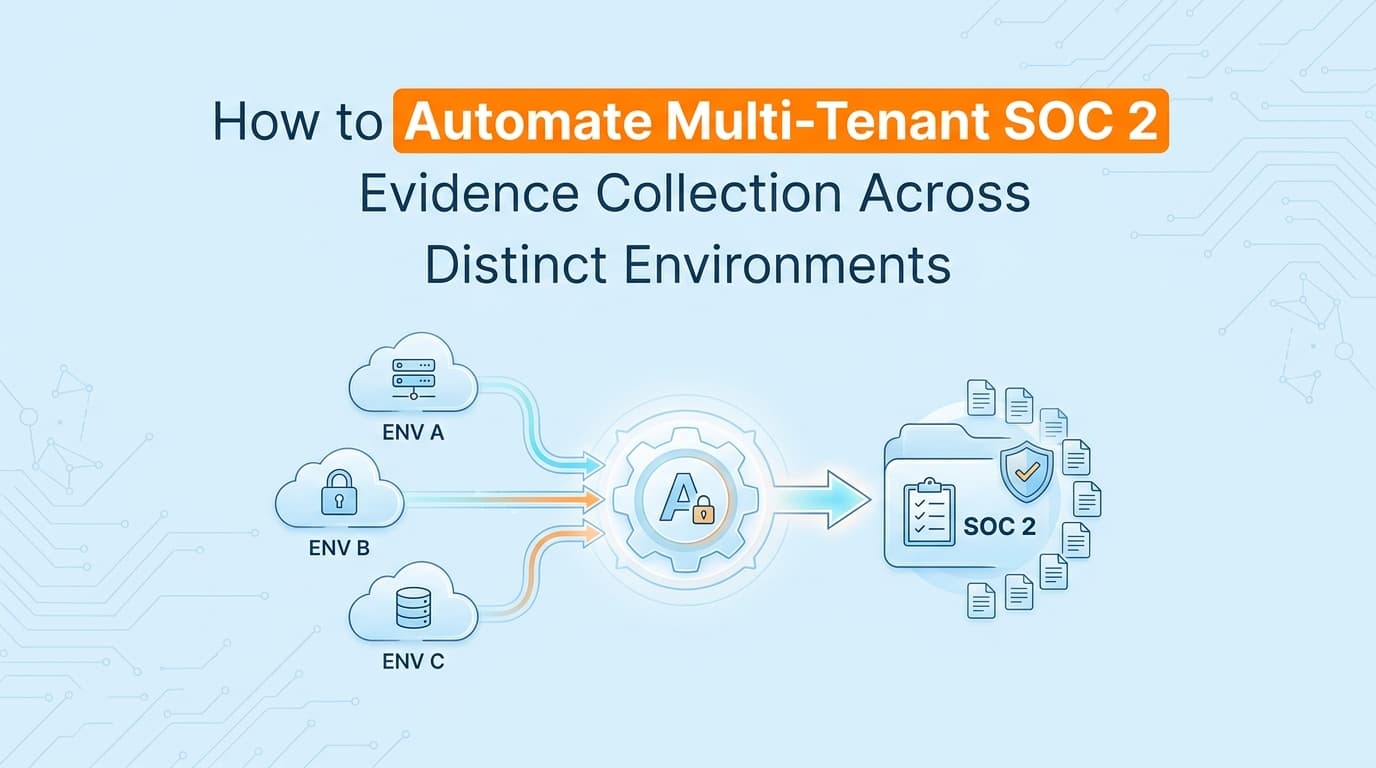
You automate multi-tenant evidence by deploying isolated workflow recorders or AI agents that capture configurations and UI states within each specific environment, then route that data back to a centralized, tenant-tagged repository.
Instead of a human practitioner authenticating into 15 different client systems, you set up dedicated service accounts or local agents for each tenant.
When it is time to collect evidence for a control test, the system executes the capture sequence concurrently across all environments. The agent authenticates, navigates to the required settings page, captures the necessary screenshots, reads the surrounding context to verify the configuration, and generates a PDF evidence pack. Every artifact is automatically tagged with the specific tenant ID and cryptographically signed to prove its origin.
This approach creates a clean, verifiable chain of custody for every distinct environment.
Where Traditional SOC 2 Automation Stops for MSPs
Most commercial GRC platforms are fundamentally designed for single-company use cases. When MSPs or vCISOs try to use them to manage multiple clients, they hit structural walls.
To use a traditional GRC tool across distinct environments, you typically have to buy separate instances for each client. You end up managing ten different dashboards with ten different login credentials. There is rarely a unified "single pane of glass" that lets you execute control tests across your entire portfolio simultaneously.
More importantly, traditional GRC platforms rely heavily on standard API integrations. APIs are great for checking if a database is encrypted, but they cannot capture application-level evidence. You still have to manually collect screenshots for:
- Custom admin panel access controls
- Non-integrated HR onboarding workflows
- Proprietary change management approvals
For a single company, manually collecting these screenshots takes a few days. For an MSP managing a dozen clients, it requires an entire full-time employee doing nothing but taking screenshots and formatting PDFs.
Standardizing Screenshot Evidence Across Distinct Tech Stacks
Auditors want predictability. When an auditor reviews a multi-tenant portfolio, they want the evidence to look structurally identical, even if the underlying technology changes.
If you are proving CC7.2 (System Operations and Monitoring), the evidence format should be consistent whether the client uses Datadog, New Relic, or AWS CloudWatch.
Automated evidence collection tools solve this by standardizing the output rather than the input. When an AI agent captures a screenshot of an alert configuration in Datadog, it packages it into the exact same PDF format it uses for a CloudWatch screenshot.
| Feature | Manual Multi-Tenant Collection | Automated Multi-Tenant Collection |
|---|---|---|
| Authentication | Manual login/logout per client | Dedicated service accounts per tenant |
| Evidence Format | Varies by whoever took the screenshot | Standardized PDF packs across all clients |
| Data Separation | Relies on human folder management | Enforced by tenant ID tagging |
| Time to Collect | Scales linearly (10 clients = 10x time) | Concurrent execution across all clients |
This standardization drastically reduces the back-and-forth during the actual audit. The auditor learns how to read your specific evidence format once, and applies that understanding across every client in your portfolio.
Can You Reuse Evidence Across Multiple SOC 2 Audits?
Yes, but only for explicitly inherited controls.
If you are an MSP providing central IT support, you can often reuse evidence for controls that you manage centrally. For example, if you enforce a unified endpoint management (MDM) policy across all client devices using a single centralized portal, you can provide that single set of evidence to satisfy CC6.6 (Boundary Protection) for multiple audits.
However, you cannot reuse evidence for controls that operate distinctly within the client's isolated environment. Logical access reviews (CC6.1), individual code deployments (CC8.1), and tenant-specific vulnerability scans (CC7.1) must be proven independently.
This is why automation is mandatory for scaling a compliance practice. You have to isolate the distinct controls and automate their collection, freeing up your time to advise clients on actual security strategy rather than acting as an expensive screenshot taking service.
Learn More About SOC 2 Evidence Automation
For a complete look at how modern compliance teams eliminate manual documentation, see our guide on automating SOC 2 evidence collection in 2025, including how AI agents capture application-level controls that traditional APIs miss.
Frequently asked questions
- How do you manage SOC 2 evidence for multiple clients?
- Managing SOC 2 evidence across multiple clients requires isolating each tenant's data, standardizing control tests across different tech stacks, and using automation to capture environment-specific evidence without manual logins. This prevents evidence contamination between distinct audits.
- Can you reuse evidence across different SOC 2 audits?
- You can only reuse evidence for inherited controls, such as centralized physical security or shared hosting infrastructure managed by the MSP. Application-level controls, logical access, and change management must be proven independently for each distinct tenant environment.
Connect and see
See your SOC 2 with your real systems.
Connect GitHub and cloud read-only. Vera shows your control matrix, policy gaps, and prioritized next actions before you commit to anything.