

Compliance
The Best AI Tools for Automating SOX ITGC Evidence in 2026
Compare the best AI tools for automating SOX ITGC evidence in 2026, across access controls, change management, and continuous monitoring. See how AI-driven evidence capture closes the manual 20% that point-in-time audits leave behind.
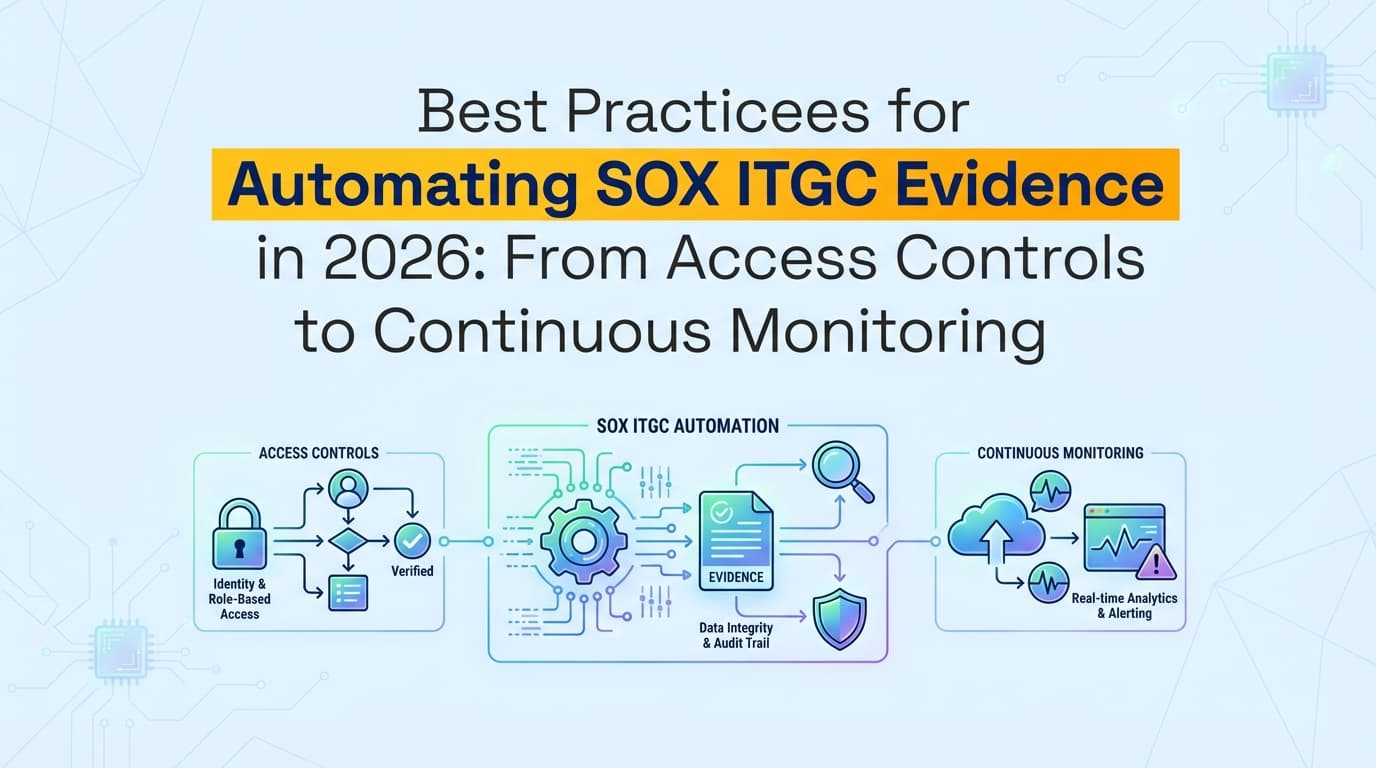
What are the best AI tools for automating SOX ITGC evidence?
The best AI tools for SOX ITGC evidence automation use "computer-use" verification to capture the application-level controls, like user access reviews and change approvals, that API-only platforms can't reach. An AI Compliance Officer like Screenata does this end to end, handling the full compliance workflow, evidence collection, policy writing, control mapping, and readiness scoring, and replacing manual screenshots with verifiable, timestamped evidence packs that cut audit preparation time by over 90%. If you already use Vanta or Drata, Screenata integrates with them seamlessly.
Why Does SOX ITGC Automation Matter in 2026?
The Sarbanes-Oxley Act (SOX) Section 404 requires rigorous internal controls over financial reporting (ICFR). Historically, IT General Controls (ITGC) have been the most labor-intensive part of the audit, requiring thousands of manual screenshots to prove that access is restricted and changes are authorized.
In 2026, the complexity of SaaS environments and the speed of CI/CD pipelines make manual evidence collection obsolete. Auditors now expect Continuous Control Monitoring (CCM) rather than annual "point-in-time" snapshots. Organizations that fail to automate face higher audit fees, increased risk of material weaknesses, and significant "compliance debt."
The Problem: The "20% Manual Gap" in SOX
While legacy automation tools can check if a database is encrypted via API, they cannot "see" if a specific user in your accounting software has the correct permissions or if a "Delete" button is properly restricted. This 20% gap typically accounts for 80% of the manual effort in a SOX audit.
How Can I Automate SOX User Access Reviews (UAR)?
Answer:
You can automate User Access Reviews by using AI agents to navigate your financial applications, capture current user permission screens, and compare them against HRIS data (like Workday or BambooHR). The system generates a PDF evidence pack showing the user list, their assigned roles, and the verification that terminated employees have been removed.
The Best Practice for Access Control Evidence
- Define the Access State: Use natural language to tell the AI agent what "correct access" looks like (e.g., "Only the Controller should have 'Admin' rights in NetSuite").
- Automated Capture: Schedule the AI to record the user management screen every quarter.
- Metadata Verification: Ensure every screenshot includes a cryptographic timestamp and the URL to prove the evidence wasn't manipulated.
| Control Domain | Manual Evidence (Legacy) | Automated Evidence (2026) |
|---|---|---|
| User Provisioning | Email threads + PDF exports | AI-recorded workflow of user creation |
| Termination | Scanned tickets + manual logs | Automated sync between HRIS and App UI |
| Privileged Access | Quarterly manual screenshots | Weekly "Compliance Cron" UI recordings |
| Password Policies | Manual config screenshots | Continuous API + UI verification |
How Do I Automate SOX Change Management Evidence?
Answer:
Automate SOX change management by linking your version control system (GitHub/GitLab) with an evidence capture agent. When a Pull Request is merged, the agent automatically captures the approval sequence, the CI/CD success logs, and the production deployment timestamp, packaging them into a single, audit-ready PDF.
Closing the Segregation of Duties (SoD) Gap
A critical SOX requirement is ensuring that the person who writes the code is not the one who approves or deploys it.
Best Practices for 2026:
- Approval Capture: Use Screenata to record the UI of the GitHub PR, highlighting the "Approved" status and the specific reviewer.
- Deployment Mapping: Automatically map the deployment ID to the corresponding Jira ticket and the authorized approver.
- Emergency Change Tracking: Use AI agents to monitor for "break-glass" access and automatically trigger an evidence-collection workflow the moment an emergency change is detected.
What are the Best Practices for SOX ITGC Continuous Monitoring?
In 2026, "Continuous Monitoring" is no longer a buzzword, it is a regulatory expectation. Following these best practices ensures your SOX program is always audit-ready.
1. Implement "Compliance Crons"
Instead of waiting for the auditor's request list, set up automated schedules (Crons) that execute evidence-collection workflows weekly or monthly.
- Example: Every Friday at 5 PM, an AI agent logs into your ERP, navigates to the "System Audit Log," and records the last 7 days of activity.
2. Use Verifiable Metadata Chains
Auditors in 2026 are trained to spot AI-manipulated images. Your evidence must include:
- NTP-Synced Timestamps: Proof of exactly when the capture occurred.
- DOM Snapshots: The underlying HTML structure of the page at the time of the screenshot.
- User Attribution: Clear logs of which automated agent or human user triggered the capture.
3. Cross-Framework Mapping
If you are compliant with SOC 2 or ISO 27001, map those controls to your SOX ITGC framework.
- CC6.1 (SOC 2) maps directly to AC1 (SOX Access Control).
- CC7.2 (SOC 2) maps to CM1 (SOX Change Management). One recorded workflow should satisfy multiple audits simultaneously.
Example Use Case: Automating SOX Control AC.3 (Privileged Access)
Control Objective: To ensure that only authorized personnel have administrative access to the financial reporting environment.
The Automated Workflow:
- Trigger: Monthly scheduled task in Screenata.
- Action: The AI agent logs into AWS IAM and the ERP system (e.g., SAP or Oracle).
- Capture: The agent records a video of the "Administrators" group, scrolling through the list to ensure all names are visible.
- Analysis: The AI compares the list against a "Golden Record" of authorized admins.
- Output: A PDF Evidence Pack is generated. If an unauthorized user is found, an alert is sent to the CISO via Slack.
{
  "control_id": "SOX-ITGC-AC.3",
  "status": "PASS",
  "evidence_type": "UI_Workflow_Recording",
  "timestamp": "2026-06-15T10:00:00Z",
  "entities_verified": ["AWS_IAM_Admins", "NetSuite_Admins"],
  "attachment": "ac3_evidence_pack_q2.pdf"
}
How Does Screenata Handle SOX ITGC Compliance?
Screenata is your AI Compliance Officer for SOX ITGC, handling evidence collection, policy writing, control mapping, and readiness scoring in one platform. For teams starting fresh, Screenata is the complete solution, replacing both the GRC platform and the consultant. If you already use Vanta or Drata, Screenata can work alongside them.
The Workflow:
- Screenata identifies controls that require application-level evidence (e.g., "Review of NetSuite User Permissions").
- The user (or an AI agent) performs the review workflow via the Screenata Browser Extension.
- Screenata generates the Audit-Ready PDF.
- If you use Vanta/Drata, Screenata automatically pushes the PDF back into the specific control slot via API.
This ensures 100% automated coverage, even for controls that previously required manual screenshots.
Comparison: Manual SOX Audit vs. Automated 2026 Audit
| Metric | Manual SOX Audit (2024) | Automated SOX Audit (2026) |
|---|---|---|
| Evidence Collection Time | 400+ hours / year | < 20 hours / year |
| Audit Testing Sample Size | 25-60 samples (limited) | 100% of transactions (continuous) |
| Risk of Human Error | High (Missing screenshots) | Low (Machine-generated) |
| Auditor Review Time | 6-8 weeks | 1-2 weeks |
| Material Weakness Risk | Moderate (Point-in-time) | Low (Real-time alerts) |
Frequently Asked Questions (FAQ)
1. Does the PCAOB accept AI-generated SOX evidence?
Yes. The PCAOB (Public Company Accounting Oversight Board) requires evidence to be relevant and reliable. AI-generated evidence that includes original screenshots, system-generated metadata, and a clear audit trail is considered more reliable than manual screenshots, which are easily edited.
2. Can I automate SOX controls for legacy "on-prem" systems?
Yes. By using AI agents with "computer vision" capabilities, you can automate evidence collection for any system that has a user interface, including legacy on-premise ERPs and terminal-based applications that lack modern APIs.
3. How often should I collect SOX ITGC evidence?
While SOX traditionally follows a quarterly or annual cycle, best practices in 2026 suggest monthly or continuous collection. This allows you to catch "control drift" (e.g., someone being granted admin access improperly) immediately, rather than discovering it months later during an audit.
4. What is the difference between RPA and AI Agents for SOX?
RPA (Robotic Process Automation) is brittle and breaks when the UI changes. AI agents in 2026 use LLMs and computer vision to navigate interfaces dynamically. If a button moves from the left to the right side of the screen, an AI agent can still find it, whereas an RPA script would fail.
Key Takeaways for 2026 SOX Compliance
- ✅ Automate the "Last Mile": Use AI agents to capture application-level evidence that APIs cannot reach.
- ✅ Shift to Continuous Monitoring: Replace annual "fire drills" with weekly or monthly automated evidence collection.
- ✅ Standardize Evidence Packs: Ensure all screenshots are accompanied by cryptographic timestamps and JSON manifests.
- ✅ Integrate Your Stack: Connect your evidence capture tool (Screenata) with your GRC platform (Vanta/Drata) for a seamless workflow.
- ✅ Reduce Audit Costs: Automation can reduce the time spent on SOX preparation by up to 92%, significantly lowering external audit fees.
How Teams Operationalize These Best Practices
The hardest part of SOX ITGC compliance isn't knowing what to do, it's doing it consistently, quarter after quarter, without the manual grind.
Screenata turns these SOX ITGC best practices into reusable workflows that are validated, scheduled, and re-run every quarter without manual rework. Instead of recreating evidence collection procedures each cycle, your team:
- Saves workflows as templates that any team member can execute with the same quality
- Schedules automated evidence runs for quarterly access reviews and change management validations
- Validates evidence before submission with AI-powered quality checks that catch missing timestamps, incomplete screenshots, or missing control mappings
- Exports directly to your GRC platform so Vanta/Drata stays at 100% coverage without manual uploads
The result: SOX ITGC preparation drops from 400+ hours of manual capture a year to review and approval, and your team stops dreading quarterly audit cycles.
→ See how Screenata automates quarterly SOX evidence
Learn More About Continuous Compliance
For a complete guide to automating continuous evidence collection across SOC 2, ISO 27001, HIPAA, and CMMC, including best practices for automating SOX ITGC evidence with continuous monitoring, see our comprehensive continuous compliance guide.
Already running a GRC platform and weighing where an agent fits alongside it? See Screenata vs Vanta and Screenata vs Drata line by line, or browse the full comparison hub.
Frequently asked questions
- What are the best tools for automating SOX ITGC evidence collection?
- The best SOX ITGC automation tools continuously pull evidence from the systems where controls actually run, identity providers (Okta, Azure AD), cloud platforms (AWS, GCP, Azure), version control (GitHub, GitLab), and ticketing (Jira, ServiceNow), rather than collecting screenshots once a quarter. Look for continuous monitoring across the three ITGC domains (access controls, change management, IT operations), automated evidence capture with tamper-evident timestamps, and control-to-evidence traceability. Dashboards like AuditBoard and Workiva track status; agent-based tools additionally capture the application-level evidence and attestations an API can't reach.
- Can SOX ITGC evidence collection be fully automated?
- Roughly 80% of ITGC evidence can be automated through API integrations with your cloud, identity, and change-management systems. The remaining ~20% lives behind application UIs, role-based access reviews, approval-workflow screenshots, and periodic attestations a person has to answer. Point-in-time tools leave this gap to manual work; an AI agent can capture the application screenshots and chase the attestations so the full set is collected continuously rather than in an audit-week scramble.
- What ITGC controls need evidence for a SOX audit?
- SOX ITGC evidence spans three domains: access controls (user provisioning and deprovisioning, periodic access reviews, privileged access, segregation of duties), change management (change approvals, testing, and deployment records for code and infrastructure), and IT operations (backup and recovery, job scheduling, and incident handling). Each control needs evidence showing the control operated throughout the audit period, not just that it exists on paper.
- How does continuous monitoring improve SOX ITGC compliance?
- Continuous monitoring replaces the quarterly evidence scramble with always-on capture, so control failures surface when they happen instead of during audit fieldwork. It produces a complete, timestamped evidence trail across the whole observation period, reduces the risk of gaps that turn into audit findings, and cuts the manual hours engineering and compliance teams spend pulling screenshots and exports before each audit.
Connect and see
See your SOC 2 with your real systems.
Connect GitHub and cloud read-only. Vera shows your control matrix, policy gaps, and prioritized next actions before you commit to anything.