

Compliance
How to Automate SOC 2 Vendor Assessments with Evidence Screenshots
SOC 2 vendor assessments (CC9.2) require evidence of risk reviews, security report analysis, and ongoing monitoring. This guide explains how to automate vendor risk management (TPRM) evidence collection to reduce manual review time by 90%.
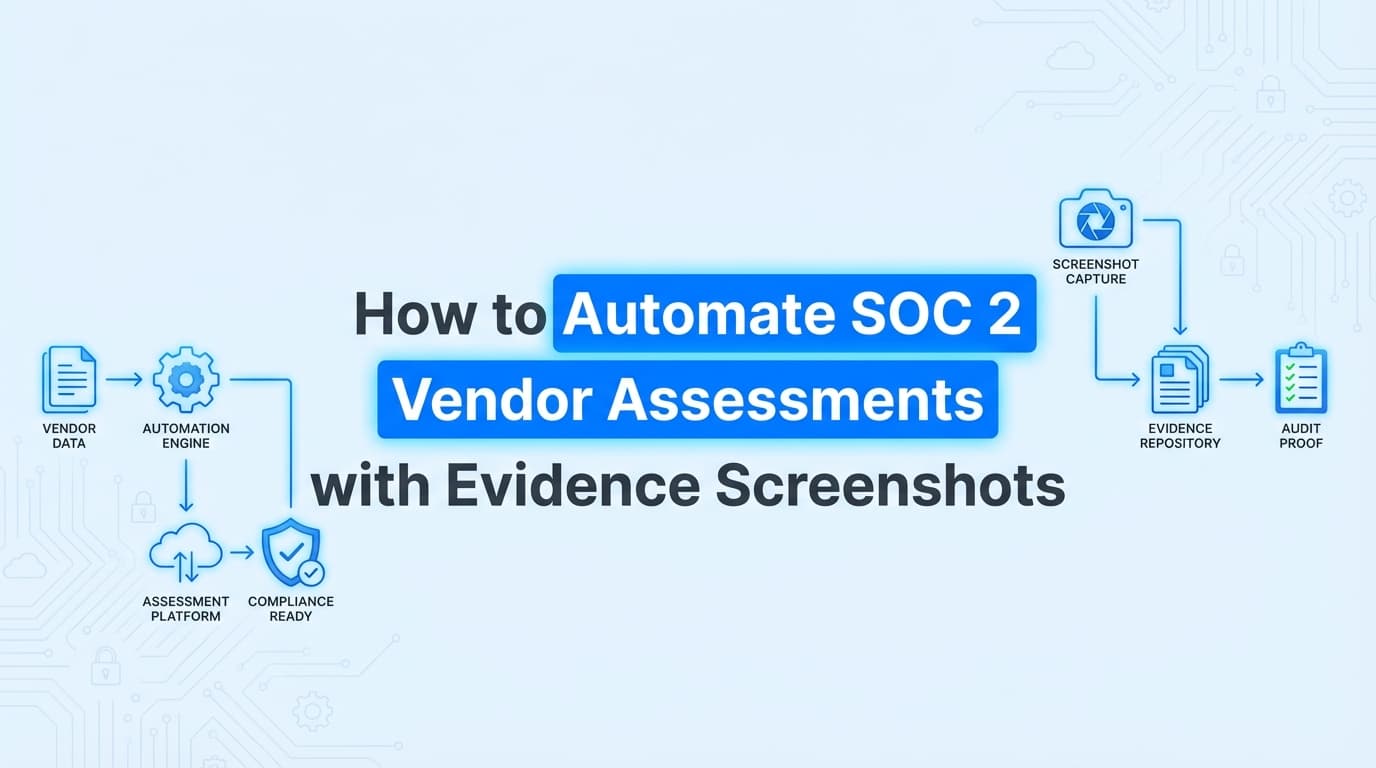
SOC 2 audits require concrete evidence that you assess and manage vendor risks (CC9.2), typically involving the collection of SOC 2 reports, review documentation, and screenshots of security questionnaires. While GRC platforms track which vendors you use, the actual labor of collecting a vendor's security report, reviewing it for exceptions, and documenting that review remains a manual bottleneck. Automating SOC 2 vendor assessment evidence collection involves using AI agents to retrieve security documentation, analyze it for risks, and generate audit-ready review summaries automatically.
What Does Automated Vendor Assessment Evidence Look Like for SOC 2?
Automated vendor assessment evidence is a structured, timestamped record that proves a vendor's security posture was reviewed and accepted. Instead of a folder full of scattered PDFs and spreadsheets, automation produces a cohesive Evidence Pack for each vendor.
For a SOC 2 audit, automated evidence for Control CC9.2 (Manage Risks from Vendors and Business Partners) typically includes:
- Retrieval Proof: Screenshots or logs showing the retrieval of the vendor's latest SOC 2 Type II report or ISO 27001 certificate.
- Automated Review Summary: An AI-generated PDF that summarizes the vendor's audit period, opinion (unqualified/qualified), and any noted exceptions (CUECs).
- Risk Decision Record: A timestamped document showing your internal approval or rejection of the vendor based on the analysis.
- Ongoing Monitoring: Screenshots verifying the vendor's status in your vendor risk management (TPRM) dashboard or trust center.
Why it matters: Auditors don't just want to see a vendor list; they need proof that you actually read the vendor's security report and assessed the risks. Automation ensures this "proof of review" is generated consistently for every vendor, every year.
How to Automate SOC 2 CC9.2 Evidence Collection
Automating vendor risk management evidence moves the process from "chasing emails" to a streamlined workflow. Here is how modern compliance teams use AI agents to handle the workload.
1. Automated Document Retrieval
Instead of manually emailing security@vendor.com, an AI agent navigates to the vendor's Trust Center (e.g., Vanta, Drata, or SafeBase portals). It logs in, locates the latest SOC 2 Type II report or Bridge Letter, and downloads it.
- Evidence Captured: Screenshots of the download action and the file metadata (version, date).
2. AI-Powered Report Analysis
The system uses Optical Character Recognition (OCR) and Large Language Models (LLMs) to scan the downloaded PDF. It specifically looks for:
- Audit Opinion: Is it "Unqualified" (Clean) or "Qualified" (Issues found)?
- Exceptions: Did the auditor note any failed controls?
- CUECs: What Complementary User Entity Controls must you implement?
3. Generation of Review Artifacts
The tool generates a "Vendor Security Review" PDF. This document auto-populates the vendor name, review date, risk level (Low/Medium/High), and a summary of findings. This replaces the manual spreadsheet row auditors usually see.
4. Sync to GRC Platform
The final evidence pack, containing the vendor's report, the review summary, and the approval screenshot, is automatically uploaded to the corresponding control (CC9.2) in your GRC platform (Drata, Vanta, etc.).
Where Traditional Vendor Risk Management Tools Stop
Many organizations rely on dedicated TPRM platforms or general GRC tools to manage vendors. While these tools are excellent for tracking lists, they often fail to automate the evidence creation required for an audit.
| Feature | Traditional TPRM / GRC Tools | AI Compliance Officer (Screenata) |
|---|---|---|
| Vendor Inventory | ✅ Excellent (Lists & Tiers) | ⚠️ Basic (Relies on GRC) |
| Document Storage | ✅ Stores uploaded PDFs | ✅ Stores & Analyzes PDFs |
| Evidence Collection | ❌ Manual upload required | ✅ Auto-retrieves from portals |
| Report Review | ❌ Manual human reading | ✅ AI extracts exceptions/CUECs |
| Audit Artifacts | ❌ Generic dashboard view | ✅ Audit-ready PDF summaries |
| Workflow Proof | ❌ Logs only final status | ✅ Screenshots of review steps |
The Gap: Traditional tools tell you who your vendors are. They do not automatically log into a portal, take a screenshot of the security certificate, read it, and write the review document for your auditor. That "last mile" is where automation tools like Screenata excel.
Example: Automating Evidence for a Cloud Provider (AWS/GCP)
Auditors almost always request evidence of review for your primary cloud provider. Here is how automation handles a hyperscaler review for SOC 2.
| Field | Example Value |
|---|---|
| Control ID | CC9.2 (Vendor Risk Management) |
| Vendor | Amazon Web Services (AWS) |
| Document Retrieved | AWS SOC 2 Type II Report (Fall 2025) |
| AI Analysis | "Opinion: Unqualified. No relevant exceptions found. CUECs identified: MFA required for root account." |
| Evidence Generated | AWS_Security_Review_2025.pdf + Screenshots of AWS Artifact download |
| Result | ✅ PASS (Risk Accepted) |
By automating this, you ensure that even if the AWS report is 100+ pages long, the specific evidence your auditor needs (the review summary) is ready in seconds.
Managing Vendor Risk Evidence Across ISO 27001 and HITRUST
While SOC 2 is the primary driver for many SaaS companies, vendor risk management requirements overlap significantly with other frameworks. Automated evidence collection helps satisfy multiple standards simultaneously.
ISO 27001 (Annex A.5.19 - A.5.23)
ISO 27001 focuses heavily on "Information security in supplier relationships."
- Requirement: You must agree on security requirements with suppliers and monitor their service delivery.
- Automated Evidence: The same AI-generated review summary used for SOC 2 can be mapped to A.5.21 (Managing information security in the ICT supply chain). The screenshots of the vendor contract or DPA (Data Processing Addendum) serve as evidence for A.5.20.
HITRUST r2 (Domain 15 - Third-Party Assurance)
HITRUST is more prescriptive, often requiring evidence that you have verified the vendor's certification status.
- Requirement: Ensure third parties are compliant with the organization's security requirements.
- Automated Evidence: Screenshots capturing the specific certification badges (e.g., HITRUST, ISO 27001) from the vendor's trust center provide the "validated" evidence HITRUST assessors look for.
Do Auditors Accept AI-Generated Vendor Assessment Evidence?
Yes. In fact, auditors often prefer it to manual spreadsheets.
Auditors look for three things in vendor assessment evidence:
- Completeness: Did you review all critical vendors?
- Accuracy: Does the review match the actual vendor report dates?
- Timeliness: Was the review conducted during the audit period?
AI-driven automation ensures all three. Because the AI extracts the exact dates ("Period Covered: Jan 1, 2025 - Dec 31, 2025") directly from the vendor's PDF, it eliminates the common human error of copy-pasting wrong dates into a spreadsheet. The generated PDF evidence pack is timestamped, proving the review happened within the correct audit window.
Frequently Asked Questions
What is the difference between TPRM and Vendor Assessments?
TPRM (Third-Party Risk Management) is the broader program and strategy for managing vendor risks. Vendor Assessments are the specific, periodic reviews (like reviewing a SOC 2 report) that serve as the evidence for that program.
Can automation handle vendors that don't have a Trust Center?
Yes. For vendors that send reports via email, automation workflows can be triggered by forwarding the attachment to a dedicated evidence inbox. The AI agent then processes the attachment, performs the OCR analysis, and generates the review summary just as if it had downloaded it from a portal.
How often should I collect vendor evidence for SOC 2?
SOC 2 requires monitoring on an "ongoing basis." Most organizations perform a full evidence collection and review annually for all vendors, and upon onboarding for new vendors. Automation allows you to run these checks quarterly or even monthly for high-risk vendors without extra effort.
Does this help with Security Questionnaires?
While this article focuses on assessing incoming vendor reports (inbound risk), the same evidence repository can be used to help answer outbound security questionnaires. Having organized, automated evidence proves to your own customers that you have a mature vendor risk management program.
Key Takeaways
- ✅ SOC 2 CC9.2 requires proof of vendor risk reviews, not just a list of vendors.
- ✅ Manual TPRM is slow and prone to errors, such as missing CUECs or recording incorrect report dates.
- ✅ AI Agents can automate the retrieval, reading, and summarizing of vendor SOC 2 reports.
- ✅ Unified Evidence: A single automated vendor review satisfies SOC 2, ISO 27001 (A.5.19), and HITRUST requirements.
- ✅ Auditors accept AI-generated review summaries because they are consistent, timestamped, and traceable to the source document.
Learn More About SOC 2 Compliance Automation
For a complete guide to automating SOC 2 compliance, see our guide on automating SOC 2 evidence collection in 2025, including how to capture screenshots for application-level controls and risk assessments. You may also find these relevant:
- Do You Actually Need a vCISO for SOC 2? - Why AI is replacing the $10k/month consultant
- The Bootstrapped Founder's Guide to SOC 2 - How to get SOC 2 done without a massive budget
Connect and see
See your SOC 2 with your real systems.
Connect GitHub and cloud read-only. Vera shows your control matrix, policy gaps, and prioritized next actions before you commit to anything.