

Compliance
What SOC 2 Evidence Do Auditors Require for Application Controls?
SOC 2 auditors require screenshots for application controls that infrastructure APIs cannot verify, specifically CC6.1 (logical access), CC7.2 (change management), and CC8.1 (vulnerability management). This article explains what evidence auditors want, why infrastructure logs aren't enough, and how to collect audit-ready screenshots with timestamps and metadata.
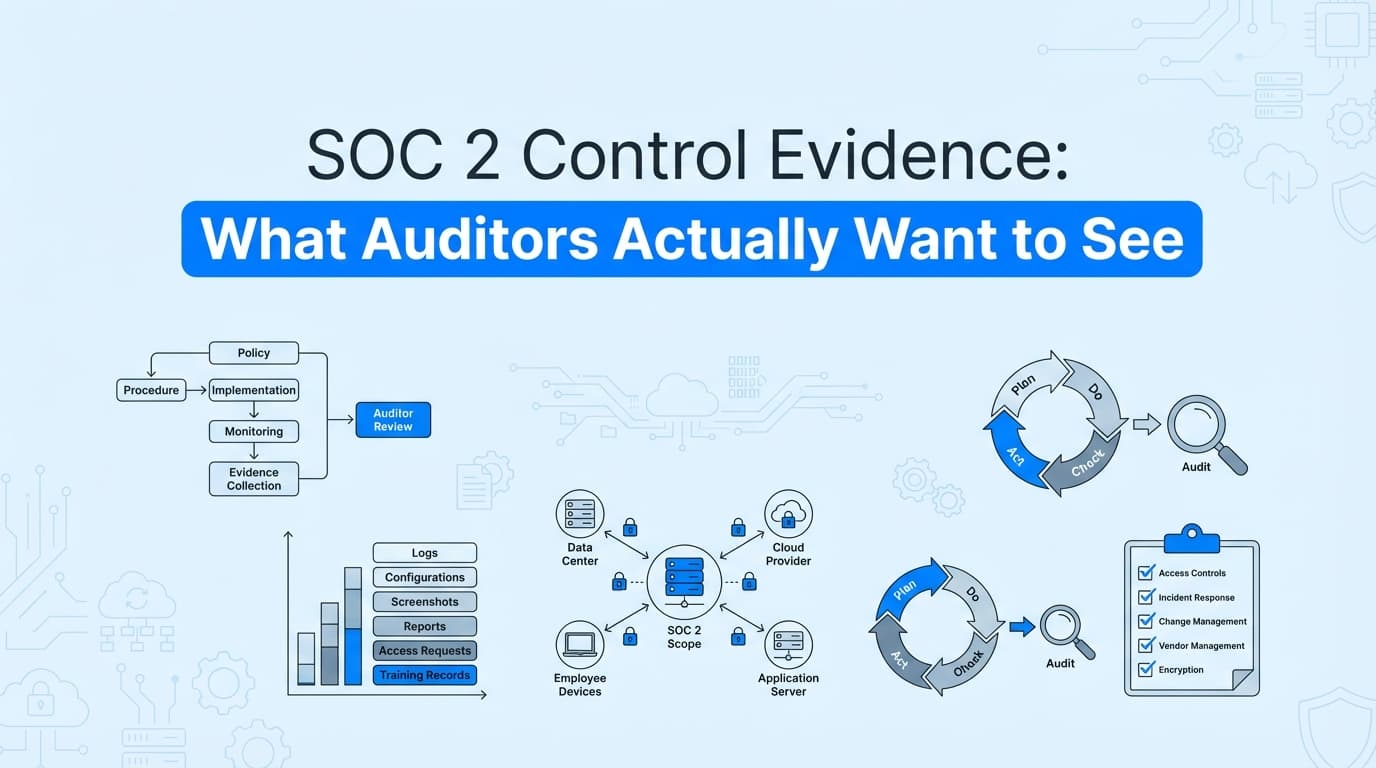
SOC 2 auditors require application-level screenshots for controls that infrastructure APIs cannot verify. While GRC platforms (Drata, Vanta) automate infrastructure evidence, auditors need screenshots showing how your application enforces SOC 2 controls, specifically CC6.1 (logical access/RBAC), CC7.2 (change management workflows), and CC8.1 (vulnerability dashboards). This article explains what SOC 2 evidence auditors actually require, why infrastructure logs aren't sufficient, and how to collect screenshots with proper timestamps and metadata for audit acceptance.
What Evidence Do SOC 2 Auditors Actually Require?
SOC 2 control evidence is the documentation provided to a Certified Public Accountant (CPA) or audit firm to prove that your organization is meeting the Trust Services Criteria (TSC) defined by the AICPA. Evidence acts as the "receipt" for your security claims.
In the past, evidence was often a collection of manually gathered screenshots and spreadsheets. In 2025, auditors have shifted their expectations toward automated, verifiable evidence packs that eliminate human error and provide cryptographic proof of authenticity.
Why Don't Infrastructure Logs Satisfy SOC 2 Auditors?
Most organizations rely on GRC (Governance, Risk, and Compliance) platforms like Drata or Vanta to automate infrastructure evidence. However, these tools often leave a "20% manual gap." This gap consists of application-level controls, the specific things a user does inside your software, that APIs cannot see.
The Problem with "Folder Dumps"
- Lack of Context: A screenshot named
image1.pngtells an auditor nothing about which control it supports. - Temporal Gaps: For a SOC 2 Type II audit, you must prove the control worked for 3, 6, or 12 months. Manual screenshots are often only taken right before the audit, creating a "point-in-time" fallacy.
- Authenticity Concerns: With the rise of AI-generated content, auditors are increasingly skeptical of static images that lack metadata or system-level verification.
What Makes SOC 2 Evidence Acceptable to Auditors?
Auditors evaluate evidence based on three primary pillars: Sufficiency, Reliability, and Relevance.
1. Sufficiency (The "Is there enough?" Test)
Auditors need enough data points to be confident. For a Type II audit, if you claim to review access monthly, they want to see 12 distinct evidence artifacts, one for each month of the audit window.
2. Reliability (The "Is it real?" Test)
Reliable evidence is system-generated. A Word doc written by a CTO is less reliable than a PDF generated by an automated agent like Screenata, which captures the UI state, the logged-in user, and a cryptographic timestamp simultaneously.
3. Relevance (The "Does it match the control?" Test)
If the control is CC6.1 (Logical Access), the evidence must specifically show that unauthorized users are blocked. A screenshot of your login page isn't enough; the auditor wants to see a "403 Access Denied" screen for a non-admin user attempting to access sensitive settings.
What Evidence Do Auditors Require for Each SOC 2 Control?
| Control ID | Control Name | What the Auditor Wants to See | How to Automate It |
|---|---|---|---|
| CC6.1 | Logical Access | Screenshots of RBAC settings, user lists with roles, and "Access Denied" tests for restricted users. | Use Screenata to record a "Viewer" user attempting to access the Admin panel. |
| CC6.7 | Physical Access | Logs of data center access or (for cloud) screenshots of IAM policies restricting production environment access. | Automated API pulls from AWS/Azure + UI verification of the IAM dashboard. |
| CC7.2 | Change Management | Evidence of peer review for code changes, including the PR, the approval, and the automated build logs. | Record the GitHub/GitLab PR flow, capturing the "Approved" status and merge constraints. |
| CC8.1 | System Operations | Snapshots of vulnerability scan results and proof that high-risk items were remediated within the SLA. | Capture the dashboard of Snyk or Wiz, showing the "Resolved" status of historical vulnerabilities. |
| CC5.2 | Communication | Proof that employees have signed the latest security policy and completed annual training. | Exported reports from your LMS (Learning Management System) or HRIS. |
What Should SOC 2 Evidence Packages Include?
An auditor-ready evidence pack is a structured document that answers all of an auditor’s questions before they ask them. When using Screenata, these packs are generated automatically and include:
1. The Narrative
A clear, AI-generated description of what the test was, who performed it, and what the result was.
- Example: "This test verifies that the 'Delete User' function requires a secondary confirmation modal, as required by Control CC7.1."
2. Visual Sequence (Screenshots)
High-resolution captures of the application UI. Each image should have:
- Captions: Explaining what the image proves.
- Highlighting: Red boxes or arrows pointing to the specific button or setting being verified.
3. System Metadata
This is the "technical proof" that auditors now demand. It includes:
- URL & Browser Context: Proving the test happened in the production environment.
- User Identity: Proving the person performing the test had the correct permissions.
- NTP-Synced Timestamps: Ensuring the time of capture cannot be faked.
- DOM Snapshots: The underlying code of the page at the time of the screenshot.
How to Automate SOC 2 Evidence Collection with Screenata
Automating the "manual 20%" of SOC 2 evidence involves moving away from the "Snipping Tool" and toward "Agentic Capture."
Step 1: Map Your Controls
Identify which controls in your Drata or Vanta dashboard are marked as "Manual." These are usually your application-level tests.
Step 2: Record the Workflow
Launch the Screenata Browser Extension. Perform the control test exactly as an auditor would. For example, log in, navigate to your settings, and toggle a security feature.
Step 3: Generate the Evidence Pack
Screenata's AI agent analyzes the recording, blurs any sensitive PII (Personally Identifiable Information), and compiles the screenshots into a formatted PDF.
Step 4: Sync to Your GRC
The finished evidence pack is automatically uploaded to your GRC platform (Drata, Vanta, Secureframe). The auditor sees a professional, timestamped report instead of a blurry PNG.
Comparison: Manual vs. Automated Evidence Collection
| Feature | Manual Screenshotting | Screenata AI Automation |
|---|---|---|
| Time per Control | 45–60 minutes | 5 minutes |
| Consistency | Low (Different testers use different formats) | High (Standardized templates) |
| Auditor Trust | Medium (Easy to manipulate) | High (Cryptographic timestamps) |
| PII Protection | Manual blurring (Slow/Error-prone) | Automated AI Redaction |
| Type II Readiness | Hard (Must remember to take shots monthly) | Easy (Scheduled "Compliance Crons") |
Example Use Case: Verifying CC6.1 (Logical Access)
The Objective: Prove that only "Admin" users can access the billing dashboard.
The Auditor's Request: "Show me that a user with 'Viewer' permissions cannot see credit card details or change the subscription plan."
The Screenata Solution:
- The compliance lead launches Screenata and logs in as a "Viewer" test user.
- The lead navigates to the
/billingURL. - The application displays a "403 Forbidden" or "Insufficient Permissions" message.
- Screenata captures this interaction, extracts the text "Insufficient Permissions" via OCR, and writes a report: "Verification of CC6.1: User 'test_viewer' attempted to access billing; system correctly denied access with a 403 error."
- The 5-page PDF is generated and pushed to the auditor's queue.
Best Practices for Maintaining Audit-Ready Evidence
To ensure a smooth SOC 2 audit, follow these three rules:
- Continuous over Batch: Don't wait until the end of the year. Use automated agents to capture evidence monthly or quarterly. This ensures you have a "trailing 12 months" of proof for your Type II audit.
- Standardize Your Format: Auditors hate searching through different file types. Use a single format (like the Screenata PDF Evidence Pack) for all manual controls.
- Validate the "Negative": Don't just show that things work for admins; show that they don't work for unauthorized users. Negative testing is a hallmark of a mature security program.
Frequently Asked Questions (FAQ)
What is the difference between "Infrastructure" and "Application" evidence?
Infrastructure evidence (automated by Drata/Vanta) checks things like "Is the S3 bucket encrypted?" Application evidence (automated by Screenata) checks things like "Does the 'Delete' button require MFA?" or "Is the RBAC system actually blocking non-admins?"
Does Screenata replace my auditor?
No. Screenata replaces the manual labor of collecting evidence. Your auditor still reviews the evidence to make a judgment call on your security posture. Screenata simply makes their job easier by providing structured, high-integrity data.
Will auditors accept AI-generated evidence?
Yes, provided the evidence is based on real system state. Modern auditors prefer machine-generated evidence because it includes metadata (timestamps, IP addresses, DOM snapshots) that manual screenshots lack.
How do I handle PII in my screenshots?
Auditors do not want to see your customers' PII (email addresses, credit card numbers). Screenata uses on-device AI to automatically blur sensitive information before the evidence is ever saved, keeping you compliant with GDPR and CCPA.
Can I use Screenata for ISO 27001 or HIPAA?
Absolutely. While the control IDs differ (e.g., Annex A controls for ISO), the requirement for visual, timestamped proof of process is the same across all major security frameworks.
Key Takeaways
- ✅ Auditors want reliability: System-generated evidence with metadata is always superior to manual screenshots.
- ✅ The "20% Gap" is critical: Infrastructure automation isn't enough; you must document application-level processes.
- ✅ Structure matters: Use standardized "Evidence Packs" that include narratives, visual proof, and technical metadata.
- ✅ Automation saves 90% of time: Moving from manual capture to Screenata reduces audit prep from weeks to hours.
- ✅ Continuous collection is key for Type II: Proving a control worked for a year requires regular, automated evidence capture.
Learn More About SOC 2 Compliance Automation
For a complete guide to automating SOC 2 compliance, including what evidence auditors require and how to automate screenshot-based proof for application controls, see our comprehensive SOC 2 automation guide. You may also find these relevant:
- Do You Actually Need a vCISO for SOC 2? - Why AI is replacing the $10k/month consultant
- The Bootstrapped Founder's Guide to SOC 2 - How to get SOC 2 done without a massive budget
Connect and see
See your SOC 2 with your real systems.
Connect GitHub and cloud read-only. Vera shows your control matrix, policy gaps, and prioritized next actions before you commit to anything.