

Compliance
What Tools Automate SOC 2 Screenshot Collection? Comparison Guide
Browser-extension AI agents, RPA platforms, screen recorders, and testing frameworks all capture screenshots, but only some produce audit-ready evidence. This guide compares the categories and shows where screenshot capture fits: it is roughly 9% of the evidence job, and the real question is whether a tool captures pixels or runs the whole program the way an agent named Vera does.
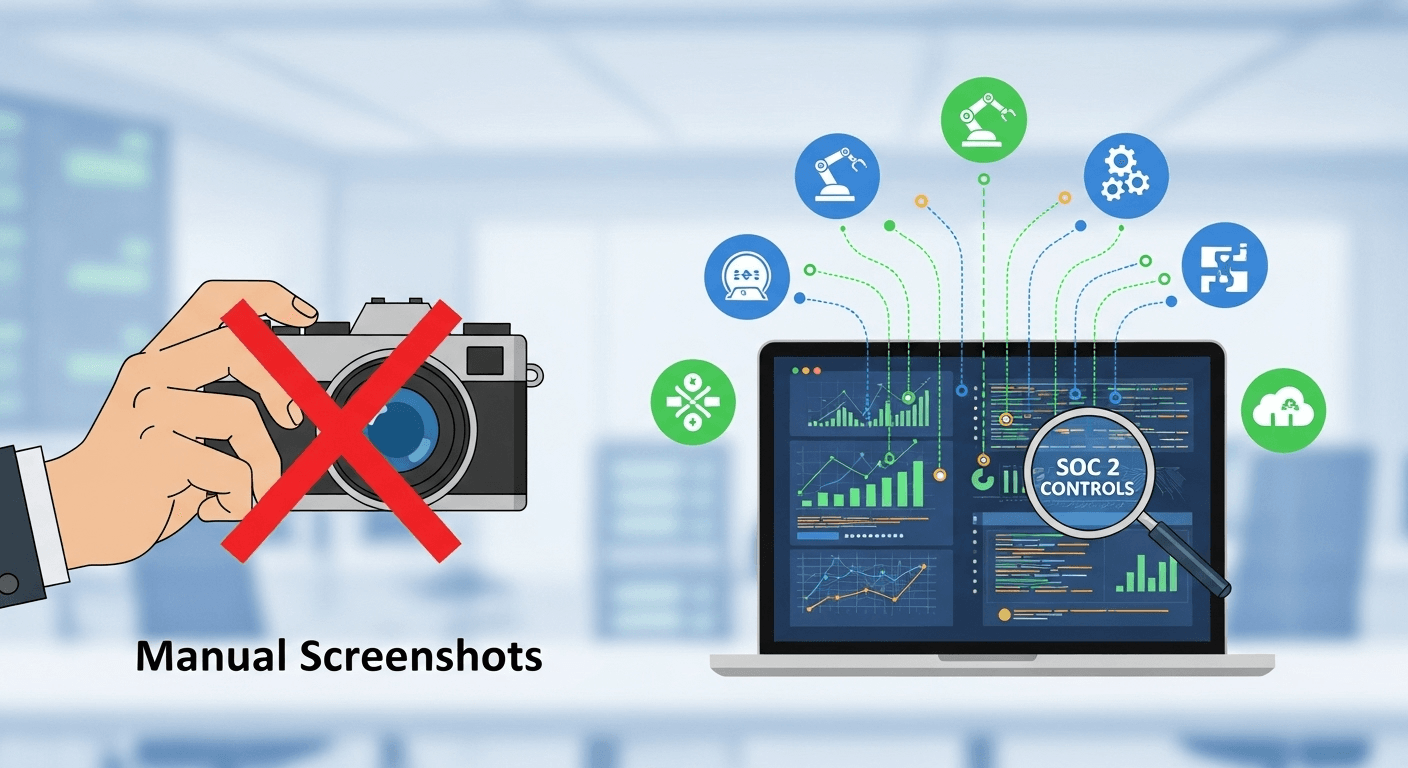
Four categories of tool can automate SOC 2 screenshots: browser-extension AI agents such as Screenata, RPA platforms such as UiPath, screen recorders such as Loom, and testing frameworks such as Cypress and Playwright. They differ on setup cost, accuracy, and how much manual work remains. The more useful distinction, though, is whether a tool just captures a picture or turns that capture into signed, mapped evidence inside a program someone runs end to end. Screenshot capture is roughly 9% of the evidence work. This guide compares the tools, and shows where the camera fits in the larger job.
First, Where Screenshots Fit in the Evidence Job
Picking a screenshot tool without seeing the whole job is how teams end up with a folder of PNGs and no audit. At Screenata the compliance agent is Vera, and application screenshots are one of several ways she collects evidence:
| How Vera collects evidence | Share | What it covers |
|---|---|---|
| API scans | ~70% | Cloud config, identity logs, endpoint posture, fully automated |
| Automated screenshots | ~9% | UI access controls, RBAC tests, workflow proof APIs can't reach |
| Guided collection | ~9% | Step-by-step flows for controls that need a specific path |
| Inbox ingestion | ~5% | Forwarded emails and Slack file drops, auto-classified |
| Attestations | the rest | Answers only a person can give, chased in Slack and Teams |
So a "screenshot tool" solves at most 9% of the problem. The rest is API scans, inbox ingestion, and chasing the human attestations a dashboard can only flag. Keep that in mind reading the comparison: the categories below are strong at capture and weak at everything around it, which is why the last section covers the work no screenshot tool does.
Tool Categories Explained
Category 1: AI Compliance Agents (Browser Extension + Vision Model)
How they work: an agent runs the control test in the browser, captures each meaningful step through an extension, and a vision model reads the screen to score whether the capture proves the control. The capture is packaged with a DOM snapshot, a timestamp, and a signature, then mapped to a framework.
Example: Screenata, where the agent is Vera. General workflow-documentation tools such as Scribe and Tango live in the same technical category (a browser extension that captures steps), but they are built for how-to guides, not compliance. They do not map to a control, sign the artifact, or run the rest of the program.
Best for: application-level SOC 2 evidence where you want the capture to land as audit-ready proof, not a training doc.
Category 2: RPA (Robotic Process Automation)
How they work: software robots mimic human actions on a schedule, capturing screenshots programmatically. They require scripting to build and maintenance to keep working.
Examples: UiPath, Automation Anywhere, Blue Prism.
Best for: large enterprises with a dedicated RPA team and hundreds of controls across desktop and web apps.
Category 3: Screen Recording Tools
How they work: record a video of your screen; you extract screenshots and write documentation separately.
Examples: Loom, ScreenRec, Camtasia.
Best for: training videos and demos. Not compliance evidence, for reasons the comparison makes clear.
Category 4: Automated Testing Frameworks
How they work: code-based end-to-end tests capture screenshots as they run, producing test reports.
Examples: Cypress, Playwright, Selenium.
Best for: engineering-heavy teams that already run these tests and want to reuse the artifacts.
Detailed Comparison by Category
Category 1 in Depth: Screenata (Vera)
Purpose: run the SOC 2 evidence program, with application screenshots as one input.
What she does around the capture:
- Scans GitHub, cloud, and identity read-only to scope your control matrix.
- Captures UI proof through the browser extension for controls APIs can't see.
- Reads each capture with a vision model and scores whether it proves the control.
- Maps evidence to SOC 2, ISO 27001, and HIPAA through a shared control catalog.
- Chases the attestations only a person can answer, in Slack or Teams.
- Signs every artifact and ties it to a control and a policy claim.
Setup time: about 30 minutes to connect read-only and scope the matrix.
Per-control capture time: roughly a couple of minutes, mostly your review.
Strengths: no engineering setup, works with any web application, built for SOC 2, and the capture lands as signed evidence rather than a raw image.
Limits: browser-based capture covers web UIs, not native desktop apps, and a person still runs or approves the test where judgment is involved.
Best for: startups and scale-ups (roughly 10 to 500 people), teams without a full compliance function, and anyone who wants the whole program handled rather than a capture widget.
Where Scribe and Tango Fit
Scribe and Tango are good at turning a browser workflow into a step-by-step guide. They capture and annotate well. For compliance they fall short in the same places: no control mapping, no signed provenance, no GRC export, and no sense of what a Trust Services Criterion is. They document a process for a human reader. They do not produce evidence for an auditor.
Category 2 in Depth: UiPath and Other RPA
Purpose: enterprise process automation, with screenshot capture as one capability.
Setup time: typically two to six months, with scripting and a dedicated team.
Per-control time: a few minutes per run once built, on a schedule.
Strengths: runs unattended, scales to hundreds of controls, and automates desktop apps a browser extension can't reach.
Limits: expensive licensing, brittle scripts that break when a UI changes, a long implementation, and ongoing maintenance. RPA captures a screenshot; it does not map it to a control, sign it, or chase an attestation. You still need a compliance layer on top.
Best for: organizations above roughly 1,000 people with existing RPA infrastructure and a large control set.
Category 3 in Depth: Loom and Screen Recorders
Purpose: quick screen recording for training and demos.
Why it struggles as compliance evidence: a recorder produces a video with no idea what CC6.1 is. You still watch the video, extract frames by hand, write the documentation, format it for the auditor, and upload it. Video files are large and hard for a reviewer to search, there is no control mapping, and there is no provenance an auditor can verify. Per control the manual work runs 60 to 90 minutes, which is barely better than screenshots by hand.
Best for: onboarding videos and product demos, not audit evidence.
Category 4 in Depth: Cypress and Playwright
Purpose: end-to-end testing that already captures screenshots as tests run.
Strengths: if you already maintain a suite, the artifacts are near-free and run in CI on every change, which gives high confidence for testable workflows.
Limits: it takes engineering time to build and maintain, only covers workflows you can script, and a raw test screenshot is not evidence until something maps it to a control, signs it, and gives it a chain of custody. Test output can feed an evidence program, but it is an input, not the program.
Best for: engineering-heavy teams with a mature Cypress or Playwright suite who want to reuse what they already run.
Side-by-Side Comparison
| Tool category | Setup time | Per-control time | Accuracy | Compliance features |
|---|---|---|---|---|
| AI agent (Screenata / Vera) | ~30 min | ~a couple of min | High for standard web UIs | Full: mapping, signing, attestation chase, cross-framework |
| RPA (UiPath) | 2 to 6 months | ~5 min per run | Good but brittle on UI change | Capture only; needs a compliance layer |
| Screen recorder (Loom) | 5 min | 60 to 90 min | Manual, inconsistent | None |
| Testing framework (Cypress) | 2 to 4 hours if set up | Runs with tests | High for scripted flows | Capture only; needs mapping and signing |
| Manual screenshots | 0 min | 45 to 60 min | Inconsistent, error-prone | None |
Winner by Situation
- Best overall for most SaaS teams: an AI compliance agent, because the capture lands as signed evidence and the rest of the program is handled.
- Best for large enterprises with an RPA team and hundreds of controls: RPA, paired with a compliance layer.
- Best for engineering-heavy teams with a mature test suite: reuse Cypress or Playwright artifacts as an input.
- Weakest for compliance: screen recorders, which leave nearly all the work manual.
Decision Guidance: Which Category Fits You
Choose an AI compliance agent if
- You are a startup or scale-up of roughly 10 to 500 people.
- You do not have a dedicated compliance team.
- You want fast setup and web-based applications covered.
- You want the whole program handled, not just capture.
Consider RPA if
- You are a large enterprise with existing RPA infrastructure and a team to run it.
- You need to automate desktop apps a browser extension can't reach.
- You have enough controls to justify a multi-month build.
Reuse a testing framework if
- You have a strong engineering team and a mature Cypress or Playwright suite.
- You want evidence to fall out of tests you already run in CI.
- You accept that the artifacts still need mapping and signing to count.
Avoid relying on a screen recorder if
- You need audit evidence rather than a training video, because the manual work barely drops.
How to Run a One-Week Evaluation
Before committing, test any candidate against the controls that actually cause you pain:
- List the controls that need UI evidence, and how long each takes you today.
- Pick two or three high-friction ones, such as CC6.1, CC6.2, and CC7.2/CC8.1.
- Run each candidate on those controls and compare the output, not the demo.
- Check what travels with the capture: is there a timestamp, provenance, and a control mapping, or just an image?
- Ask who does the work around the capture, the mapping, the attestation chase, and the signing, and whether that is you or the tool.
- Confirm the vendor's own security posture, including a SOC 2 Type II report, before you trust it with production screens.
The tool that wins is the one that leaves the least work on your desk after the capture, not the one with the slickest recording flow.
What Makes Agent-Captured Evidence Audit-Ready
The reason capture tools cluster at the top of the comparison is not the picture quality. It is what travels with the picture. When Vera captures a control test, each shot carries:
- A DOM snapshot of the page's HTML, proof the elements existed as shown.
- The URL, an NTP-synced timestamp, and the identity of whoever ran the test.
- A vision-model reading that scores whether the capture proves the control, with low-confidence shots flagged for review.
- A signed manifest: SHA-256 hashes, a digital signature, and an RFC 3161 timestamp.
That bundle is what turns "a tool took a screenshot" into "evidence with a chain of custody." An auditor can start from a policy claim, follow it to the control test, and land on the signed artifact, then verify the signature independently with a free CLI. Edit the image and the hash no longer matches, which is exactly what the signature is designed to surface.
A Worked Example: Capturing CC6.1 End to End
The gap between a capture tool and an agent is clearest on a single control. CC6.1 (logical access) is the one auditors most often want UI proof for: it asks you to show that a user without the right privileges cannot reach a sensitive function.
The manual or screen-recorder path, 60 to 75 minutes
- Provision a low-privilege test account.
- Log in as that user and attempt to reach a restricted area.
- Capture screenshots by hand at each step, or record a video and extract frames later.
- Download, crop, and rename each file so it is clear which step it shows.
- Write the control objective and the test procedure in a document.
- Insert each screenshot with a caption and a pass/fail conclusion.
- Export to PDF, proofread, and upload it under the right control.
Every step is a place to drop a screenshot, miss a timestamp, or write a caption that doesn't match the image. Multiply it across 40 to 50 controls and you have the familiar audit crunch.
The agent path, a couple of minutes plus your review
- Vera runs the test against a low-privilege account she controls.
- The app returns a 403 or a "you do not have permission" response.
- The extension captures each step (login, navigation, denial, role view) with a DOM snapshot, the URL, an NTP-synced timestamp, and the tester identity.
- The vision model confirms the denial screen demonstrates the control and scores its confidence.
- Vera drafts the objective, the narrative, and the pass/fail rationale, then assembles a signed pack.
- You open the pack, see each screenshot beside its description, and approve or correct.
The pack contains a formatted PDF, the timestamped screenshots, a metadata JSON, and a signed manifest, all tied to CC6.1 and the policy sentence behind it. No capture tool in the comparison produces that on its own.
What Vera Captures for Each High-Friction Control
Screenshot evidence is not generic. Each control wants a specific moment proven, and knowing which moment is half the reason a compliance agent beats a general capture tool.
CC6.1: Logical Access
The capture that matters is the denial: a restricted user blocked from a protected page. Vera records the login as the low-privilege user, the navigation attempt, the access-denied response, and the role configuration that explains why. An admin panel screenshot alone proves nothing; the denial in context proves the control.
CC6.2: Access Removal
Here the capture proves a terminated user can no longer get in. Vera records the disabled account state in each production system, ideally alongside the offboarding ticket, so the evidence shows access was revoked rather than merely scheduled.
CC7.2 / CC8.1: Change Management
The capture is the approval chain outside the code repository: the QA sign-off, the staging-to-production promotion, the deploy confirmation. Vera records the workflow end to end so the sequence is intact, not just the final state.
CC7.x: Vulnerability Management
The capture proves findings were reviewed, not just generated. Vera records the dashboard showing high-severity items triaged and the sign-off that they were accepted or remediated.
A general capture tool can screenshot any of these. It cannot tell you which moment the control needs, score whether the shot proves it, or map it to the criterion. That knowledge is what separates a compliance agent from a screen grabber.
The Work No Screenshot Tool Does
Every category above stops at capture. The parts of an audit that actually consume a team's time sit outside the camera:
Attestations. A screenshot proves what a system does. It cannot prove a person made a judgment: did the access review happen, was the exception approved, did someone read the vendor's SOC 2 report. Vera DMs the responsible person in Slack or Teams, reminds at 24 hours, and escalates at 48 if there is no answer, then files the response as evidence tied to the control.
Cross-framework reuse. The same access-denied capture satisfies SOC 2 CC6.1, ISO 27001 A.9.1.2, and HIPAA §164.312(a)(1). Vera maps once through a shared catalog, so you don't re-capture and re-document for each audit.
Policy grounded in reality. Vera drafts policy from your attested operational reality, and the generator is deterministic, so the same attestation produces the same control sentence every time. An auditor can re-derive a claim rather than take it on faith.
Cadence between audits. Vera re-collects recurring evidence on a schedule, so nothing is stale when the auditor arrives, instead of a scramble to re-shoot six months of screenshots.
A capture tool leaves all of this to you. That gap is the difference between a screenshot widget and an agent that runs the program.
What It Costs Compared to the Manual Stack
Manual screenshotting is not free just because no one invoices for it. It is senior-engineer hours every quarter, and for most teams a GRC platform and a consultant on top.
- Screenata is $5,988/year ($499/mo) per framework, for a standard audit scope of typically up to 50 employees and one legal entity.
- A traditional setup runs a GRC platform ($12,000 to $25,000 a year for Vanta or Drata, per Vendr transaction data) plus a consultant (from a $5,000 readiness project to a $10,000 monthly retainer).
- First-year cash totals to a SOC 2 Type II land at $13,000 to $21,000 with Vera and the auditor against $59,000 to $160,000 for a platform, consultant, and auditor, before the engineering hours manual capture consumes.
RPA licensing sits well above that for the enterprise tier, which is why it only pays off at hundreds of controls. For a team with a few dozen controls, the agent path is both cheaper and faster to stand up.
Common Mistakes When Choosing a Tool
Buying RPA at small scale
A company with a dozen controls does not need a multi-month RPA build and a dedicated team. The setup delays the audit and the ROI arrives years out. An agent covers the same controls in an afternoon.
Treating a screen recorder as the main tool
A recorder still leaves 60 to 90 minutes of manual work per control, produces video files auditors find hard to review, and maps nothing to a control. It is training software, not evidence software.
Building it in-house
A custom screenshot tool is months of engineering plus ongoing maintenance, and it still won't map to controls, sign artifacts, or chase attestations without more work. Buy the program unless compliance tooling is your product.
Doing nothing and staying manual
"We'll just keep doing it by hand, it's free" hides the real cost: dozens of hours per quarter, inconsistent quality that turns into audit findings, and a stressful crunch every cycle. Any automation beats it, and an agent replaces the whole workflow rather than one step of it.
Where a Human Stays in the Loop
No honest comparison ends with "fully automated." Vera escalates rather than guesses. She hands a control back, with a reason, when a capture is low quality, when a control needs judgment, when an attestation only a person can give is required, or when a legally binding action needs explicit approval. She does the prep; an independent auditor still reviews and issues the report. That honest escalation is what keeps a reviewer confident the evidence reflects reality.
Frequently Asked Questions
Is a browser extension enough for SOC 2 evidence?
The extension is the capture layer for controls behind your UI, which is about 9% of the evidence. On its own it is not enough. What makes it work is everything around the capture: the API scans, the attestation chase, the mapping, the signing, and the cadence. That is why the comparison favors an agent over a standalone extension.
Do auditors accept agent-captured screenshots?
Yes, when the evidence is authentic, complete, and traceable. Vera's captures carry a DOM snapshot, a signed timestamp, and a link to the control and policy claim, and the narrative is reviewed before it is filed. The agent organizes and narrates; it does not fabricate.
Why not just use Cypress screenshots we already have?
You can, as an input. A test screenshot still needs to be mapped to a control, signed, and given a chain of custody before an auditor treats it as evidence. Feed the artifacts into an agent that handles that layer rather than treating the raw output as audit-ready.
How is this different from RPA?
RPA is general automation that can capture a screenshot on a schedule but knows nothing about compliance. An agent is built around the control matrix: it scopes controls, scores captures against them, maps across frameworks, chases attestations, and signs artifacts. RPA needs a compliance layer bolted on; the agent is that layer.
Does the tool choice change my cost much?
Yes. A standalone capture widget or a screen recorder still leaves most of the work on your team, so the real cost is the hours. An agent at $5,988/year ($499/mo) replaces a GRC platform plus a consultant, a path that runs $77,000 to $178,000 in year one to a SOC 2 Type II with the auditor and your team's time counted, and it collects on a cadence so evidence stays current.
Key Takeaways
- Four categories capture SOC 2 screenshots: AI compliance agents, RPA, screen recorders, and testing frameworks. They differ most on what happens after the capture.
- Screenshot capture is roughly 9% of the evidence job. A "screenshot tool" solves a slice; an agent runs the program.
- Agent-captured evidence is audit-ready because each shot carries provenance and a signature and ties to a control and a policy claim, so an auditor can verify it independently.
- The work that actually consumes a team, attestations, cross-framework mapping, policy, and cadence, sits outside the camera, and only an agent handles it.
- For most SaaS teams the agent path is cheaper than RPA or an in-house build, at $5,988/year ($499/mo) against $77,000 to $178,000 in year one for the traditional stack (with team time).
Learn More About SOC 2 Automation
For a complete guide to automating SOC 2 evidence collection, including how an agent turns application screenshots into signed, mapped evidence, see our comprehensive SOC 2 automation guide.
Connect and see
See your SOC 2 with your real systems.
Connect GitHub and cloud read-only. Vera shows your control matrix, policy gaps, and prioritized next actions before you commit to anything.