

Compliance
How to Combine ISO 27001 and HIPAA Evidence with Automated Screenshots
Yes, healthcare organizations can satisfy both ISO 27001 and HIPAA requirements with a single automated evidence workflow. This guide explains how to capture audit-ready screenshots that map Annex A controls to HIPAA safeguards while automatically redacting PHI.
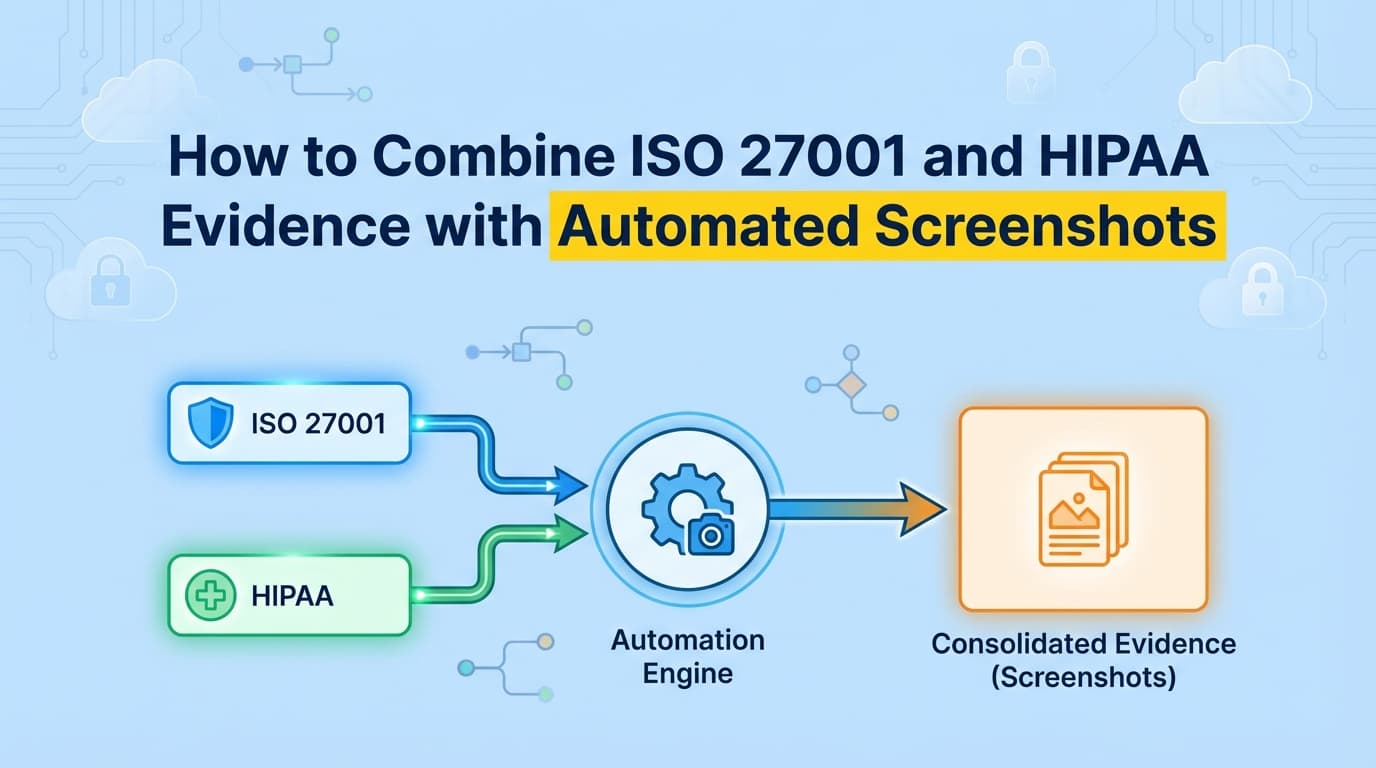
ISO 27001 certification and HIPAA compliance both demand rigorous evidence of security controls, specifically regarding access to sensitive data. For healthcare organizations, maintaining two separate documentation streams is inefficient and risky. By automating evidence collection with tools that capture screenshots and workflow logs, teams can "collect once and map twice," satisfying both ISO 27001 Annex A controls and HIPAA Security Rule safeguards simultaneously.
Can You Automate ISO 27001 and HIPAA Evidence Together?
Yes. Modern compliance automation platforms allow you to record a single control test, such as a user access review or a disaster recovery drill, and map the resulting evidence to multiple frameworks.
For healthcare companies, the overlap between ISO 27001:2022 and the HIPAA Security Rule is significant, particularly in the technical and administrative domains. Instead of manually taking screenshots for an ISO auditor and then repeating the process for a HIPAA assessment, AI-driven automation tools capture the workflow once. The system then generates a structured evidence pack containing timestamped screenshots, metadata, and control mappings that satisfy both standards.
This approach reduces the administrative burden of healthcare compliance by approximately 60%, allowing security teams to focus on patient data safety rather than documentation formatting.
How Do ISO 27001 Annex A Controls Map to HIPAA Safeguards?
To effectively automate evidence, you must understand where the frameworks intersect. While ISO 27001 is a broad information security standard and HIPAA is specific to Protected Health Information (PHI), their evidence requirements for technical controls are nearly identical.
The table below illustrates how a single piece of automated evidence satisfies requirements across both frameworks.
| Evidence Type | ISO 27001:2022 Control | HIPAA Security Rule Section |
|---|---|---|
| Access Control | A.5.15 (Access Control) | §164.312(a)(1) (Access Control) |
| Audit Logging | A.8.15 (Logging) | §164.312(b) (Audit Controls) |
| Encryption | A.8.24 (Cryptography) | §164.312(a)(2)(iv) (Encryption) |
| Backup/Recovery | A.8.14 (Redundancy) | §164.308(a)(7) (Contingency Plan) |
| User Auth | A.5.16 (Identity Mgmt) | §164.312(d) (Person Authentication) |
Automation Strategy: Configure your evidence automation tool to tag a single workflow recording (e.g., "Verify Database Encryption") with both ISO_A.8.24 and HIPAA_164.312_a_2_iv.
What ISO 27001 Evidence Cannot Be Automated with GRC Tools?
While GRC platforms like Drata and Vanta excel at monitoring cloud infrastructure configurations (e.g., AWS settings), they often fail to capture the application-level evidence required for healthcare audits.
The "20% Manual Gap" in Healthcare
Auditors and HIPAA assessors require proof of how your specific application handles PHI. APIs cannot "see" inside your custom clinical workflows or Electronic Health Record (EHR) interfaces.
Traditional GRC tools cannot automate:
- Clinical Workflow Access: Proving that a nurse has different view permissions than a billing administrator within your SaaS app.
- Manual Change Management: Documenting approvals for hotfixes that bypass standard CI/CD pipelines.
- Visual Proof of PHI Masking: Screenshots demonstrating that sensitive patient IDs are obfuscated in the UI for non-privileged users.
- Incident Response Drills: Evidence of tabletop exercises or manual disaster recovery triggers.
This gap forces teams to spend 40–80 hours per audit cycle manually capturing screenshots, redacting patient names, and formatting reports. An AI Compliance Officer like Screenata handles the full compliance workflow, recording these UI interactions automatically, writing policies, mapping controls across both frameworks, and providing readiness scoring.
How to Handle PHI in Automated Screenshots?
One of the biggest challenges in healthcare compliance is proving you are protecting PHI without creating a data leak in your evidence files. Taking raw screenshots of patient databases to prove they exist is a HIPAA violation in itself if those screenshots are stored insecurely.
The Solution: AI-Powered Redaction Advanced evidence automation tools like Screenata utilize on-device AI to identify and redact sensitive data before the screenshot leaves the secure environment.
- Detection: The AI scans the DOM (Document Object Model) and visual layer for patterns matching SSNs, MRNs (Medical Record Numbers), emails, and names.
- Redaction: It applies a blur or blackout filter to these specific elements.
- Verification: The metadata remains intact, proving the field exists and is populated, but the actual value is unreadable.
- Audit Trail: The system logs that redaction occurred, satisfying the auditor's need for data minimization (ISO 27001 A.8.10).
Step-by-Step: Automating Access Control Evidence (A.5.15 & §164.312)
Here is how a healthcare organization automates the collection of Logical Access evidence to satisfy both frameworks simultaneously.
1. Define the Control Objective
- ISO 27001: Ensure access to information and other associated assets is restricted in accordance with the access control policy.
- HIPAA: Implement technical policies and procedures for electronic information systems that maintain electronic protected health information to allow access only to those persons or software programs that have been granted access rights.
2. Record the Workflow
Using an automated evidence recorder, a compliance officer performs the following actions:
- Log into the application as an "Admin."
- Navigate to the "User Management" screen.
- Select a "Clinical Staff" user role.
- Attempt to access the "System Configuration" panel (restricted area).
- Capture the resulting "403 - Access Denied" message.
3. Generate the Evidence Pack
The automation tool produces a PDF report containing:
- Screenshots: Visual proof of the role settings and the access denial.
- Timestamps: Cryptographically synced time of the test.
- Tester ID: Identity of the person/bot performing the test.
- Redaction: Any visible patient names on the dashboard are automatically blurred.
4. Map and Export
The system tags this evidence pack with ISO 27001 A.5.15 and HIPAA §164.312(a)(1) and uploads it to the GRC platform's evidence library.
Comparison: Manual vs. Automated Healthcare Compliance
| Metric | Manual Collection | Automated Evidence Collection |
|---|---|---|
| Time Per Control | 45-60 Minutes | < 5 Minutes |
| PHI Risk | High (Human error in redaction) | Low (AI auto-redaction) |
| Audit Readiness | Weeks of preparation | Continuous / Real-time |
| Framework Coverage | Single framework focus | Multi-framework mapping |
| Evidence Quality | Inconsistent screenshots | Standardized, verifiable PDFs |
Frequently Asked Questions
What is the difference between ISO 27001 and HIPAA evidence requirements?
ISO 27001 requires evidence that an Information Security Management System (ISMS) is functioning, covering people, processes, and technology. HIPAA specifically requires evidence that the confidentiality, integrity, and availability of ePHI (electronic Protected Health Information) are safeguarded. While the goals overlap, HIPAA evidence must specifically demonstrate the protection of health data.
Does HITRUST certification replace the need for separate ISO and HIPAA evidence?
HITRUST CSF is a certifiable framework that aggregates requirements from ISO 27001, HIPAA, NIST, and others. If you pursue HITRUST, you are effectively collecting evidence for all these frameworks. However, if you are not HITRUST certified, you must map your evidence to ISO and HIPAA individually. Automated tools can help prepare for HITRUST by organizing evidence according to CSF domains.
Is AI-redacted evidence accepted by auditors?
Yes. Auditors require evidence that controls are working, not the actual content of the data. A screenshot showing a "Patient List" with names blurred proves the list exists and access is granted, without violating privacy rules. Automated redaction is often preferred by auditors as it reduces the risk of accidental PHI exposure during the audit review process.
Can I use Screenata for HIPAA risk assessments?
Yes. Screenata can document the technical implementation of controls identified in your risk assessment. For example, if your risk assessment identifies "Unauthorized Access" as a high risk, Screenata can provide the ongoing screenshot evidence that your mitigation strategies (MFA, RBAC) are implemented and effective.
Key Takeaways
- ✅ Collect Once, Map Twice: Use a single automated workflow to capture evidence that satisfies both ISO 27001 Annex A and HIPAA Security Rule requirements.
- ✅ Automate the Gap: Use AI tools to capture application-level evidence (like EHR access controls) that traditional GRC API integrations miss.
- ✅ Protect PHI: Leverage AI-driven on-device redaction to ensure screenshots are audit-ready but free of sensitive patient data.
- ✅ Standardize Output: Generate verifiable PDF evidence packs that include timestamps, metadata, and clear control mappings for auditors.
Learn More About ISO 27001 Compliance Automation
For a complete guide to automating certification documentation, see our guide on automating ISO 27001 evidence collection, including how to handle Annex A controls and Statement of Applicability requirements.
Connect and see
See your SOC 2 with your real systems.
Connect GitHub and cloud read-only. Vera shows your control matrix, policy gaps, and prioritized next actions before you commit to anything.