

Compliance
How to Automate HITRUST r2 Evidence Collection for SaaS Vendors
SaaS vendors selling to healthcare face rigorous HITRUST r2 evidence requirements across 19 control domains. This guide explains how to automate HITRUST CSF evidence collection, including screenshots and workflow recordings, to reduce assessment preparation time from 9 months to 8 weeks.
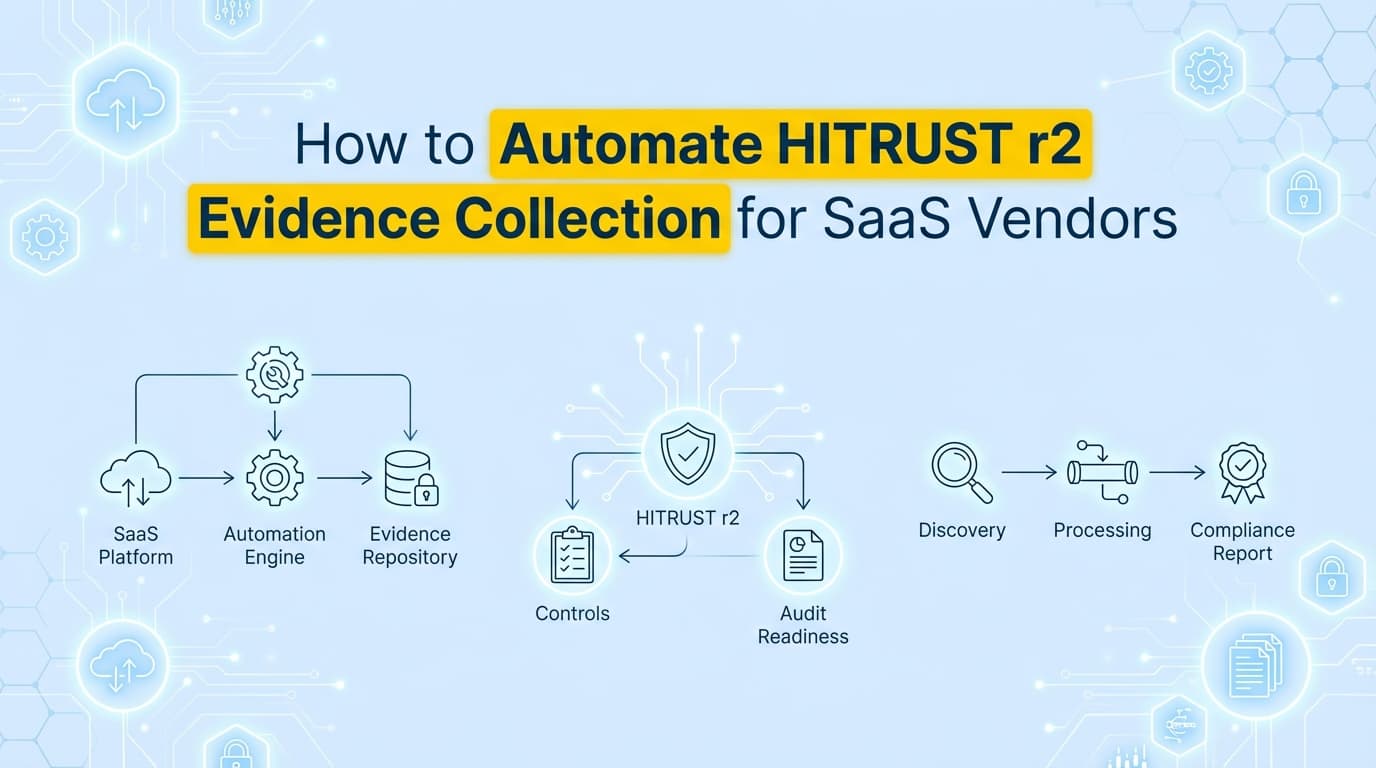
Achieving HITRUST r2 certification is often the definitive requirement for SaaS vendors selling to hospitals, payers, and healthcare providers. Unlike SOC 2, a HITRUST r2 validated assessment requires prescriptive evidence across 19 control domains within the CSF (Common Security Framework). While cloud infrastructure controls can be partially automated via API, the application-level controls, requiring screenshots, process documentation, and "Implemented" maturity evidence, often stall certification for months. Automating HITRUST evidence collection is the only way to meet these rigorous demands without dedicating your entire engineering team to audit preparation.
Why Do Healthcare Buyers Demand HITRUST r2?
Answer: Healthcare organizations demand HITRUST r2 because it provides a higher level of assurance than HIPAA self-assessments or SOC 2 reports. The HITRUST CSF harmonizes requirements from HIPAA, NIST, ISO 27001, and GDPR into a single framework with prescriptive controls. For SaaS vendors, an r2 certification proves that controls are not just designed (as in SOC 2 Type I) but are effectively implemented, measured, and managed over a 12-month period.
The complexity of HITRUST lies in its maturity model. Assessors do not just ask "Do you have a policy?"; they ask for five levels of evidence:
- Policy: Do you have a written rule?
- Procedure: Is there a documented process?
- Implemented: Is the control actually working? (Requires screenshots/logs).
- Measured: Do you test it?
- Managed: Do you fix it when it breaks?
Automation is critical for levels 3, 4, and 5, where manual screenshot collection becomes unmanageable at scale.
What Evidence Do HITRUST Assessors Require for r2 Certification?
HITRUST assessors require specific artifacts to validate "Implementation" maturity. This evidence must be recent, relevant, and verifiable.
1. Access Control (Domain 01)
Controls regarding user registration, privilege management, and review.
| Requirement | Required Evidence (Artifacts) | Automation Method |
|---|---|---|
| 01.b User Registration | Screenshots of the admin dashboard showing unique IDs and registration workflows. | Screenata / Workflow Recorder |
| 01.c Privilege Mgmt | Screenshots of role definitions and "Access Denied" errors for unauthorized users. | Workflow Recorder |
| 01.y Remote Access | Logs and screenshots showing MFA enforcement and VPN session timeouts. | API + Console Screenshot |
2. Audit Logging & Monitoring (Domain 09)
Controls ensuring activity is recorded and reviewed.
| Requirement | Required Evidence (Artifacts) | Automation Method |
|---|---|---|
| 09.aa Audit Logging | Screenshots of log configurations (e.g., CloudTrail, Splunk) showing retention settings. | API Monitor |
| 09.ab Monitoring | Evidence of automated alerts (screenshots of Slack/PagerDuty integrations). | API + Screenshot |
3. Vulnerability Management (Domain 10)
Controls for patching and scanning.
| Requirement | Required Evidence (Artifacts) | Automation Method |
|---|---|---|
| 10.m Control of Vulns | Screenshots of recent scan reports and tickets showing remediation within SLAs. | API + Workflow Recorder |
| 10.l Malicious Code | Screenshots of endpoint protection (EDR) agents active on sample devices. | MDM API / Screenshot |
4. Configuration Management (Domain 06)
Controls ensuring systems are configured securely.
| Requirement | Required Evidence (Artifacts) | Automation Method |
|---|---|---|
| 06.d Change Management | Screenshots of Pull Requests (PRs) showing approvals and CI/CD pipeline success. | API (GitHub/GitLab) |
| 06.e Config Standards | Screenshots of "Golden Image" baselines or Terraform state files. | API + Screenshot |
What is the Difference Between HITRUST e1, i1, and r2?
SaaS vendors must choose the right assessment level based on their client's risk appetite.
| Assessment Type | Scope & Focus | Evidence Burden | Automation Need |
|---|---|---|---|
| e1 (Essentials) | ~44 Controls. Basic cyber hygiene. | Low. Focus on policies and basic configs. | Low |
| i1 (Implemented) | ~219 Controls. Leading security practices. | Medium. Requires proof of implementation (screenshots). | High |
| r2 (Risk-based) | 200–800+ Controls. Comprehensive risk mgmt. | Severe. Requires evidence for Policy, Procedure, and Implementation across all domains. | Critical |
Most enterprise healthcare systems (Payers/Providers) require vendors to hold HITRUST r2 certification.
Where Traditional HITRUST Assessment Automation Falls Short
Many SaaS vendors attempt to use general GRC tools like Drata or Vanta for HITRUST. While these tools are excellent for SOC 2, they struggle with the depth of HITRUST MyCSF requirements.
The Automation Gap:
- MyCSF Specificity: HITRUST requires evidence mapped to specific requirement statements (e.g., "09.m"). Generic GRC tools often map evidence loosely to "Access Control," which assessors reject.
- Application-Level Visibility: GRC tools monitor cloud APIs (AWS/Azure). They cannot see inside your SaaS application's admin panel to verify how your customers' data is segregated or how your internal support tools enforce least privilege.
- Maturity Scoring: proving "Measured" and "Managed" maturity requires time-series data, showing that a control was tested quarterly and issues were remediated. A single API check ("Is MFA on?") does not satisfy this.
The Solution: You need an AI Compliance Officer like Screenata that can record workflows, capture UI-based evidence, generate structured reports, write policies, and map controls, replacing both the GRC platform and the consultant for teams starting fresh, or working alongside Drata/Vanta if you already use them.
How to Automate HITRUST r2 Evidence Collection
Automating HITRUST evidence involves capturing the "Implementation" artifacts that APIs miss.
Step 1: Map Your Scope in MyCSF
Determine your requirement set based on risk factors (volume of records, regulatory factors). Export your requirement list.
Step 2: Deploy Evidence Agents
For controls requiring visual proof (e.g., Domain 01 Access Control, Domain 10 Vulnerability Management), configure Screenata to record the validation steps.
- Action: Record a quarterly access review of the production database.
- Automation: The agent navigates the user list, captures screenshots of permissions, and logs the review timestamp.
- Output: A PDF containing the screenshots, tester identity, and control mapping.
Step 3: Automate "Negative Testing"
HITRUST assessors love "negative testing" (proving controls block unauthorized actions).
- Manual: Create a test user, try to access admin settings, take a screenshot of the error.
- Automated: Screenata runs a script that attempts unauthorized access, captures the "403 Forbidden" screen, and packages it as evidence for Requirement 01.c.
Step 4: Continuous Collection
Schedule these automations to run monthly. When the external assessor arrives, you will have 12 months of consistent, timestamped evidence, satisfying the "Measured" and "Managed" maturity levels.
Example: Automating Access Control Evidence (Requirement 01.b)
Requirement Statement: "The organization ensures that a unique identifier (User ID) is assigned to each user... and that the registration process includes verification of authorization."
Manual Evidence Workflow:
- Log into Identity Provider (Okta/Auth0).
- Screenshot user list showing unique IDs.
- Find a recent new hire ticket in Jira.
- Screenshot the approval on the ticket.
- Combine into a PDF and upload to MyCSF.
Automated Evidence Workflow:
- Trigger: New user added to Okta.
- Screenata Agent:
- Captures screenshot of Okta user profile creation.
- Fetches linked Jira ticket via API.
- Captures screenshot of Jira approval workflow.
- Result: Generates
evidence_01b_user_registration.pdfautomatically and stores it in your evidence library.
Can You Inherit Evidence from AWS or SOC 2?
Inheritance: Yes, HITRUST allows "inheritance" of controls from cloud providers (AWS/Azure/GCP). If AWS is HITRUST certified, you can inherit physical security controls (Domain 11) and some network controls.
- Action: Submit an inheritance request in MyCSF.
- Limitation: You cannot inherit controls for your application logic or your employee access.
Reliance: You can "rely" on SOC 2 evidence, but it must be re-mapped. A SOC 2 screenshot for "CC6.1" might satisfy HITRUST "01.b," but it needs to be formatted and tagged correctly for the HITRUST assessor. Automation tools handle this re-mapping effectively.
Frequently Asked Questions
How long does HITRUST r2 certification take?
Traditionally, 9–12 months. With automated evidence collection, vendors can reduce the readiness and remediation phase to 6–8 weeks, followed by the mandatory 90-day validation period.
Can I use Drata or Vanta for HITRUST?
For most startups, Screenata alone is the complete solution, handling evidence collection, policy writing, control mapping, and compliance guidance. If you already use Drata or Vanta, Screenata can work alongside them to capture the deep, application-level screenshots and process documentation that their APIs do not cover.
Does HITRUST cover HIPAA compliance?
Yes. HITRUST CSF includes all HIPAA Security and Privacy Rule requirements. Achieving HITRUST r2 certification is widely accepted as the "gold standard" proof of HIPAA compliance for Business Associates.
Key Takeaways
- ✅ HITRUST r2 is the standard for selling SaaS to healthcare enterprise buyers.
- ✅ Evidence Requirements are prescriptive: you need proof of Policy, Procedure, and Implementation.
- ✅ Manual Screenshots for 19 domains are unsustainable; automation is required for scale.
- ✅ Inheritance helps with infrastructure, but application controls must be documented by the vendor.
- ✅ Automation Agents can capture MyCSF-ready evidence (screenshots + metadata) that general GRC tools miss.
Learn More About HITRUST r2 Compliance Automation
For a complete roadmap to certification, see our guide on automating HITRUST r2 evidence collection, including detailed strategies for mapping evidence to MyCSF requirements.
Connect and see
See your SOC 2 with your real systems.
Connect GitHub and cloud read-only. Vera shows your control matrix, policy gaps, and prioritized next actions before you commit to anything.