

Compliance
How MSPs Automate Compliance Evidence Collection for Multiple Clients
MSPs often struggle to scale compliance services due to the manual labor of collecting evidence. This article explains how to automate evidence collection for SOC 2 and HIPAA across multiple clients using AI agents, reducing the need for linear headcount growth.
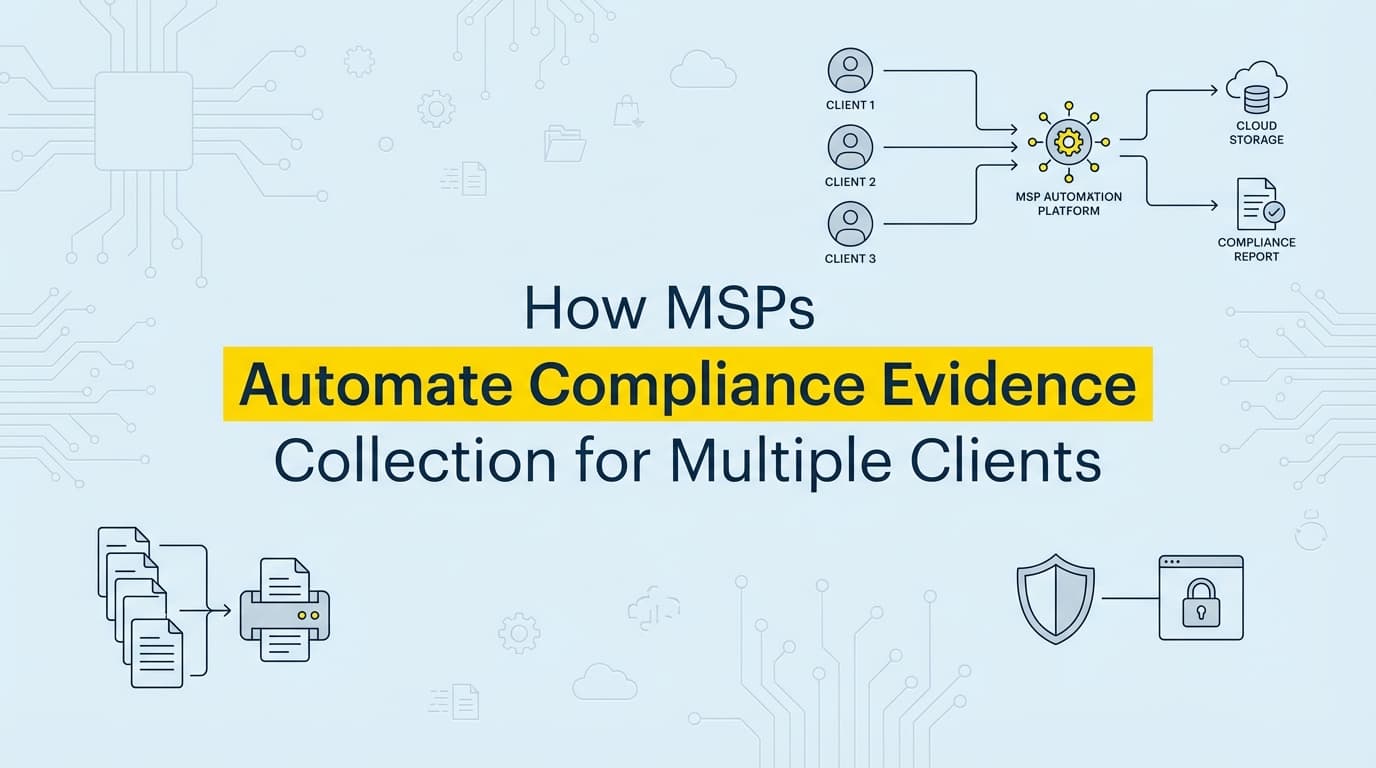
Managed Service Providers (MSPs) handling SOC 2, HIPAA, or ISO 27001 compliance for multiple clients face a unique scaling problem. While GRC platforms automate policy distribution and readiness tracking, the actual collection of evidence, specifically screenshots and application-level documentation, remains a manual bottleneck. Automation is the only way to scale compliance operations without linearly increasing headcount.
The "compliance as a service" model is high-margin on paper, but in practice, margins erode quickly when your team spends the last two weeks of every quarter logging into client environments to capture screenshots. This article breaks down how modern MSPs are automating the "last mile" of evidence collection to support 10, 20, or 50+ clients without hiring an army of junior analysts.
Why Do Multi-Tenant Dashboards Fail to Automate Evidence?
There is a misconception in the MSP market that "multi-tenant compliance" simply means having a dashboard where you can see all your clients' status lights in one view. Tools like Cynomi, Apptega, or the MSP portals of Drata and Vanta are excellent for management. They tell you that Client A is 80% ready and Client B has a failing control.
However, knowing a control is failing doesn't fix it, and knowing a control is passing doesn't prove it to an auditor.
For a SOC 2 audit, an auditor doesn't just want to see a green checkmark in a dashboard. They need the underlying artifact, the evidence.
- The Dashboard says: "Backups are configured."
- The Auditor asks: "Show me the screenshot of the backup configuration settings and the restoration log from last Tuesday."
Most multi-tenant tools stop at the API layer. They can pull a "pass" result from AWS or Microsoft 365, but they cannot log into a client's unique HRIS to screenshot the offboarding flow for a terminated employee. That gap is where MSP profitability dies. You end up with a high-tech dashboard that simply generates a to-do list of manual screenshots for your team to go fetch.
How Much Time Does Manual Evidence Collection Cost MSPs?
To understand the ROI of msp compliance automation, you have to look at the unit economics of a single audit cycle.
Let's assume a standard SOC 2 Type II engagement requires evidence for roughly 80-100 controls. About 30-40% of these are infrastructure controls easily handled by APIs (AWS, Azure). Another 20% are policy documents. The remaining 40% are application-level or process-based controls that require visual evidence, screenshots of admin panels, permission settings, and workflows.
Here is the math for a mid-sized MSP managing compliance for 15 clients:
| Activity | Time per Artifact | Artifacts per Client | Total Time (15 Clients) |
|---|---|---|---|
| Login & Navigation | 3 mins | 40 | 30 hours |
| Capture & Redaction | 5 mins | 40 | 50 hours |
| Formatting & Upload | 4 mins | 40 | 40 hours |
| Total Quarterly Labor | 12 mins | 40 | 120 hours |
That is 120 hours, three full weeks of work for a senior analyst, spent every single quarter just hitting Command+Shift+4. This doesn't include the time spent chasing client engineers for access or correcting screenshots that auditors rejected because the date wasn't visible.
If you charge a fixed monthly fee for compliance management, these hours come directly out of your profit margin.
What Evidence Can Be Automated Across Multiple Client Environments?
True multi-tenant compliance automation goes beyond APIs. It uses AI agents that can interact with user interfaces the way a human analyst would. This allows you to automate the collection of evidence that APIs can't reach, across disparate client stacks.
1. Identity and Access Management (IAM)
For SOC 2 CC6.1 and HIPAA §164.308(a)(4), you need to prove that access is restricted.
- Manual Way: Ask the client to screenshot their user list in Salesforce, Jira, and their custom admin panel every quarter.
- Automated Way: An agent logs into each application, navigates to the user management screen, captures the user list, extracts the text to verify against the active employee roster, and saves the screenshot with a timestamp.
2. Employee Offboarding
For SOC 2 CC6.2 and ISO 27001 A.5.24, you must prove access was revoked on time.
- Manual Way: Search for the terminated employee's name in Slack, GitHub, and email logs to find the "deactivated" status.
- Automated Way: When an employee is marked as terminated in the HRIS, the automation triggers a workflow that checks all connected systems, captures the "User Deactivated" screen (or "User Not Found" error), and bundles these screenshots into a single "Termination Evidence Pack" for that specific user.
3. Change Management
For SOC 2 CC8.1, auditors need to see that code changes were approved.
- Manual Way: Random sampling. The auditor picks 5 changes; you spend a day hunting down the Jira tickets and GitHub PRs for those specific changes.
- Automated Way: The system continuously captures the PR approval screen and the associated Jira ticket for every deployment, linking them together. When the auditor asks for a sample, you export the pre-collected evidence immediately.
How Do You Standardize Audit Deliverables for Different Clients?
One of the biggest headaches for MSPs is the inconsistency of client data. Client A uses Jira, Client B uses Linear, and Client C uses a spreadsheet. Client A's screenshots are full-screen PNGs; Client B pastes cropped JPEGs into a Word doc.
Auditors hate this variability. It slows down their review, which delays the audit report and frustrates the client.
Automating evidence collection forces standardization. Whether the client uses AWS or Azure, Jira or Asana, the output generated by the automation tool is identical:
- Standardized Naming:
[Client_Code]_[Control_ID]_[Date]_[System].pdf - Metadata Layer: Every PDF includes the URL, capture time (UTC), and the user identity of the agent that captured it.
- Formatting: No cropping, no blurry text, no missing context.
This "Gold Standard" evidence pack becomes a competitive advantage. You aren't just selling "help with compliance"; you are selling a predictable, professional audit experience that auditors trust.
Where Traditional MSP Compliance Tools Fall Short
It is important to distinguish between Management platforms and Evidence platforms.
| Feature | GRC / Management Platforms (Cynomi, Apptega, Drata MSP) | AI Compliance Platforms (Screenata) |
|---|---|---|
| Primary Function | Tracking status, assigning tasks, managing policies | Executing tasks, capturing artifacts, validating proof |
| Infrastructure Evidence | Yes (via API integrations) | Yes (via API + UI verification) |
| Application Evidence | No (Relies on manual upload) | Yes (Captures screenshots/logs automatically) |
| Custom Internal Tools | No visibility | Can record workflows in custom admin panels |
| Role in Stack | The Dashboard (Strategy) | The Worker (Execution) |
Traditional GRC tools are essential for defining what needs to be done. But they generally fail at doing the work for application-level controls. They create the ticket; they don't resolve it. For an MSP, the labor cost lies in resolving the ticket.
Building a Zero-Touch Compliance Stack
To scale effectively, MSPs are moving toward a "Zero-Touch" stack where an AI Compliance Platform like Screenata handles the full workflow, or integrates with an existing GRC tool to execute the collection.
- The Strategy Layer: Use a multi-tenant GRC platform to define the control set (SOC 2, HIPAA, etc.) and track overall progress. This is your client-facing dashboard.
- The Execution Layer: Deploy evidence collection agents into the client environment. These agents connect to the client's SaaS tools and internal panels.
- The Integration: The agents run on a schedule (e.g., weekly or monthly), capture the required screenshots, and automatically push them into the evidence repository of the GRC tool or a secure shared drive.
In this model, your analysts shift from being "data collectors" to being "compliance architects." They spend their time interpreting the evidence and advising the client on risk, rather than taking screenshots. This shift allows one senior analyst to manage 10-15 clients effectively, compared to 3-4 clients in the manual model.
Learn More About SOC 2 Compliance Automation
For a complete guide to automating SOC 2 evidence collection, see our guide on automating SOC 2 evidence collection, including how to handle the specific application-level controls that typically drain MSP resources.
Connect and see
See your SOC 2 with your real systems.
Connect GitHub and cloud read-only. Vera shows your control matrix, policy gaps, and prioritized next actions before you commit to anything.