

Compliance
What's the Best Way to Generate SOC 2 Control Evidence Automatically from App Workflows?
Multi-step workflows like change management, provisioning, and incident response are where SOC 2 evidence gets manual, because API records prove the outcome but not the path. Vera, the compliance agent behind Screenata, captures the workflow as it runs, drafts the step narrative, maps each artifact to a control, and files a signed pack. This guide covers the setup, five worked control examples, and what auditors check.
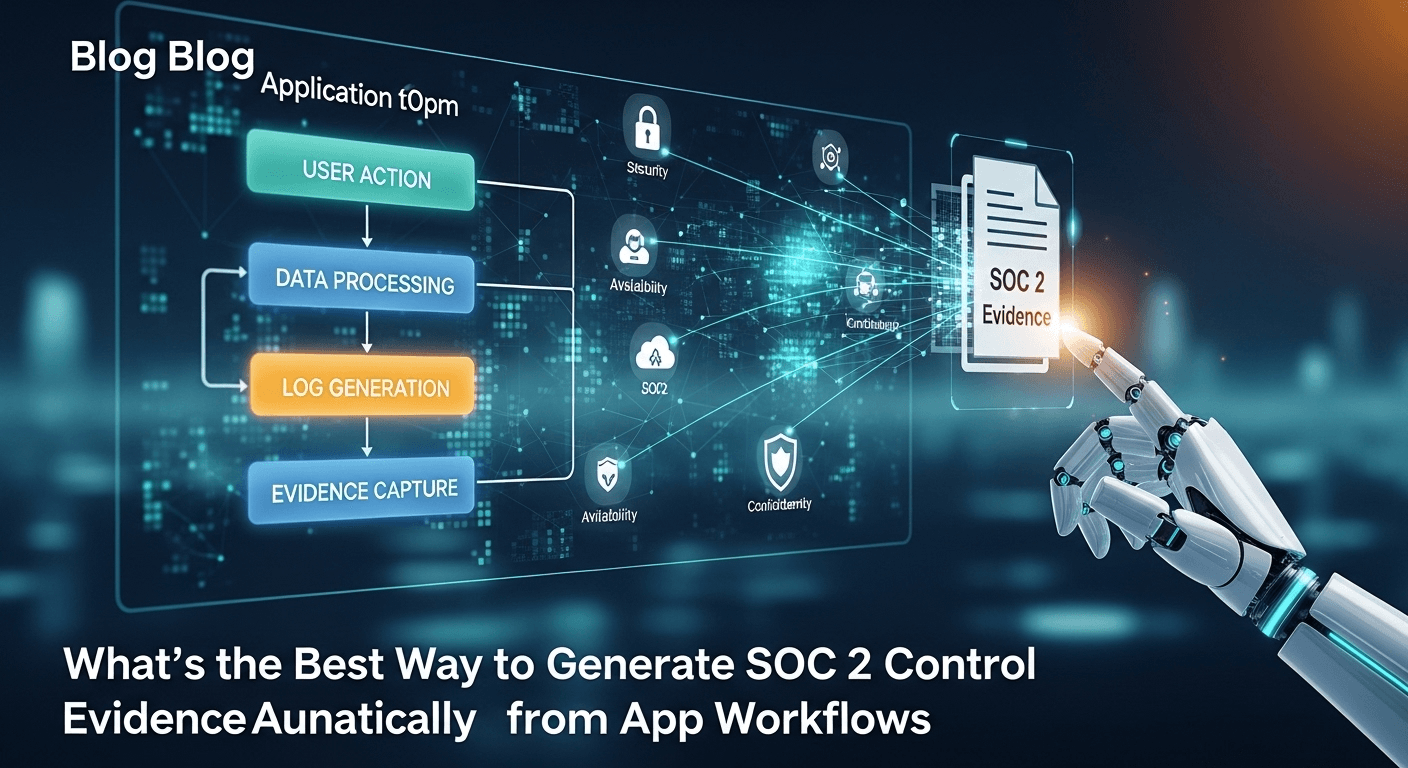
Most SOC 2 controls are not a single setting. They are a sequence: a change gets proposed, reviewed, tested, approved, and deployed. Access gets requested, approved, granted, and verified. An alert fires, someone investigates, the issue is resolved, and a post-mortem gets written.
API records prove the outcome of those sequences. They rarely prove the path, and the path is what an auditor samples. That gap is where compliance owners lose their quarters: stopping mid-deployment to screenshot each step, then spending an afternoon writing up what the screenshots mean.
At Screenata the work belongs to Vera, the agent who runs your compliance program. She pulls what the APIs can give her, captures the workflow steps they cannot see, drafts the narrative that explains each screen, maps every artifact to the control it supports, and assembles a signed evidence pack you review before it is filed. This guide covers what workflow evidence is, how the automated capture works, five worked control examples, and what auditors check when they open the result.
What Workflow Evidence Is and Why Auditors Ask For It
What counts as a workflow
Workflow evidence documents a multi-step process in your systems to show that a control operated as designed, not just that it exists on paper. Three common examples:
- Change management under CC7.2 and CC8.1: a developer opens a pull request, a reviewer approves it, automated tests pass, and the change deploys.
- Access provisioning under CC6.2: a request arrives, a manager approves it, IT creates the accounts, and someone verifies the permissions match the role.
- Incident response under CC7.3: an alert triggers, an engineer investigates, the issue is resolved, and a post-mortem is filed.
What auditors are checking
Four things, in order:
- That the process exists and is documented.
- That the process was actually followed for the samples they select.
- That the control gates held, meaning the approval was required rather than optional and the test suite blocked rather than warned.
- That this was true throughout the observation window, not only in the weeks before the audit.
The third item is where teams get caught. Showing a pull request that was approved proves someone approved it. Showing the branch protection settings page proves approval was required. Auditors ask for both, and they ask for the second one after you have already sent the first.
Why API records alone leave gaps
An API tells you the state of a record. It does not tell you what the person operating the system saw, whether a gate was enforced by configuration or by habit, or what a custom internal tool did when someone tried to bypass it.
Three specific gaps come up in almost every audit. Your own product's admin panel has no compliance API, so nothing external can read its permission model. Configuration that enforces a gate lives in a settings UI that reports its state visually. And approval steps that happen in a chat thread or a ticket comment carry the reasoning an auditor wants, but not in a form an integration will extract cleanly.
Workflows that commonly need documenting
| SOC 2 control | Workflow | What proof the auditor wants |
|---|---|---|
| CC6.1 | User permission changes | Role configuration and a denial test showing the restriction holds |
| CC6.2 | Access provisioning | Request, approval, account creation, permission verification |
| CC6.3 | Deprovisioning | Termination record and confirmed revocation across systems |
| CC7.2 | Code deployment | Pull request, review approval, test results, deploy record |
| CC7.3 | Incident response | Alert, investigation, resolution, post-mortem |
| CC8.1 | Change authorization | Branch protection state, approval gates, no self-merge |
Where Workflow Capture Sits in Vera's Evidence Mix
The mix
Workflow capture is one input among several, and it is a smaller share than its reputation suggests:
| How Vera collects it | Share | What it covers |
|---|---|---|
| API scans | ~70% | Cloud configuration, identity logs, repository settings, endpoint posture |
| Automated screenshots | ~9% | Application UI states, workflow steps, consoles APIs cannot read |
| Guided collection | ~9% | Controls that need a specific path walked in a specific order |
| Inbox ingestion | ~5% | Forwarded emails and Slack file drops, classified on arrival |
| Dashboard uploads | 0% | Nothing here. Uploading files by hand is the work being replaced |
The balance is attestation: the answers only a person can give, which Vera chases in Slack or Teams.
What the API half covers
For a change management workflow, Vera pulls the pull request record, the reviewer identity and approval timestamp, the status check results, the merge commit, and the actor on each event. She holds the full population of changes for the period, which is what an auditor samples from. None of that needs a screenshot.
What the capture half covers
The remaining questions are visual. Was branch protection configured to require a review, or did the team simply happen to review that one? Does the deployment dashboard show the merged commit reaching production? Did the internal admin tool actually deny the action it claims to deny?
Those are the captures. They are few, and they are the ones that end the auditor's follow-up thread.
The Manual Way, and What It Costs
Step 1: Plan the documentation
Pick the workflow, list its steps, decide which screens to capture, and assign someone to do it. About 20 minutes, and it usually happens twice because the first pass misses a gate.
Step 2: Execute and screenshot
Walk the workflow, stopping at each step to capture the screen. Save and rename the files. Note the timestamps. Between 30 and 60 minutes depending on how much of the workflow involves waiting for another person.
Step 3: Write it up
Describe what each screen shows, explain the decision at each gate, map the steps to the control language, and format it consistently with last quarter's version. Between 45 and 90 minutes.
Step 4: Build the pack
Import the images, add captions and annotations, add the control ID and test metadata, and export a PDF. About 30 minutes.
Step 5: File it
Navigate to the control in your GRC platform, upload, add the test date and tester, and mark it tested. About 10 minutes.
What breaks in practice
The sequence totals two and a half to three and a half hours per workflow. For a program with 15 documented workflows tested quarterly, that is roughly 180 hours a year.
The hours are not the worst part. Three failure modes show up repeatedly. Capture gets skipped during busy periods, so the quarter has a hole nobody notices until the auditor samples it. Different people document differently, so the auditor has to re-learn the format each quarter and asks more questions. And capturing mid-workflow interrupts the actual work, which means engineers rush it, which produces cropped screenshots missing the URL bar.
How Vera Captures a Workflow
Capture with context attached
Capture happens through the Screenata browser extension while the workflow runs. Each step records more than an image:
{
  "workflow": "Code deployment",
  "control": "CC7.2",
  "step": 3,
  "action": "approval",
  "url": "https://github.com/company/repo/pull/4821",
  "captured_at": "2026-07-14T14:05:00.318Z",
  "actor": "senior-engineer@company.com",
  "dom_snapshot": true,
  "page_title": "Fix session expiry handling by dev-name"
}
The DOM snapshot records that the elements existed on the page as shown, which answers the question about whether an image was assembled after the fact. The timestamp is NTP synced. The actor identity travels with the capture rather than being typed in during write-up.
What the vision model reads
A vision model reads each capture the way a reviewer would: button labels, status badges, approval indicators, error messages, role markers, and state signals such as a green check or a red denial. It determines whether the capture demonstrates the control rather than merely relating to it, and it attaches a confidence score. Captures that score low get flagged for your review instead of being written up in confident language.
Drafting the step narrative
From the capture and its metadata, Vera drafts the description that sits under each screenshot:
At 14:05:00 UTC on July 14, 2026, senior-engineer@company.com approved pull request #4821 in company/repo. The approval was recorded against the branch protection rule requiring one review from a user other than the author. The status check panel shows the CI suite completed with 287 of 287 tests passing before the approval was submitted. This supports CC7.2, which requires that changes be authorized and tested prior to deployment.
Mapping to controls
Each artifact attaches to the control test that requested it and to any secondary criterion it also supports. A deployment approval capture is primary evidence for CC7.2 and secondary evidence for CC8.1. Mapping happens at capture time, because the capture was triggered by a control test, so nothing needs reconciling later.
Signing and packaging
Vera hashes each file with SHA-256, signs the bundle, and attaches an RFC 3161 timestamp from an independent authority. The result is a PDF pack with the cover page, the summary, the procedure, the step evidence, and an appendix holding the hashes, the signature, and the claim chain from policy sentence to artifact. An auditor can verify it with the free Open Attest CLI without a Screenata account, because the format is published as an open spec.
Worked Example: Change Management (CC7.2)
What the API record settles
Vera's GitHub integration holds the population of merged pull requests for the period, each with its author, reviewers, approval timestamps, status check results, and merge commit. When the auditor samples five changes, the records are already there.
What the capture settles
Two screens. The branch protection settings page, showing that a review is required and that force pushes and self-approval are blocked. And the deployment confirmation, tying the merged commit to the release that reached production.
What the pack looks like
One file per sampled change, holding the API record for that pull request, the two configuration captures, the narrative for each, and the signature block. The auditor opens it, confirms the gate was enforced rather than voluntary, and moves to the next sample.
Worked Example: Access Provisioning (CC6.2)
The control asks whether access is granted only after authorization.
The API side gives Vera the account creation events from your identity provider, with timestamps and the admin who performed them. The capture side covers the request and approval: the ticket showing the requested role and the manager's approval, timestamped before the account creation event.
The ordering is the whole test. An account created at 09:14 with an approval recorded at 11:30 is an exception, and it is the kind an auditor finds by comparing two timestamps. Vera surfaces the mismatch when the evidence is assembled rather than when the auditor does the comparison.
The final capture in the sequence is a verification screen showing the new account's actual permissions, which proves the role granted matches the role approved.
Worked Example: Deprovisioning (CC6.3)
The control asks whether access is revoked promptly on termination.
Vera pulls the termination record from the HR system and the deactivation events from the identity provider, then captures the downstream systems that have no clean API signal: the application's own user list showing the account inactive, and any admin tool where access was granted directly rather than through the identity provider.
The gap this catches is the account that was disabled centrally but retained a direct login somewhere. Auditors ask about it because it is common, and the only proof is a screen showing the account is gone from that specific system.
Worked Example: Incident Response (CC7.3)
The control asks whether incidents are detected, escalated, resolved, and reviewed.
The alert and the ticket lifecycle arrive through integrations. What needs capture is the investigation itself: the dashboard state the responder was looking at, the diagnostic view that identified the cause, and the resolution confirmation. Those screens are the difference between a ticket that says "resolved" and evidence that shows what was resolved.
The post-mortem document completes the pack. Vera ingests it when someone drops it in Slack or forwards it to the workspace email address, and classifies it against the incident it belongs to.
Worked Example: Vulnerability Remediation (CC8.1)
The control asks whether identified vulnerabilities are tracked and fixed within your stated timeline.
The scan results and the ticket records come through the API. The captures cover the scan dashboard showing the finding and its severity at the time it was detected, and the rescan view showing the finding cleared after the fix. Two screens, taken weeks apart, that together prove the remediation cycle closed.
Vera opens the remediation ticket when a scan surfaces a finding, and she re-verifies after a human applies the fix. She does not apply the fix herself.
Setting Up Workflow Capture
Step 1: Pick the controls that need UI proof
Start from your control matrix and mark the tests where an API cannot answer the question. In most SOC 2 programs that is a short list: the access controls inside your own product, the configuration screens that enforce your change gates, and any internal admin tool without a compliance API. Everything else is already covered by scans.
Step 2: Define the workflow path
For each of those, write down the path a reviewer would walk: the starting screen, each meaningful step, and the state that proves the control held. This is the definition Vera captures against, and it is what makes one quarter's pack comparable to the next.
Step 3: Set redaction rules
Decide what gets masked before anything is captured. Customer names and email addresses in user lists, API keys and tokens visible in settings, payment identifiers, and any personal data belonging to a record that is not the subject of the test. Compliance markers stay visible: role labels, permission toggles, timestamps, status indicators, and the URL.
Step 4: Put it on a schedule
Attach each workflow to the frequency its control requires. Change management captures happen per deployment. Access reviews are quarterly. Vulnerability dashboards are monthly. Vera queues the work and reminds the right person in Slack when a capture is due, rather than letting it accumulate until audit prep.
Step 5: Connect the destination
If your auditor works inside an existing Drata or Vanta workspace, connect it so finished packs land against the matching control there. That is compatibility for an audit already in flight, not the reason to run the capture.
Recording a Workflow End to End
Recording a deployment looks like this in practice. You start the recording from the extension and pick the workflow definition. Then you do your normal deployment: open the pull request, wait for the review, watch the checks pass, merge, and confirm the release. Nothing about the work changes, and nothing has to stop for a screenshot.
When you stop the recording, Vera processes the captured steps, drafts the description for each, maps them to CC7.2 and CC8.1, checks the sequence against the workflow definition, and stages a pack for your review. The processing takes under a minute. Your review takes a few more. The three hours the manual version needed is the part that goes away.
Review Before Anything Is Filed
No pack leaves your workspace without a person approving it. The review screen shows the captures, the drafted descriptions, the control mapping, and any step the vision model scored below the confidence threshold.
Two edits come up most often. The wording of a description that does not match your product's vocabulary, and the control mapping when a capture supports a secondary criterion nobody tagged. Both are cheap at review time and expensive after the auditor has the file.
What Happens When a Workflow Step Is Missing
If a recorded workflow does not contain a step the definition requires, Vera flags it rather than filing a pack with a hole in it.
A deployment recorded with no reviewer approval means either the approval happened somewhere she could not see, or the gate did not hold. Both need a person to look. She raises it in the daily briefing with the specific step and the specific control affected, and the pack stays unfiled until it is resolved.
Finding that in week three of your observation window gives you a fix. Finding it in month eleven gives you an exception in your report.
The Attestation Work Vera Takes Off Your Plate
Some steps in a workflow have no API and no screen. Whether a manager genuinely reviewed the access request rather than clicking approve, whether the terminated employee's laptop came back, whether the post-mortem action items were actually assigned.
Vera DMs the person who knows, in Slack or Teams. No answer in 24 hours brings a reminder. At 48 hours she escalates. The response is captured as an attestation with the responder's identity and timestamp, and it joins the pack for the control it supports.
This is the part a dashboard cannot do, because a dashboard has no way to ask.
A Week in Vera's Compliance Cadence
Workflow evidence accumulates on a schedule that runs whether or not anyone is thinking about the audit.
- Daily, 6:00 AM: evidence freshness check across the control matrix. Anything aging out gets queued for recapture.
- Daily, 6:15 AM: readiness snapshot showing which controls have current evidence.
- Daily, 6:30 AM: Slack briefing. What she collected, what she needs from a person, what is overdue.
- Weekly, Monday: cloud and repository scans across connected providers.
- Quarterly: access review cycle scheduled and orchestrated, with Vera chasing the reviewers.
- Annually: risk assessment refresh.
Evidence collected this way covers the whole observation window. Evidence collected the month before an audit covers the month before the audit, which is the finding auditors write up most often.
Collect Once, Map Across Frameworks
Frameworks overlap more than their documentation admits. A change management workflow capture supports SOC 2 CC7.2 and CC8.1, the ISO 27001 Annex A change control requirements, and the HIPAA integrity safeguards for systems handling protected health information.
Vera collects against a shared canonical control catalog, so one capture attaches to every control it satisfies. The second framework costs a fraction of the first, because most of the evidence already exists and only the gaps need new collection.
Comparing the Approaches
| Approach | Setup | Per workflow | Annual hours, 15 workflows | Evidence quality |
|---|---|---|---|---|
| Manual screenshots | None | 180 min | 180 hours | Inconsistent between people and quarters |
| Screen recording tools | 10 min | 30 min | 30 hours | Unstructured, hard for an auditor to sample |
| Scripted automation you maintain | Weeks of engineering | 5 min | 5 hours plus maintenance | High, until the UI changes and the script breaks |
| Agent-run capture and packaging | About 30 min | 10 min | 15 hours | Consistent, signed, mapped to controls |
The comparison that matters is not the per-workflow minute count. It is whether the evidence still exists in month nine when nobody has thought about compliance since the kickoff call.
Common Mistakes
Capturing in staging instead of production
Auditors want evidence from the environment that serves customers. A capture from a staging URL gets rejected and has to be redone, usually at the worst possible moment. Set the workflow definition to require the production hostname so a wrong-environment capture is caught immediately.
Capturing without a defined path
Recording a workflow with no definition produces a pile of screens that may or may not include the gate the control depends on. Write the path first. It takes ten minutes per workflow and it is the difference between a pack that closes a sample and one that opens a thread.
Skipping redaction
Customer data visible in an evidence pack is a problem you have created for yourself, and evidence packs travel to auditors and sometimes to prospects. Set the redaction rules before the first capture, not after someone notices an email address in a user list.
Capturing only before the audit
Type II covers a window. Evidence dated in the last three weeks of a twelve-month window tells the auditor the control operated for three weeks. Put the captures on the cadence the control requires and let them accumulate.
Treating capture as the whole program
Screenshots are roughly 9% of the evidence in a SOC 2 program. A team that automates capture and leaves the scans, the attestations, and the policy work manual has automated the visible part of a job that is mostly invisible.
What Happens After You Certify
The report is not the finish line. The next observation window opens the day the current one closes.
Vera keeps running: daily freshness checks, weekly scans, quarterly access reviews, workflow captures regenerated as evidence ages out. When the next audit begins, the evidence for the period already exists, so the prep is a review pass rather than a rebuild.
What This Costs
The traditional path to a SOC 2 Type II at a company under 50 employees runs $77,000-$178,000 in the first year, with your team's time counted: a GRC platform subscription, a fractional compliance consultant, and the auditor fee. The 180 hours of workflow documentation sit inside that as internal time nobody bills for.
Screenata is $5,988 a year ($499/mo) per framework. Add the audit fee and your team's time, and the first year lands at $22,000-$33,000. Workflow capture is not a line item; it is part of what the subscription produces.
Frequently Asked Questions
Does Vera log into my application on her own?
She captures the workflow as it runs, through the browser extension, with a person driving or with a guided path she walks alongside you. She does not hold your production credentials and log in unattended. Where a step needs human judgment, she asks.
What if my application's UI changes?
The capture works from what is on screen rather than from a script bound to specific selectors, so a layout change does not silently break collection. If a step the workflow definition requires no longer appears, she flags it instead of filing an incomplete pack.
How long does processing take after a recording?
Under a minute for a typical five-step to ten-step workflow. Your review is the longer part, and that is intentional.
Can I edit the descriptions before the pack is filed?
Yes. Descriptions are editable at review, and the pack rebuilds from the saved capture data with a new signature and timestamp. Prior versions stay in the vault.
Do auditors accept evidence captured this way?
In most cases, yes, when it is verifiable. The DOM snapshot, the NTP-synced timestamp, the tester identity, the file hashes, and the RFC 3161 timestamp are what make it verifiable. Packs are badged as produced by "Vera (AI)" so the auditor knows what generated the artifact.
What happens to a workflow that fails its control test?
The pack is still produced and records what was expected against what happened. Vera opens a remediation ticket naming the affected control and re-verifies after a person applies the fix.
Can this work alongside Drata or Vanta?
Yes. Finished packs export to the matching control in an existing audit workspace, which helps when an auditor is already working inside one.
How many workflows should I capture?
Fewer than most teams assume. Start with the controls where an API genuinely cannot answer the question, usually somewhere between five and twelve tests. Capturing screens for controls a scan already covers adds review burden without adding proof.
Key Takeaways
Workflow evidence is where SOC 2 stays manual, because API records prove the outcome while auditors sample the path. Doing it by hand runs two and a half to three and a half hours per workflow, roughly 180 hours a year for a program with 15 workflows.
Vera captures the steps as the workflow runs, with a DOM snapshot, an NTP-synced timestamp, and the actor identity attached to each. A vision model drafts the step narrative and scores whether the capture demonstrates the control. Artifacts map to controls at capture time.
The output is a signed pack with a claim chain from policy sentence to artifact, verifiable independently with a free CLI. A person approves it before it is filed.
Capture is about 9% of the evidence in a SOC 2 program. The other 91% comes from API scans, guided collection, inbox ingestion, and the attestations Vera chases in Slack.
The strongest reason to automate is not the hours. It is that evidence collected on a schedule covers the observation window, while evidence collected before the audit covers the weeks before the audit.
Learn More About SOC 2 Compliance Automation
For a complete guide to automating SOC 2 evidence collection, including how workflow capture fits into a continuous compliance program, see our comprehensive SOC 2 automation guide.
Not sure if you even need a compliance consultant? Read Do You Actually Need a vCISO for SOC 2? Probably Not Anymore or The Bootstrapped Founder's Guide to SOC 2.
Connect and see
See your SOC 2 with your real systems.
Connect GitHub and cloud read-only. Vera shows your control matrix, policy gaps, and prioritized next actions before you commit to anything.